

Yes. You don't have to use our services for your domain name. You can link it to any server in the world, with DNS records or with nameservers.
Good to know: a domain name on its own comes with our DNS. Email, web hosting and the website builder come with a plan. See what you can do with just a domain name.
First: turn off the default settings
As long as the default Site.eu settings are on, we manage the DNS of your domain name for you. To link it elsewhere, turn them off first.
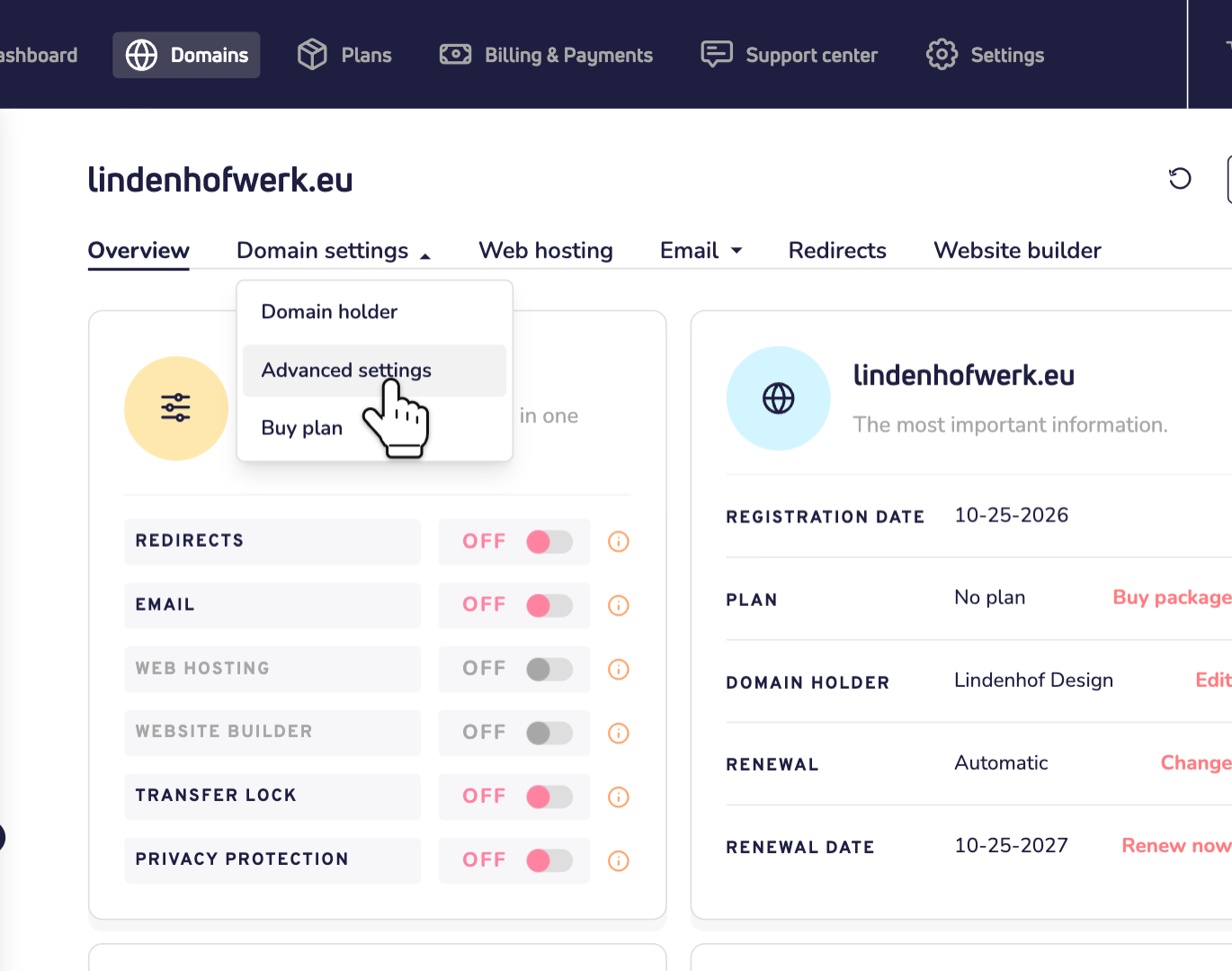
Step 1: Log in to your dashboard and click your domain name in the list on the left. Click Domain settings and choose Advanced settings.
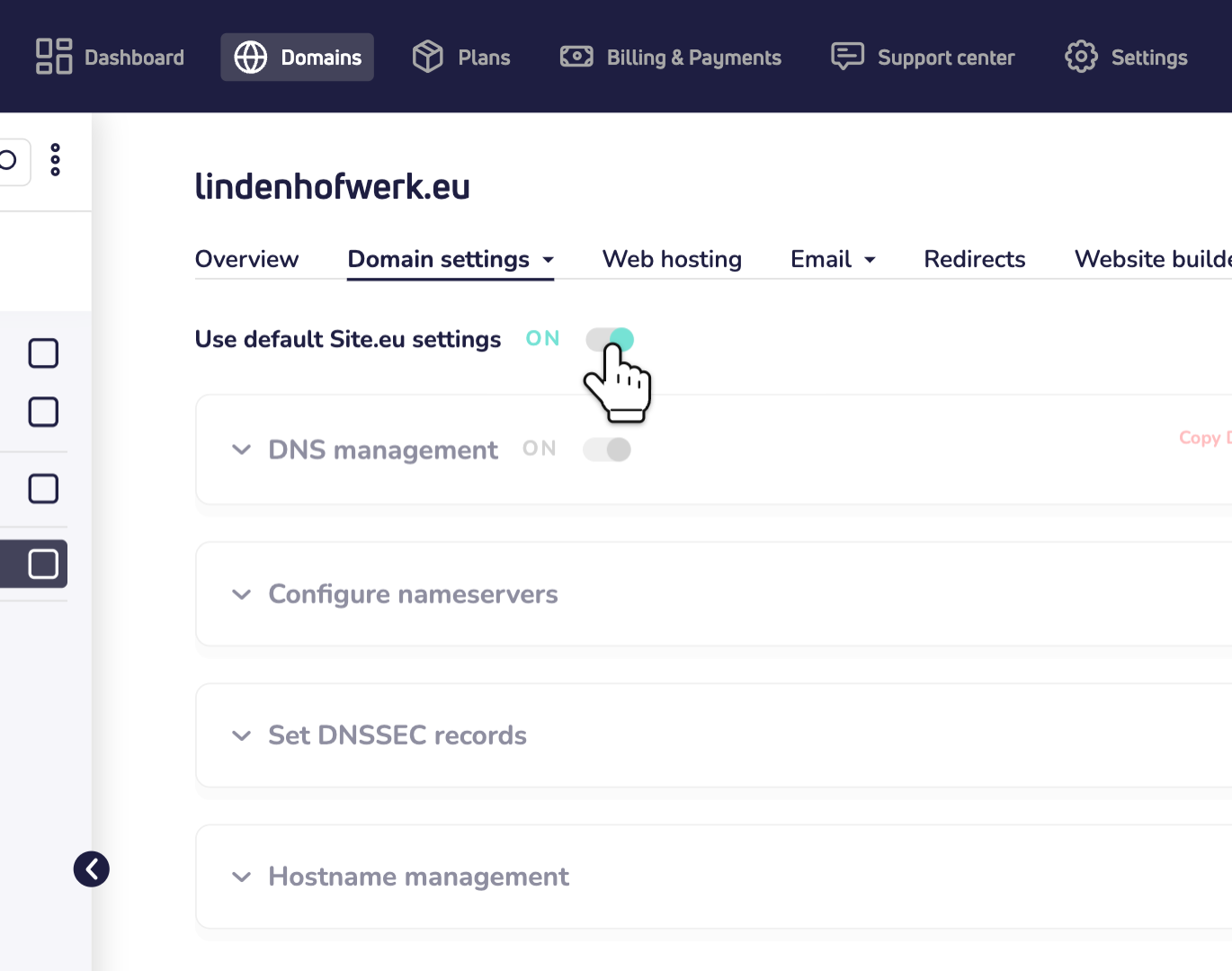
Step 2: Turn off Use default Site.eu settings. From now on, you manage the DNS of your domain name yourself. We no longer add DNS records for you. Read why we recommend the default settings.
Then: choose how to link it
Option 1: keep our DNS and change the records
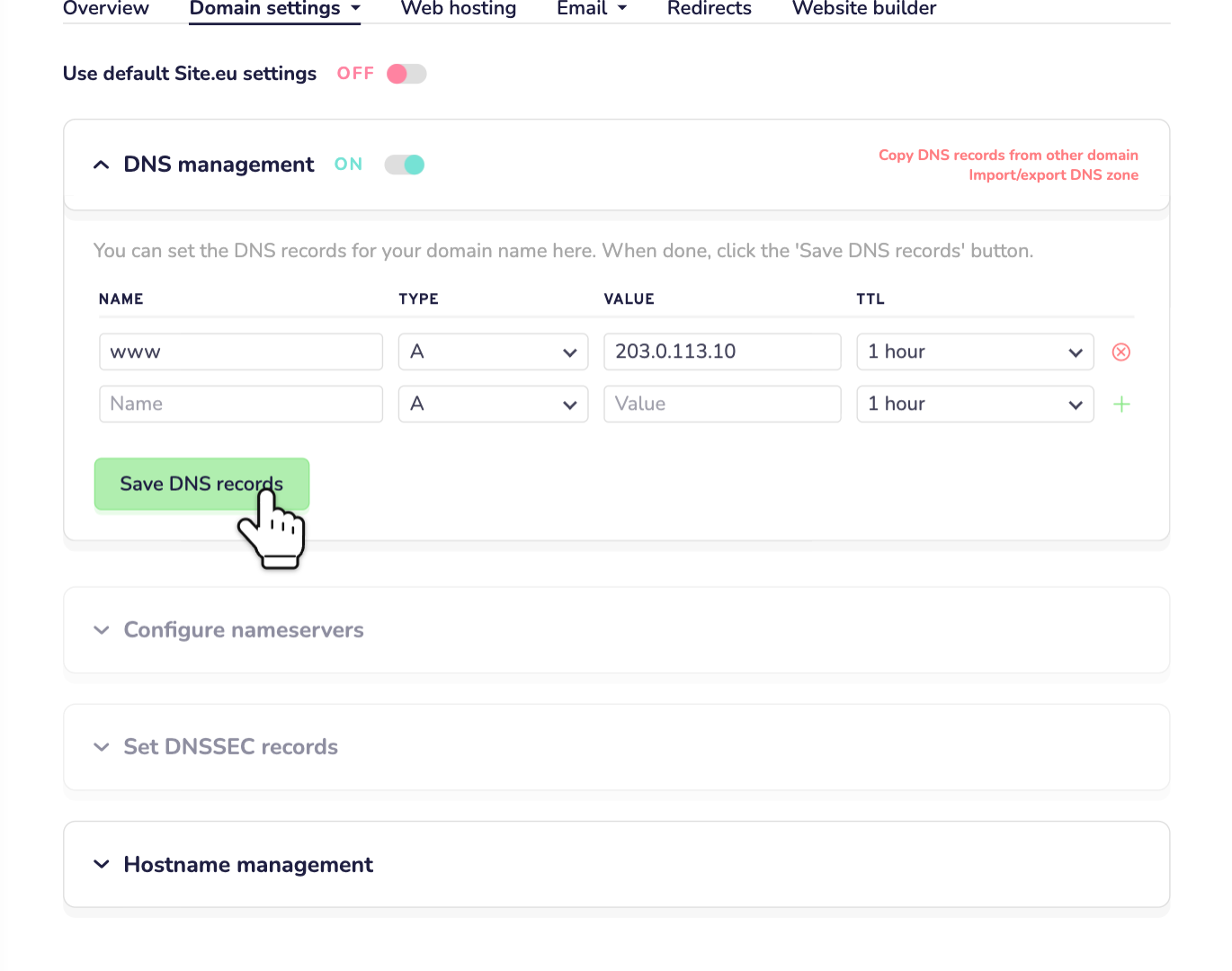
Is your website or email somewhere else, but do you want to keep our DNS? Then leave DNS management on. Point the records to the other server, for example an A record with the IP address of your web hosting. Then click Save DNS records.
Read more about how to manage your domain name's DNS records.
Option 2: use other nameservers
Does another provider manage your DNS? Then use their nameservers.
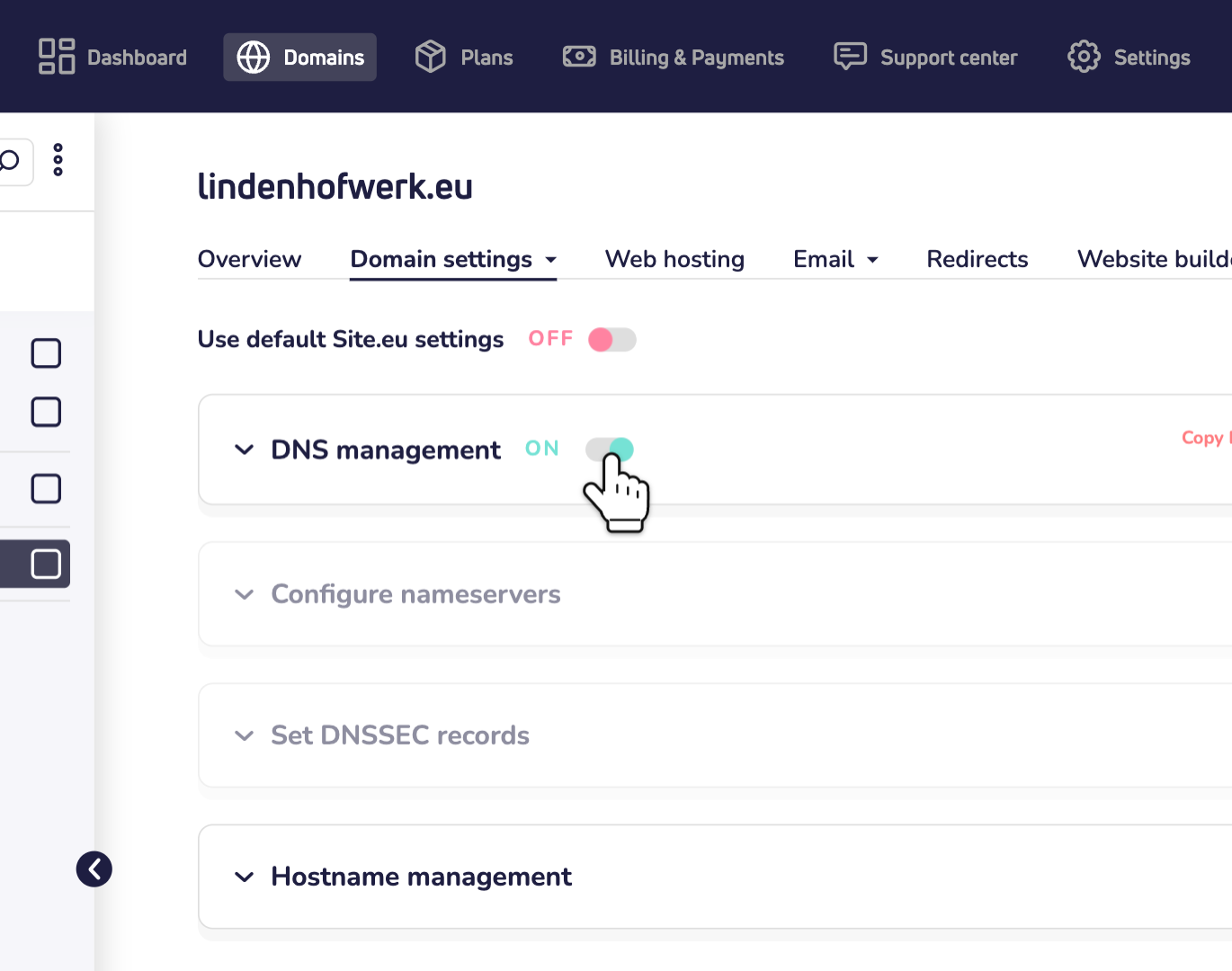
Step 1: Turn off DNS management. You can't use other nameservers while our DNS management is on.
Step 2: Open Configure nameservers and enter the nameservers of your provider. Then click Save changes. Read every step in how to change your domain name's nameservers.
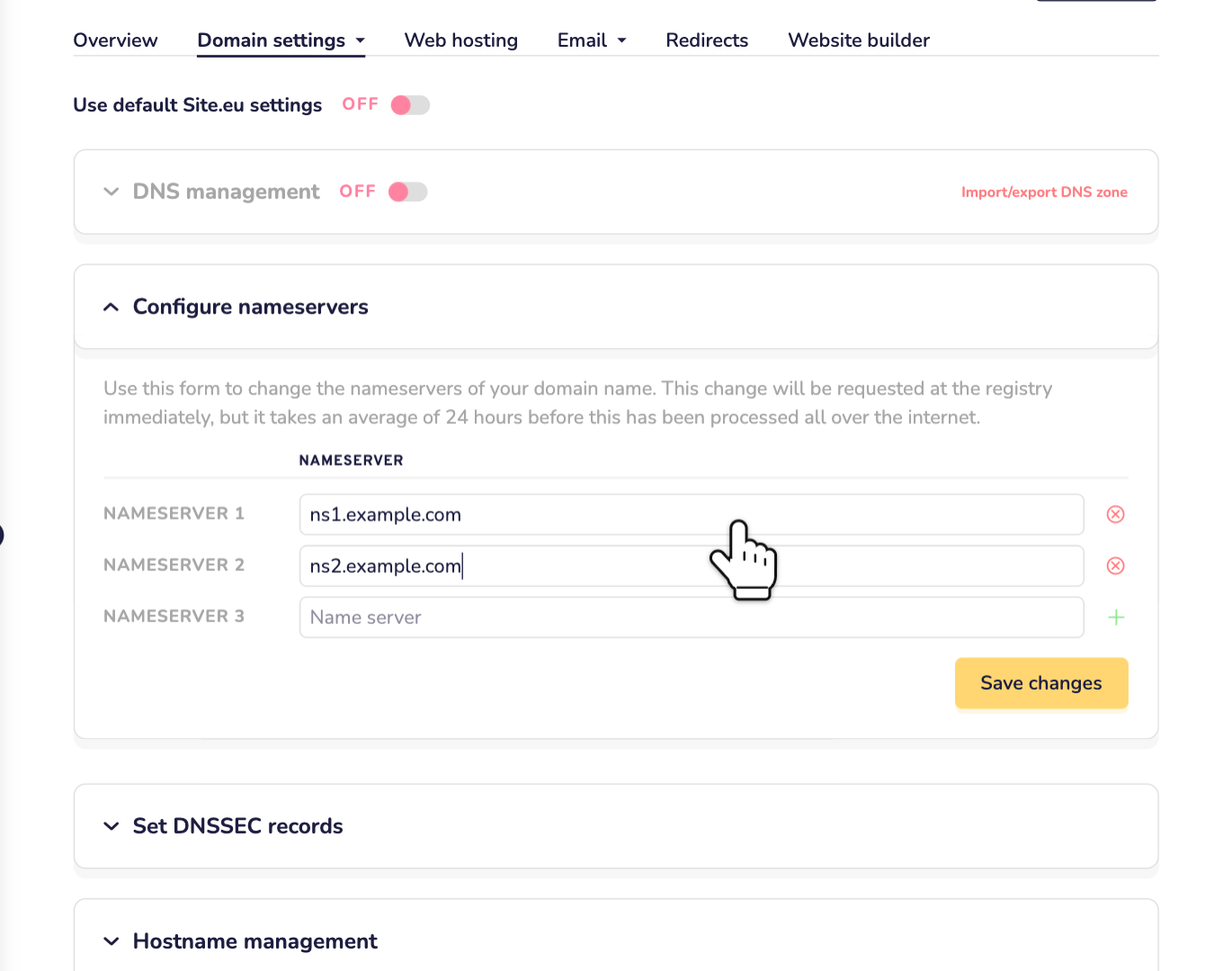
Using other nameservers? Then you can also set your own DNSSEC keys, under Set DNSSEC records.
Good to know
- Give it time. A DNS change can take up to 24 hours to work everywhere.
- Be careful. A wrong record or nameserver can make your website or email stop working. Not sure? Contact us by WhatsApp, Telegram or email.