

Your online wallet is a balance in your Site.eu account. Put money in, and pay for your orders and renewals with it. Credits and refunds from us land there too.
Where do I find my wallet?
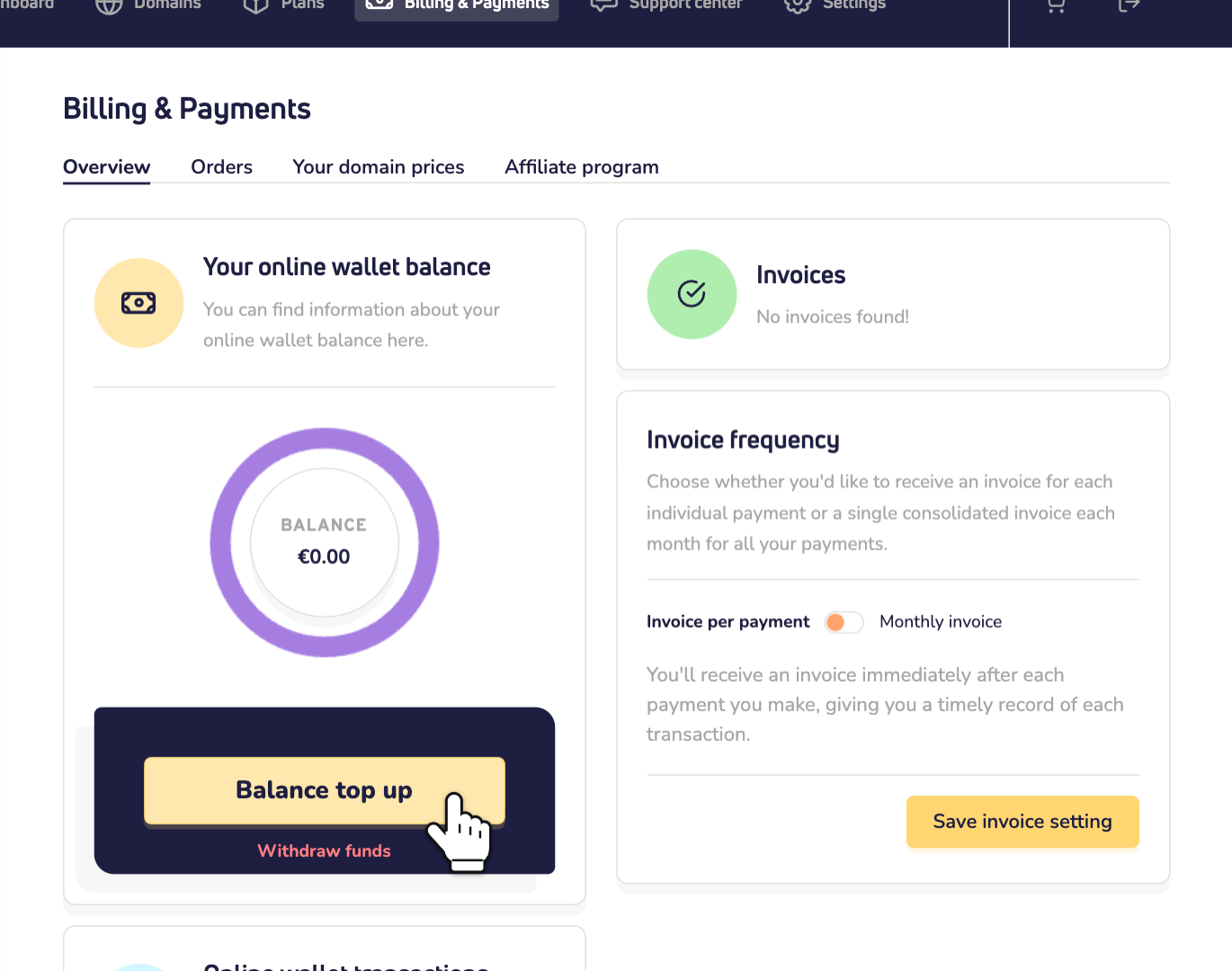
Log in to your dashboard and click Billing & Payments. Under Your online wallet balance, you see your balance. Under Online wallet transactions, you see every payment in and out.
How do I top up my wallet?
Step 1: Click Balance top up.
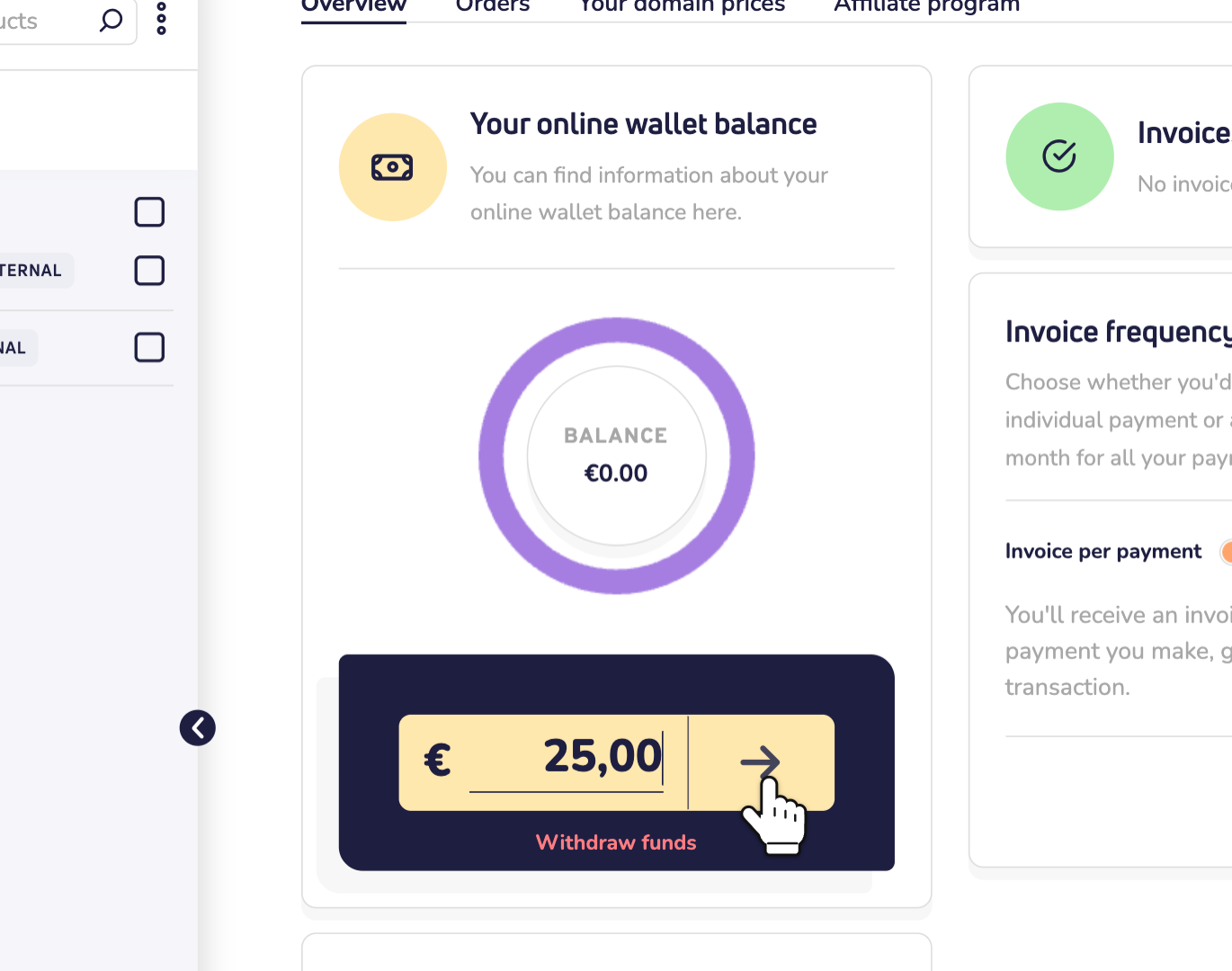
Step 2: Enter the amount and click the arrow. Then pay on the payment page.
What can I pay with it?
New domain names, plans and renewals, also automatic renewals. On the payment page, choose the online wallet as your payment method.
Can I withdraw money?
Only money we put in: credits and refunds. Money you topped up yourself stays in your wallet, for your next payments. Read how to withdraw funds from your wallet.
Negative balance and automatic top-up
Have you spent a certain amount with us, and do we know you well? Then your wallet may go below zero for automatic renewals, and you pay later. A negative balance can last 30 days at most. Within that time, top it up to at least zero.
Want that to happen by itself? Give us an authorization for your bank account or credit card. You do this on the payment page. Read how to issue a direct debit authorization or authorize your credit card.