

An SSL certificate proves who a website is and encrypts the data sent between the website and its visitors. That way, visitors can browse with confidence: their personal information stays private. In this article, we explain what SSL is, how it works and why every website needs it. Wondering "What does SSL mean?" or "What is an SSL certificate?" Then read on.
What is SSL?
SSL is a protocol that secures communication over the internet. It encrypts data, so no one else can read it along the way. Encrypted data looks like gibberish. Only someone with the right key can turn it back into readable text.
SSL protects sensitive information, like personal data, payment details and passwords. To use it, a website needs an SSL certificate.
Good to know: SSL is actually the old name. Today's websites use its successor, TLS (Transport Layer Security). Almost everyone still says SSL, though. So when you read SSL, think TLS.
SSL meaning: What does SSL stand for?
SSL stands for Secure Sockets Layer (not secure socket layer). Netscape developed it in the 1990s. Every version of SSL is outdated now, and browsers no longer accept it. TLS took over. Versions 1.2 and 1.3 are the ones in use today.
TLS isn't only for websites. It also secures the connection between your email app and the mail server, for example. That's why you choose SSL/TLS when you set up your email address in an app.
What is SSL: How SSL works
SSL and TLS work in two parts: the handshake and the record layer. The handshake sets up a secure connection between two computers. The record layer then encrypts all the data they send each other.
The handshake uses a pair of keys: a public key and a private key. The public key is in the website's certificate, so anyone can see it. The private key stays secret, on the server.
Here's what happens when you visit a website with SSL:
- Your browser checks the website's certificate. Is it valid, and is it really for this website?
- The server proves it owns the certificate with its private key.
- Browser and server agree on a new, secret key for this visit only.
- From then on, everything you send is encrypted with that key.
All this takes a split second. You won't notice a thing.
SSL certificate meaning: What is an SSL certificate?
An SSL certificate (also called an HTTPS or TLS certificate) is a small file on the server that secures the connection between the visitor and the server. Third parties can't read the information exchanged. Certificate authorities issue SSL certificates. Let's Encrypt is a well-known one.
What does an SSL certificate do for a website?
An SSL certificate encrypts the data exchanged between visitors and the server, like passwords and credit card details. People who shouldn't see that information can't intercept it.
That's good for your visitors too. When they know their data is safe, they're more willing to buy something or share their details.
An SSL certificate isn't just for websites with payments. Every website can use one, and every website should. Even a simple contact form sends personal data.
But an SSL certificate isn't your only security. Keep the rest of your website safe too: update your software, use strong passwords and keep an eye on your website.
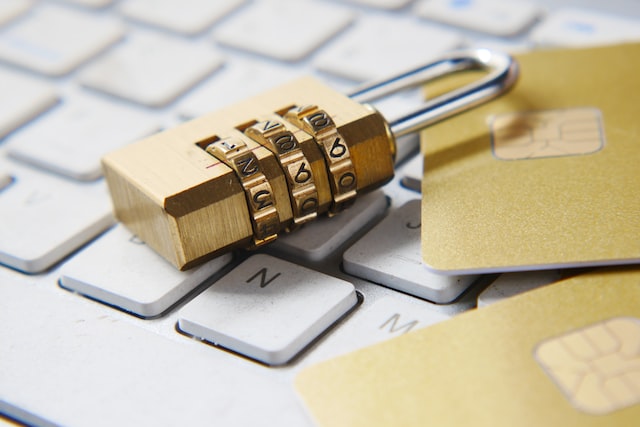
If you collect data from customers and visitors on your website, it's important to handle that data securely.
How do I recognize an SSL connection on a website?
Look at the address bar of your browser. With SSL, the web address starts with "https://" instead of "http://". Some browsers hide that part. Click the address bar, and you'll see it.
Firefox and Safari also show a padlock. Chrome no longer does: since 2023, it shows a small settings icon there instead. Click it, and Chrome tells you whether the connection is secure.
Without SSL, browsers show "Not secure" next to the address. Many browsers also have a setting to always use a secure connection. Then they warn you before they open a page without one.
What is HTTPS protocol and what is HTTPS used for?
HTTPS stands for Hypertext Transfer Protocol Secure. It uses TLS/SSL encryption to create a secure connection between a web server and a browser. All data exchanged between them is encrypted, so unauthorized people can't read it. Today, almost every website uses HTTPS. It's especially important when you send personal or sensitive information, like your login details.
Is an HTTPS connection always secure?
HTTPS is a secure way to send and receive information. But it isn't foolproof. If a hacker gets into the web server where the data is stored, they can steal the data. The same goes for the computer or network you use.
And remember: HTTPS only says the connection is encrypted. It doesn't say whether you can trust the website itself. Scammers use HTTPS too. That's exactly why Chrome dropped the padlock: people saw it as a sign of a safe website.
What's the difference between HTTP and HTTPS?
HTTP stands for Hypertext Transfer Protocol. It's the protocol your browser uses to load web pages. HTTPS is the secure version of HTTP: it adds a layer of encryption. That makes it much harder for hackers to read the data sent between you and the website.
Is an HTTP website secure?
Not really. There are two risks.
- No encryption. Everything you send or receive travels as readable text. Malicious people could intercept it.
- A warning in the browser. Browsers mark HTTP websites as "Not secure". That scares visitors away.
Just reading an HTTP page is fairly harmless. But never log in or send personal or payment details through an HTTP website. Such websites need an SSL certificate to encrypt the data.
Do I need an SSL certificate?
Yes. Do you collect data from customers and visitors on your website? Then handle that data securely. Many countries have laws on how to handle personal data. An SSL certificate isn't always required by law, but it helps you protect sensitive information. And it shows your visitors their data is safe.
There's another plus: Google uses HTTPS as a ranking signal. A small one, but still.
The cost of an SSL certificate
Before you buy an SSL certificate, check what your hosting already includes. At Site.eu, SSL is included with every web hosting plan and every website builder plan. You don't pay extra for it, not even when it renews.
A domain name on its own doesn't come with SSL. That makes sense: without web hosting or the website builder, there's no website to secure.
How do you get an SSL certificate?
At Site.eu, you don't need to buy or install anything yourself:
- Website builder: your website gets SSL automatically, within 24 hours after you publish it. Read how SSL works for the website builder.
- Web hosting: you turn on SSL in DirectAdmin in a few clicks. Here's how to activate SSL with DirectAdmin web hosting.
SSL certificate renewal
We use certificates from Let's Encrypt. They're valid for about 3 months and renew automatically, for as long as your plan is active. You don't have to do a thing.
Did a renewal fail anyway? Then something usually blocks the check, like a subdomain that doesn't point to your web hosting. Read why an SSL certificate renewal can fail.
Secure your website with SSL
SSL protects the data between your website and its visitors. It keeps browser warnings away, builds trust and even helps your ranking a little. Hopefully this article answered "What is an SSL connection?" and "Do I need an SSL certificate?" Ready to get started? Choose a web hosting plan or a website builder plan, and SSL comes with it.