
For email on your domain name, you can set up three things: an email address, a forwarder and a catch-all. They sound alike. But each one does something else. Here's what they do, and which one you need.
Email address: a mailbox of your own
An email address is a real mailbox, like info@yourdomain.com. It has its own inbox and its own password. People send email to it, and you send email from it.
You log in with the address and its password. Then you read and write your email in webmail, in SiteBirdy or in an email app on your phone or computer. The email in your mailbox counts toward your plan's storage.
Forwarder: an extra address, no extra mailbox
A forwarder passes email on, like the post office does with your letters after a move. Email sent to the forwarder lands in a mailbox you already have. The forwarder itself has no inbox and no password.
An example. You create the forwarder sales@yourdomain.com and choose the mailbox info@yourdomain.com. Email to sales@ now lands in the inbox of info@.
- One or more mailboxes. A forwarder can pass email on to several mailboxes at once. Handy when more people need the same email.
- Only to mailboxes with us. A forwarder only delivers to mailboxes created with Site.eu. That can be a mailbox on the same domain name, or on another domain name in your account.
- Receiving only. You can't log in with a forwarder. So you can't send email from it either. It only receives email and passes it on.
Want your email at Gmail or Outlook? A forwarder can't send it to an address there. Read why we don't forward email to external email addresses. You don't need a forwarder for that anyway. Add your email address to the Gmail or Outlook app with IMAP. Your email stays in your mailbox with us, and you see it in every app.
Catch-all: for addresses that don't exist
A catch-all collects email sent to addresses that don't exist on your domain name. Think of it as a forwarder for all the other addresses.
An example. You only created info@yourdomain.com. Someone writes to hello@yourdomain.com. Normally, that email isn't delivered. With a catch-all, it still lands in the mailbox you chose.
- No missed addresses. Email to an address you never created reaches you too. Even with a typo in it, like infp@ instead of info@. Handy when people write to all kinds of addresses on your domain name.
- Your other addresses keep working. Your mailboxes and forwarders keep receiving their own email. The catch-all only takes the rest.
- One mailbox. A catch-all delivers everything to one mailbox created with Site.eu. It can be on any of your domain names.
- More spam. Spammers often guess addresses, like admin@ or jobs@. With a catch-all, those emails reach your mailbox too. Our spam filter still checks them.
Which one do you need?
- You want to read and send email with the address? Create an email address.
- You want an extra address, but not an extra mailbox? Create a forwarder.
- Several people need the same email? Create a forwarder to all their mailboxes.
- You don't want to miss email to addresses that don't exist? Turn on the catch-all.
Good to know: every mailbox, forwarder and catch-all counts toward the number of email addresses in your plan.
Where do you set them up?
Step 1: Log in to your Site.eu dashboard and open your domain name.
Step 2: Click Email and choose Email addresses.
Step 3: Scroll down to Email addresses. There's a tab for each: Email addresses, Forwarding and Catch-all. The Catch-all tab also shows whether your catch-all is on or off.
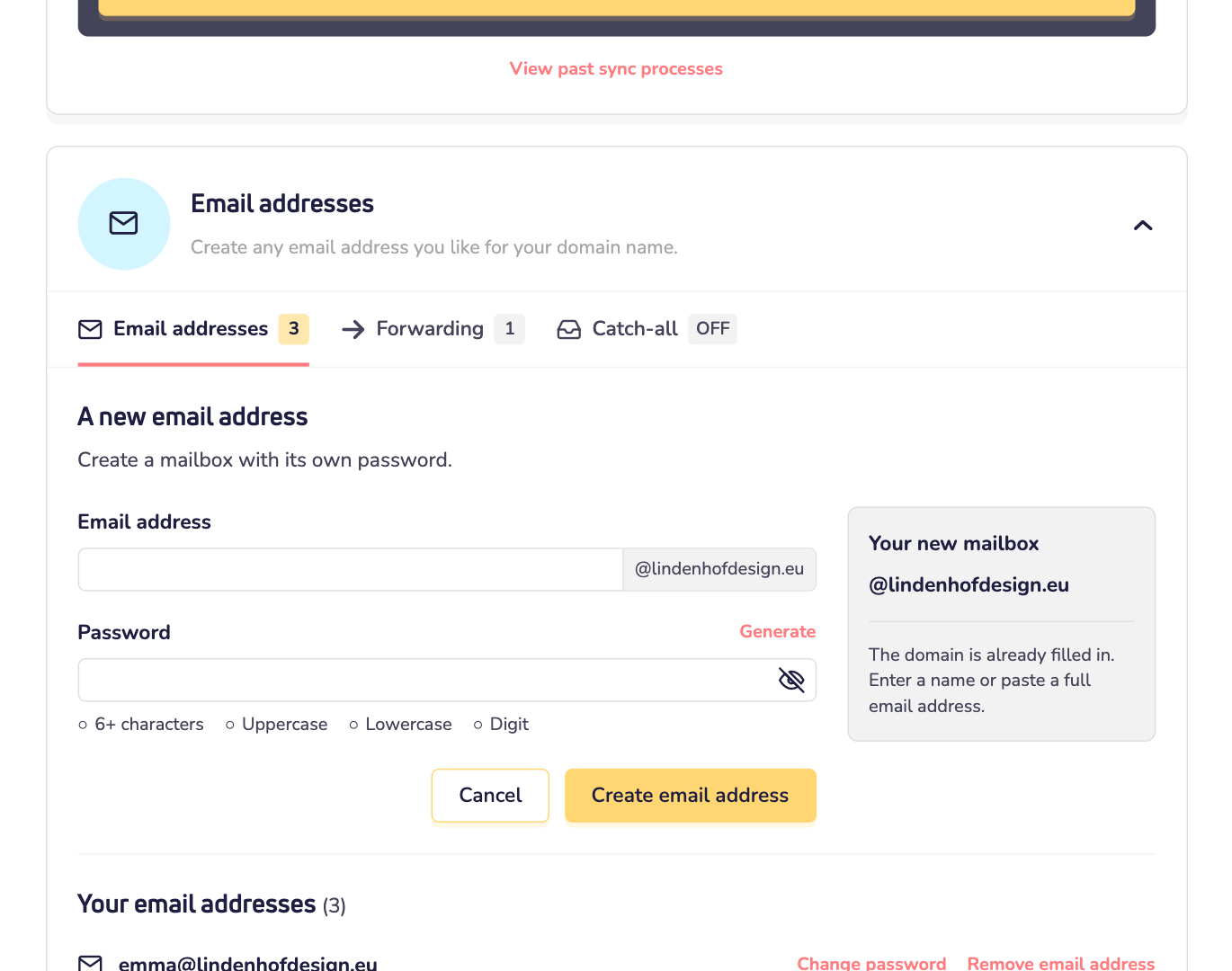
Our step-by-step guides show the rest: create an email address, create a forwarder and create a catch-all.