
Want your email in Outlook, Apple Mail, Thunderbird or the mail app on your phone? You only need a few settings. Here they are.
The settings
- Username: your full email address, for example info@yourdomain.com
- Password: the password of that email address
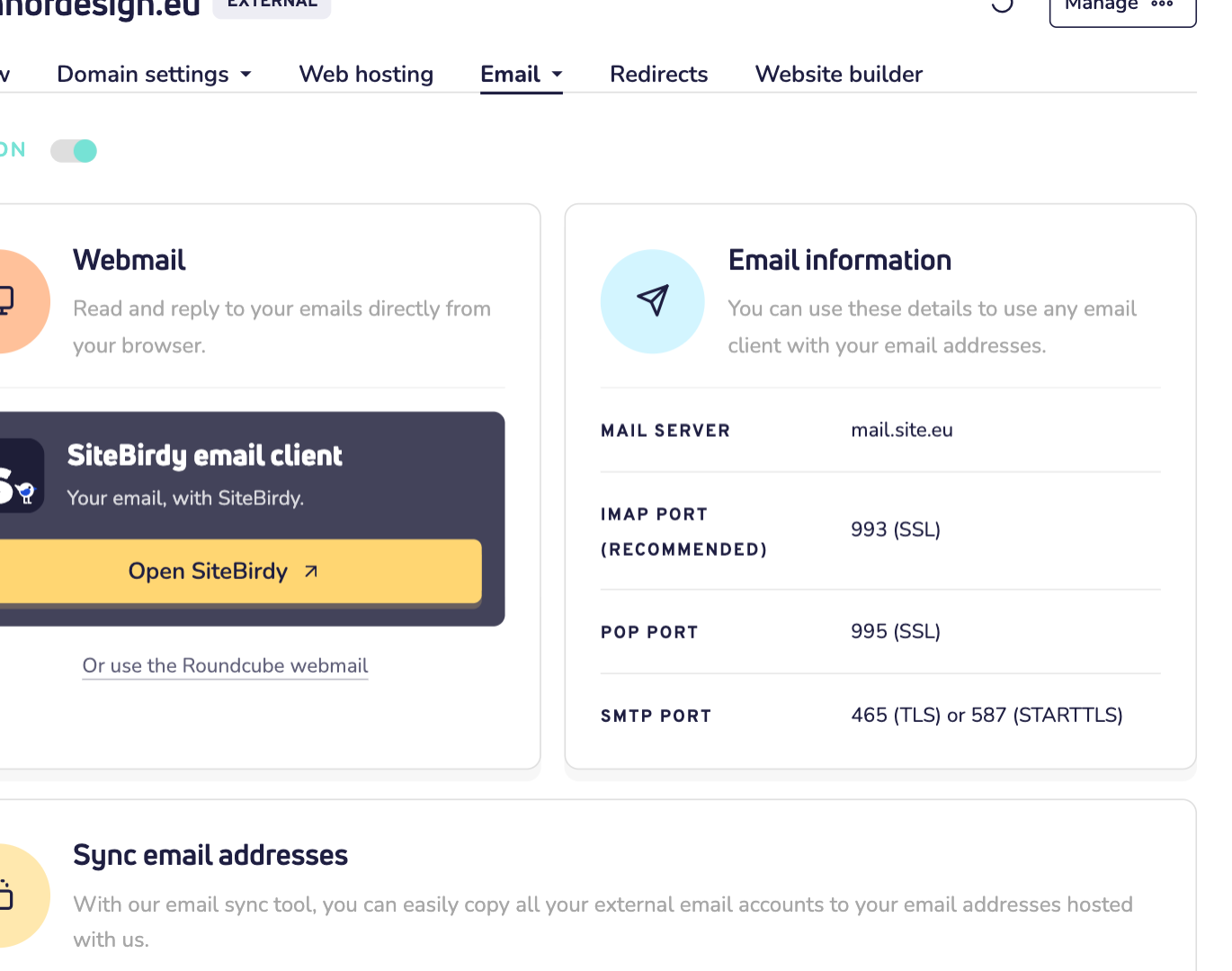
- Incoming server, IMAP (recommended): mail.site.eu, port 993, SSL/TLS
- Incoming server, POP3: mail.site.eu, port 995, SSL/TLS
- Outgoing server, SMTP: mail.site.eu, port 465 with SSL/TLS, or port 587 with STARTTLS
- Outgoing authentication: on, with the same email address and password
You also find these settings in your dashboard. Open your domain name and click Email. They're under Email information.
IMAP or POP3?
Choose IMAP. Your email then stays on our server, so you see the same inbox on your phone, on your computer and in webmail. POP3 downloads your email to one device. Read more about the difference between IMAP and POP3.
Easier: SiteBirdy
Don't feel like setting up an app? Use SiteBirdy, our email client. It works in your browser and as an app. Read how to add your email address to SiteBirdy.
Doesn't it work?
- Can't log in? Check the password. After too many failed logins, our firewall blocks your IP address. Read what to do when your IP is blocked.
- Can't send? Check that outgoing authentication is on, and that you use port 465 or 587. Sent a lot of email? Read what to do when your outgoing email is blocked.
- Still nothing? Try to log in to webmail. Does that work? Then check the settings in your email app again.