

Do you want to enable or disable DNSSEC for your domain name while using Site.eu DNS? Good news. It only takes a few clicks.
Think of DNSSEC like a safety seal on a package. When the seal is on, it is harder for others to fake what is inside. That is why we recommend leaving it enabled.
Before you start
Open the DNS records page for your domain first. If you are not there yet, follow this guide:
How to manage your domain name's DNS records
Enable or disable DNSSEC
- Go to your domain's DNS records screen in your Site.eu account.
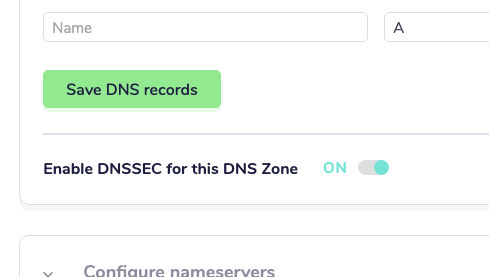
- Find the toggle named Enable DNSSEC for this DNS Zone.
- Switch it ON to enable DNSSEC, or OFF to disable DNSSEC.
Which setting should you use?
We recommend keeping DNSSEC enabled. It is the default setting and usually the safest choice.
Important: possible temporary downtime
If you change this setting, your domain may become unreachable for some internet connections for a couple of hours.
This happens because DNS data needs time to refresh across providers.
Can you fully prevent this? Not really. In most cases, the best approach is to wait until DNS updates are fully picked up.