

Spam is annoying. But a real email that ends up in spam is worse. That's why you now decide how our spam filter handles the email for your domain name. Per domain name, right in your dashboard.
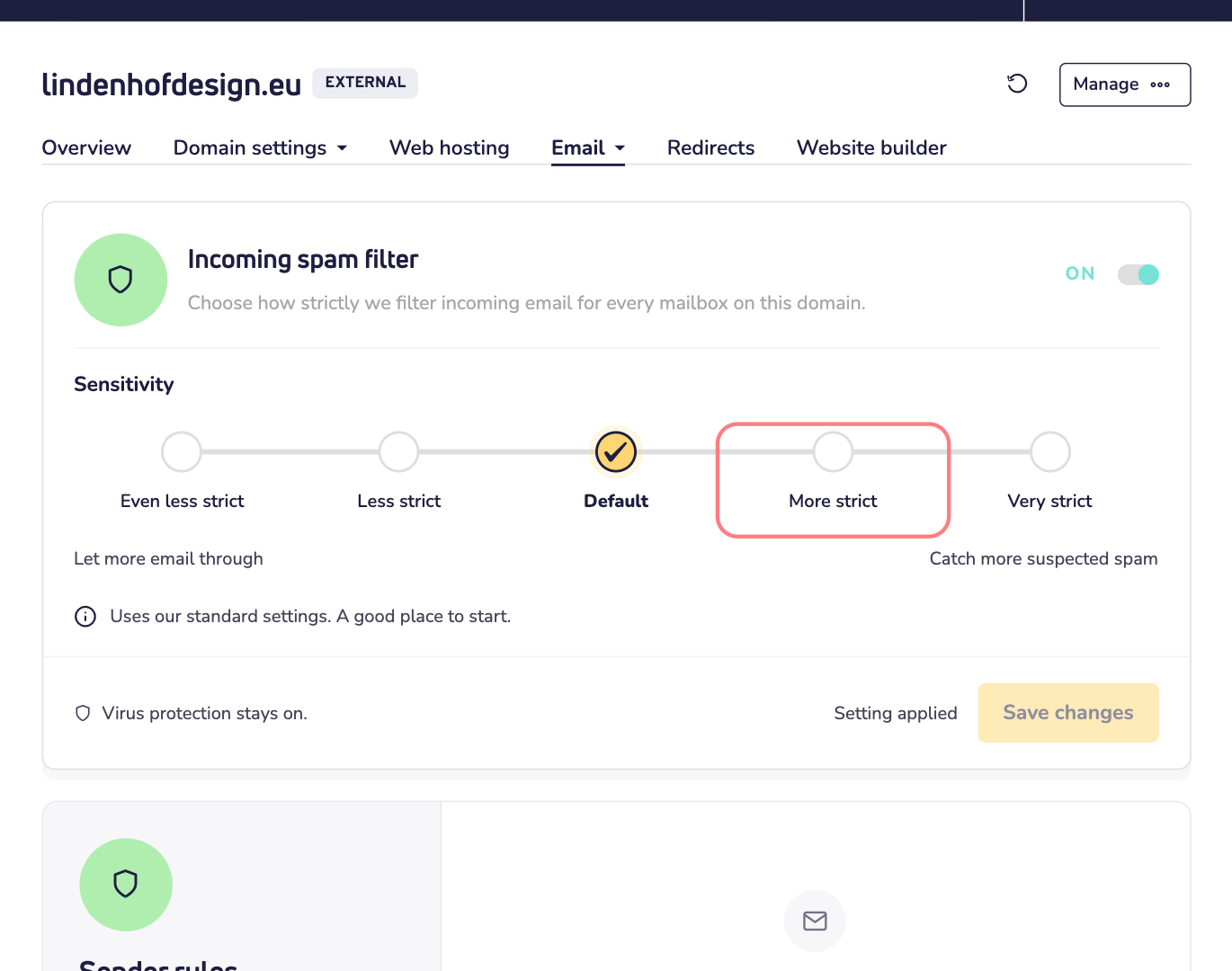
You find everything in one place. Open your domain name, click Email and choose Spam filter.
What's new?
- Choose how strict the filter is. Pick one of five levels, from letting more email through to the strongest filtering. Read how to set the sensitivity.
- Turn the filter off. Do you filter spam yourself, with your own tools? Then you can switch our filter off for your domain name. Read how to turn off the spam filter.
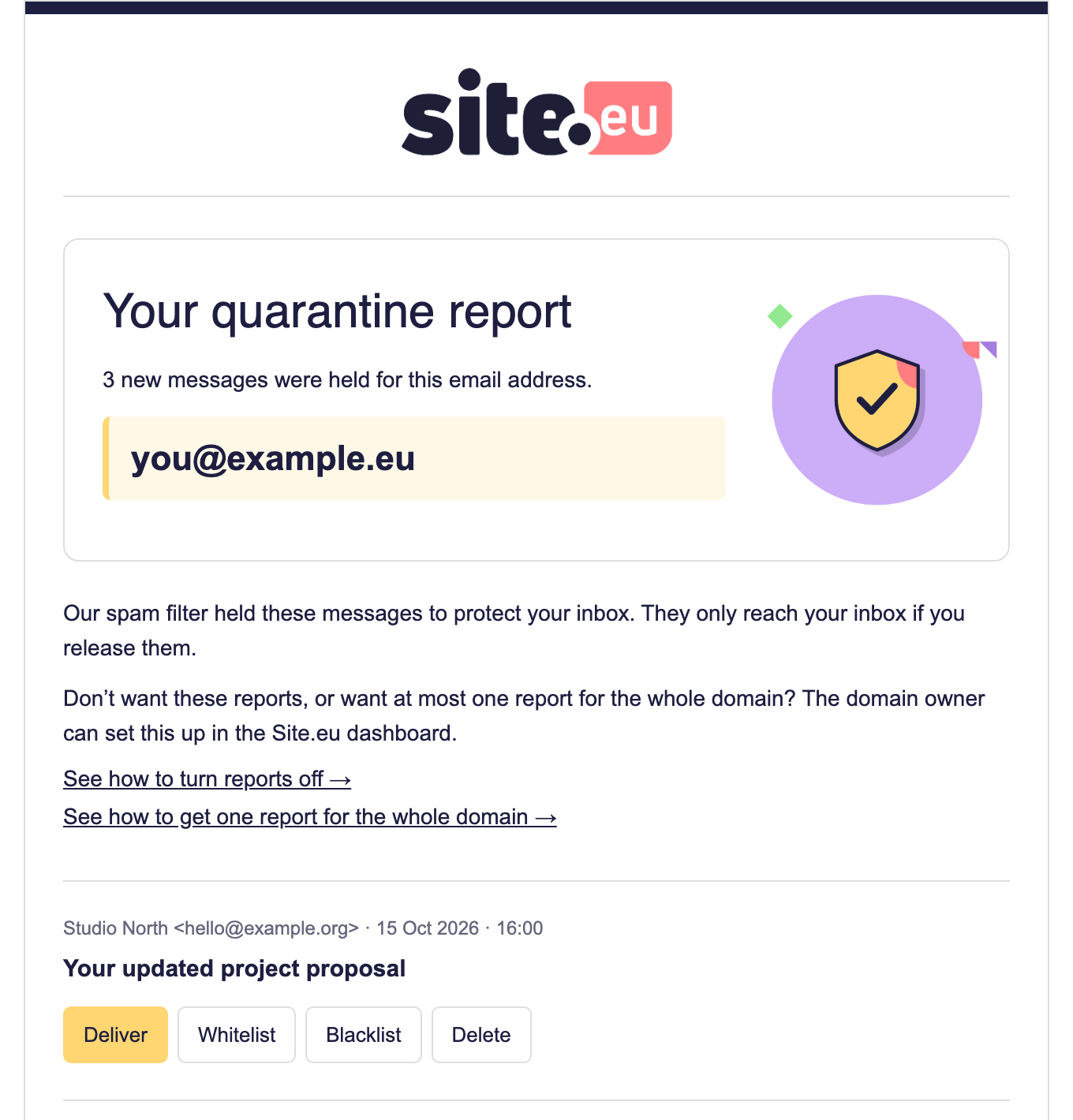
- See what we held back. Under Quarantine, you see every email we stopped. Was a good one caught? Release it with one click.
- Allow or block senders. With Sender rules, you always let a trusted sender through. Or you keep a pushy one out. For the whole domain name, or for one email address.
- Reports your way. We email you a short report of the emails we held back. Choose how often, or turn the reports off. And with many addresses, you can get one report for the whole domain name. Read all about the quarantine reports.
Safe, whatever you choose
Virus protection always stays on. Even when you turn the spam filter off. And every setting counts for one domain name only. So a strict filter for your shop doesn't change anything for your personal domain name.
Not sure what to pick? Leave everything as it is. Our standard settings are a good place to start. Then adjust one step at a time.