
Our spam filter checks every email sent to your domain name. Each message gets a spam score. The more suspicious it looks, the higher the score. The sensitivity decides from which score we hold a message back.
Think of a smoke alarm. Too sensitive, and it goes off every time you make toast. Not sensitive enough, and it misses real smoke. The spam filter works the same way.
Getting too much spam? Make the filter stricter. Missing a good email now and then? Make it less strict. It takes less than a minute.
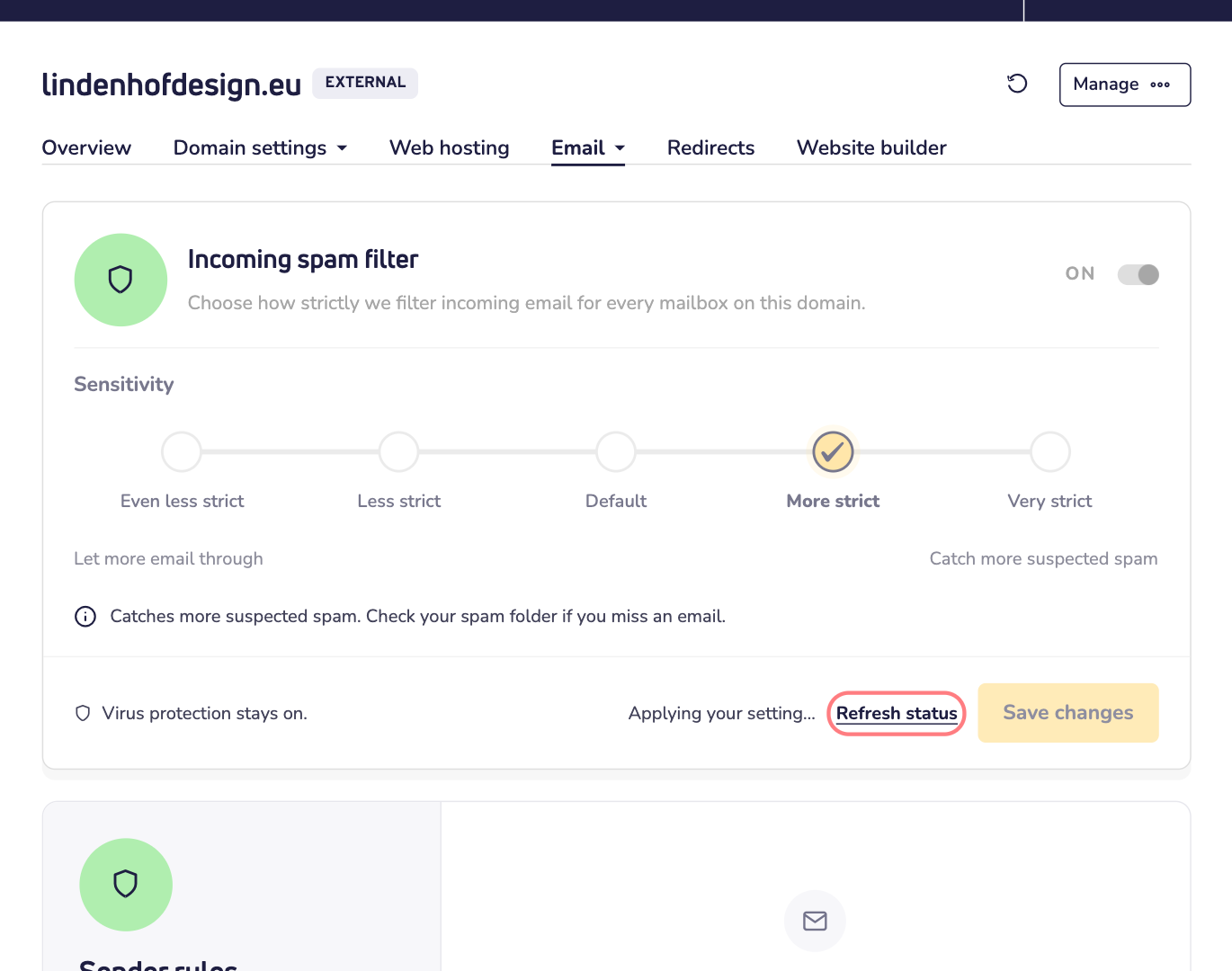
The five levels
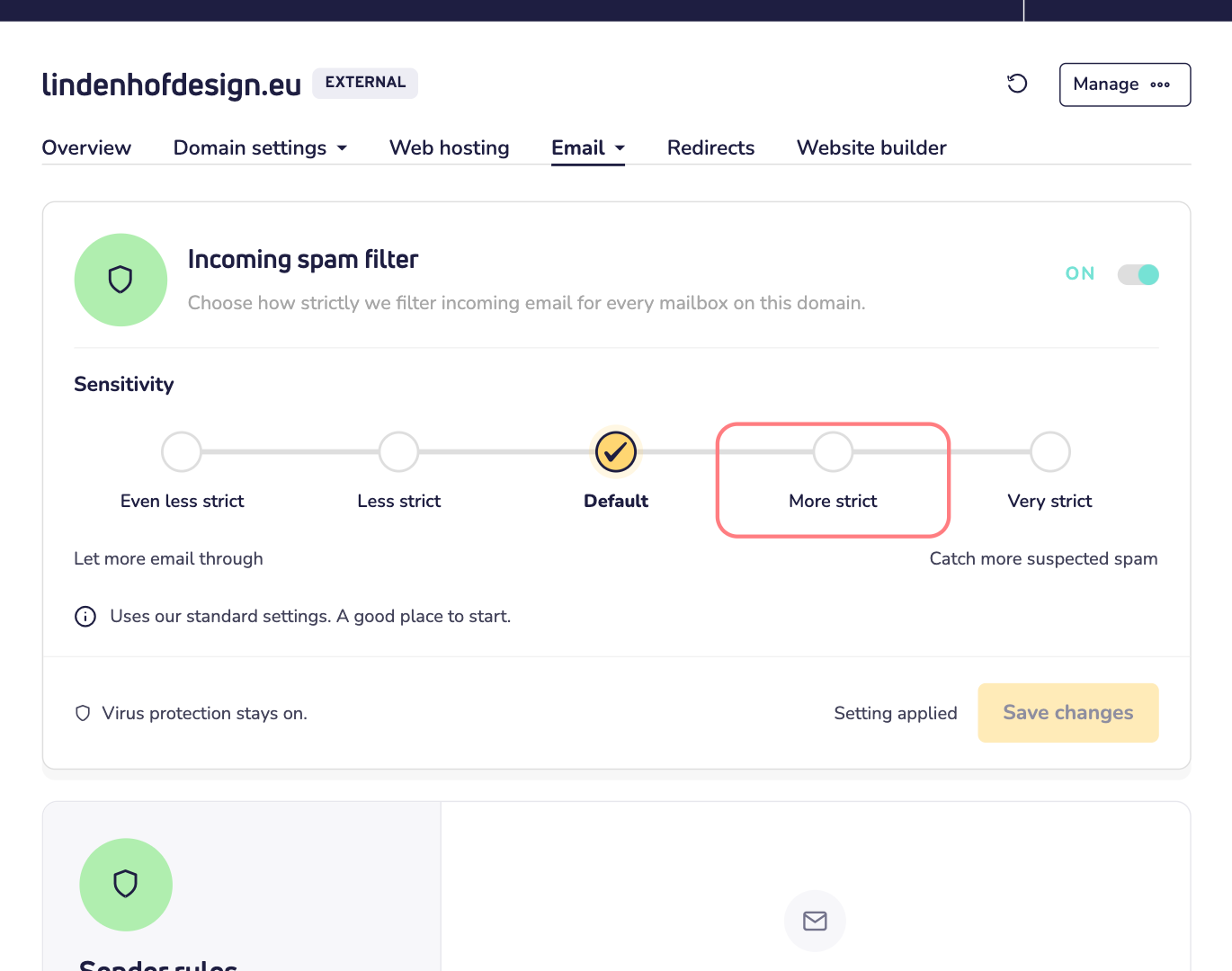
- Even less strict: lets the most email through. Expect more spam in your inbox.
- Less strict: fewer emails are held back. Some unwanted mail may get through.
- Default: our standard setting. A good place to start.
- More strict: catches more suspected spam. Now and then a real email gets caught too.
- Very strict: the strongest filtering. Some real emails may get caught too.
Change the sensitivity
Email must be turned on for your domain name. The spam filter settings only show up for domains with email.
Step 1: Log in to your Site.eu dashboard and open your domain name.
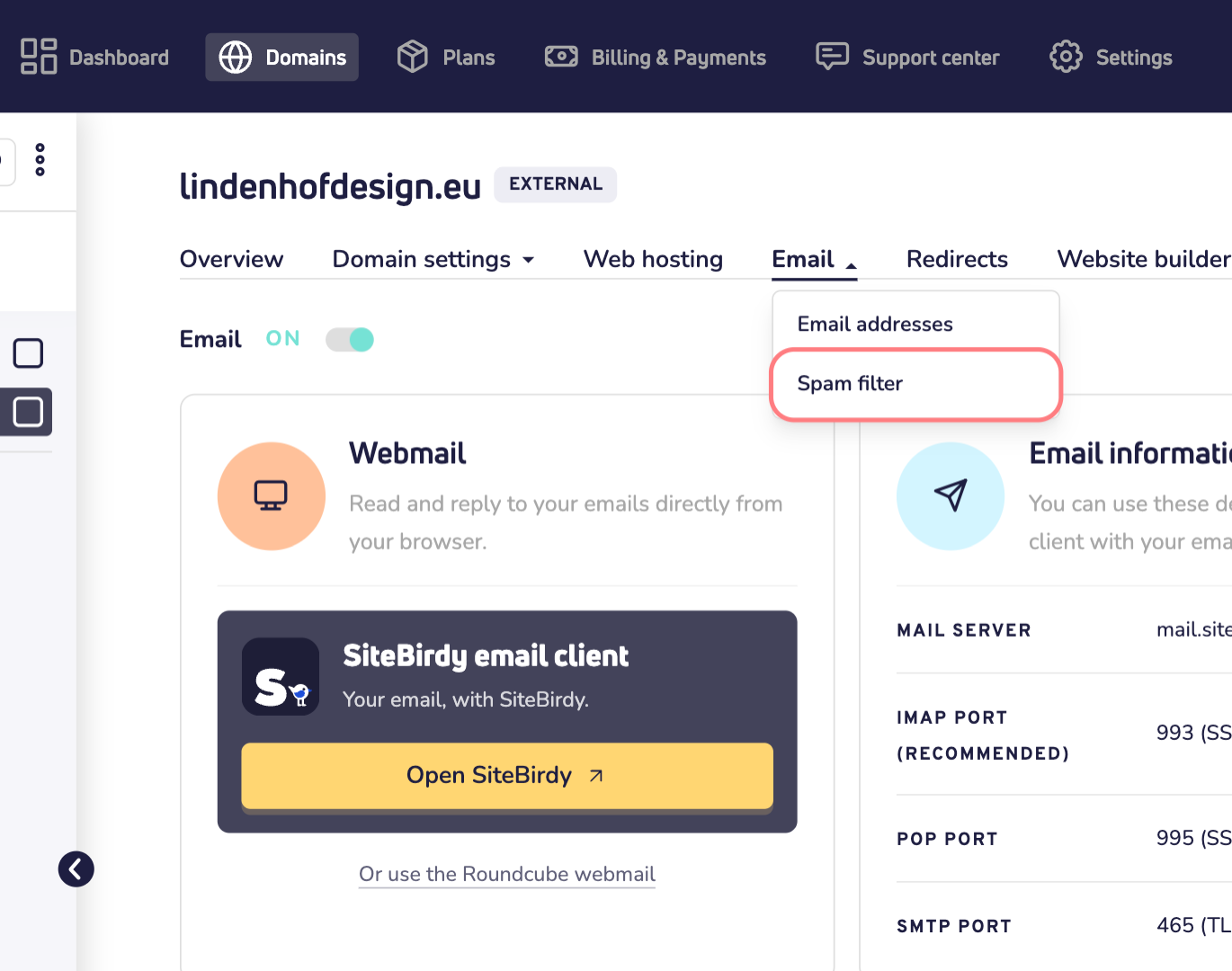
Step 2: Click Email and choose Spam filter.
Step 3: Under Sensitivity, click the level you want. Below the scale, you see what that level does.
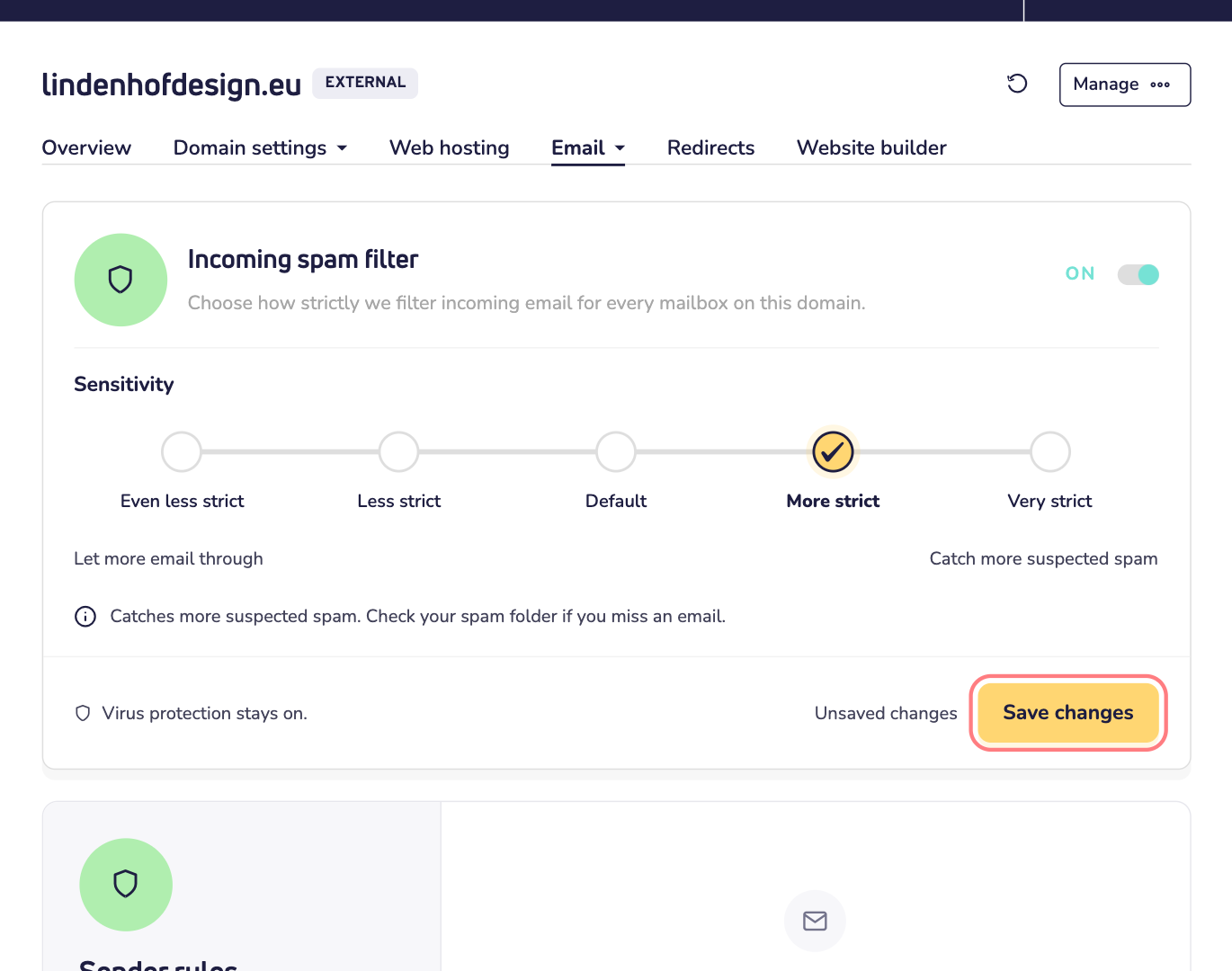
Step 4: Click Save changes.
Step 5: It can take a few minutes before the change is active. Want to check? Click Refresh status. When it's done, you see Setting applied.
Which level should I choose?
Start with Default. Then adjust one step at a time:
- Still too much spam? Choose More strict.
- Missing a good email now and then? Choose Less strict.
Give each change a few days. Then you see what it really does.
Good to know
- The setting counts for every mailbox on your domain name. Not just yours.
- Virus protection always stays on, whatever level you choose.
- Missing an email? Look under Quarantine on the same page. There you see the messages we held back, and you can release the good ones.
- Only one sender causing trouble? Use Sender rules on the same page to allow or block that sender. That's often better than changing the level for everyone.
- Want no spam filtering at all? Read how to turn off the incoming spam filter.