
Spam filter for your email
We filter.
You decide.
Every email passes our spam filter first. We hold on to suspicious messages. You choose how strict we are and what still gets through.
How it works
Follow an email on its way to your inbox
This is what happens to every email sent to your domain. Next to it is the real dashboard where you manage everything. Go ahead and try it: it uses example data and nothing is saved.
-
Step 1
An email arrives
Studio Nova sends you a quote. Before it reaches your inbox, the message passes our spam filter first.
New messageHi! As discussed, here is our quote for your new branding. Let us know if you have any questions.
branding-quote.pdf- Sender
- Spam filter
- Your inbox
-
Step 2
We scan for viruses
We check the message and its attachments. Does it contain a virus or an attachment that isn't allowed? Then the message gets a security hold.
This check is always on. Even when you turn spam filtering off.
-
Step 3
Your sender rules count
Is the sender on your allow list? Then the message gets through. On your block list? Then it goes to quarantine. Set this for your whole domain or per email address.
With a wildcard such as *@example.com you cover every sender of a domain at once.
-
Step 4
The message gets a spam score
The more suspicious the message, the higher the score. Is the score above the limit you chose? Then we hold the message.
Choose another level and save your change. See what happens to the quote.
-
Step 5
Inbox or quarantine
Good mail goes straight to your inbox. Held mail is in quarantine. Is there a good email among it after all? Preview it safely and release it.
Choose ‘Release & allow sender’. Mail from this sender then comes straight through from now on.
Hi! As discussed, here is our quote for your new branding. Let us know if you have any questions.
branding-quote.pdf- Sender
- Spam filter
- Your inbox

Try it A message on its way to your inbox. A message with a virus gets a security hold. Add a sender or change a rule from its menu. Choose a level and click ‘Save changes’. Preview, release or allow the sender right away.
Who does what
We do the heavy lifting. You make the choices.
This happens automatically
- Scan every email for viruses
- Check attachments
- Give every message a spam score
- Hold suspicious mail in quarantine
- Deliver the message as soon as you release it
This is your call
- How strict the filter is, in five levels
- Which senders always get through
- Which senders you no longer want to receive
- Whether a rule applies to your whole domain or one address
- Which held mail you still want to receive
Plans with email
The spam filter comes with every plan that includes email
Choose a plan and create your email addresses. The spam filter is on by default and works for every mailbox on your domain.
Frequently asked questions about the spam filter
Is the spam filter included in my plan?
Yes. The spam filter is included in all our plans with email. It works for every mailbox on your domain and you manage it in your dashboard.
What is a spam score?
Every message gets a score: the more suspicious, the higher. With the sensitivity you choose from which score we hold a message. ‘Very strict’ has the lowest limit, ‘Even less strict’ the highest.
Which level should I choose?
Start with ‘Default’. Still getting too much spam? Choose ‘More strict’. Missing a good email now and then? Choose ‘Less strict’ or put the sender on your allow list.
Is it safe to preview a held message?
Yes. You see a safe text preview. Remote images, links and attachments are not loaded.
What happens when I allow a sender?
We then treat that sender as trusted for spam filtering. Virus and attachment checks still apply.
Why can't I release some messages myself?
Messages with a virus or an attachment that isn't allowed get a security hold. Think it's a mistake? Contact our support team.
Can I turn the spam filter off?
Yes, but more unwanted email may then arrive. Your sender lists are kept and virus and attachment checks always stay on.
What are you waiting for?

An all-in-one solution, so along your domain name, you'll also get:
Domain name
Your business website on the internet
Everything starts with your own domain name.
Learn more : Domain name
Web hosting
Excellent quality web hosting
Complete access and control, with endless possibilities.
Learn more : Web hosting
SSL (HTTPS) security
A secured connection to your website
SSL security, no matter how you build your website.
Learn more : SSL (HTTPS) security
Business email
Leave a professional impression
Send and receive emails with your own domain name.
Learn more : Business email
Website builder
Build a website or online store very easily
A user-friendly website and online store builder.
Learn more : Website builder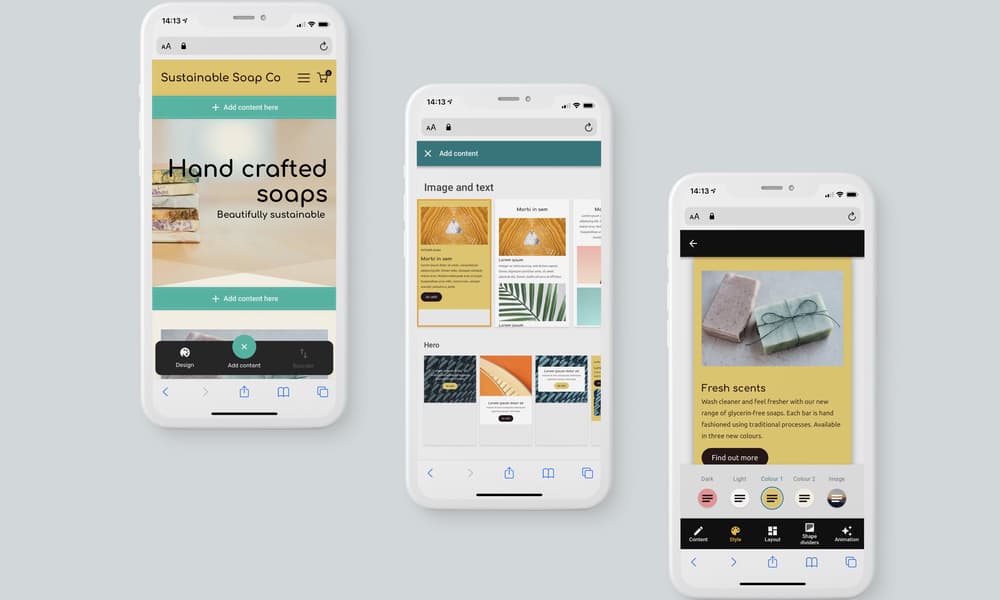
Our experts have written support articles and guides to help you with your account at Site.eu, including domain names, websites and emails. Our customer support team is also available 24/7 to assist you with any questions you may have!
Go to customer support
We here at Site.eu are people just like you. We are passionate about every aspect of our work, striving for a perfect service by simplifying complex products without sacrificing functionality or quality. Do you want to join our family, or do you just want to learn more about us? Come see what we're all about!
About us
Our services come with excellent server-level security and SSL (HTTPS) certificates are included for every website hosted with us.
As a European company with servers located only in the European Union, we comply with strict European privacy laws.
Our support team is ready to assist you with any question that you might have. Just send us an email or open a support chat.
We offer a unique all-in-one solution that includes everything you need to make your online presence a success.
Manage all your services with the click of a button. Activate services you want to use and easily customize them in your dashboard.