
We've added three features that save you time. You can now give a subdomain its own email addresses. You can order domain names and plans from your own software. And you can set your own nameservers once, for every new domain name.
1. Email on subdomains
Want an address like info@shop.yourdomain.com? Or one for each team, like hello@sales.yourdomain.com? Now you can. A subdomain gets its own email addresses, next to the ones on your domain name. It even works more levels deep, like news@team.shop.yourdomain.com.
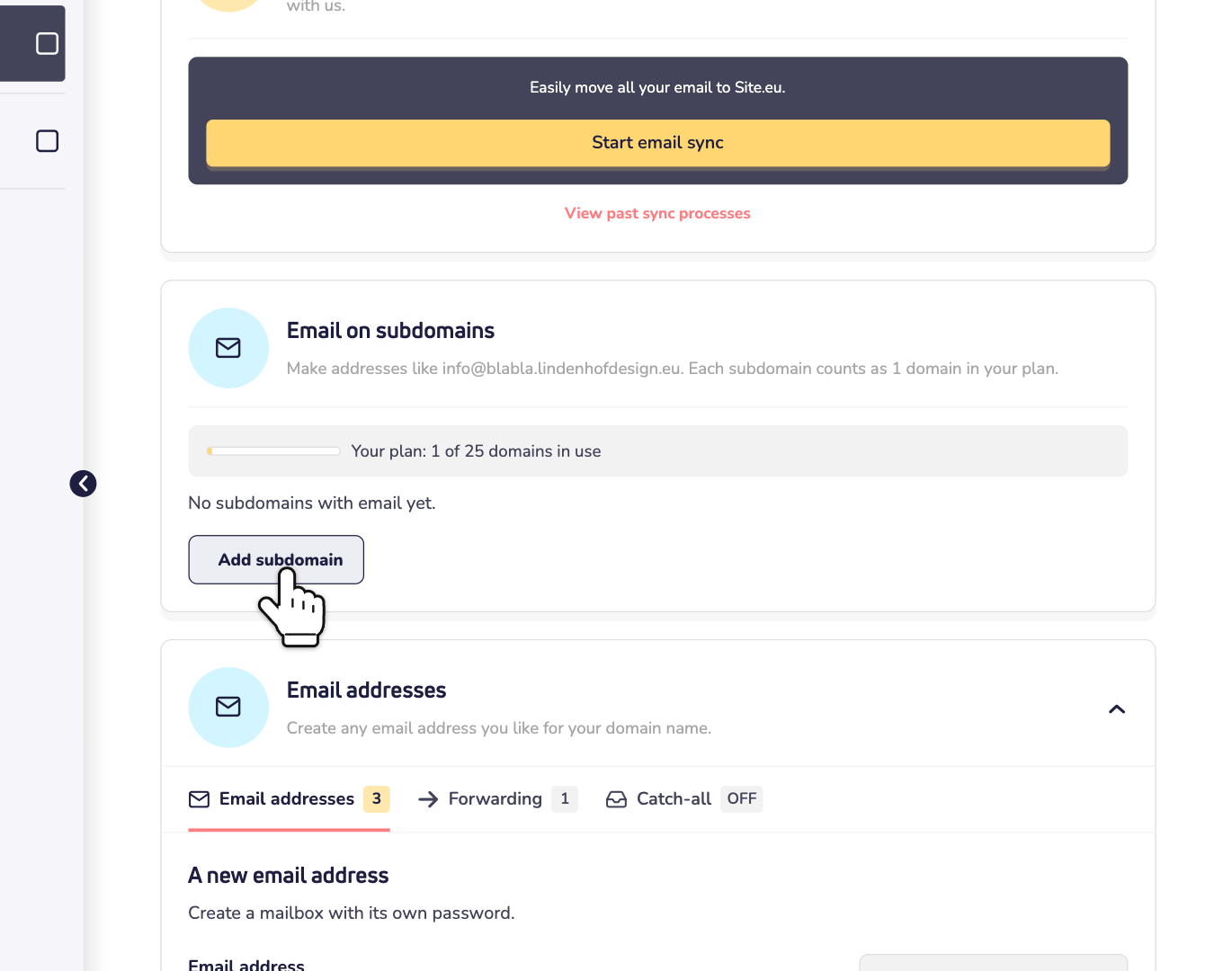
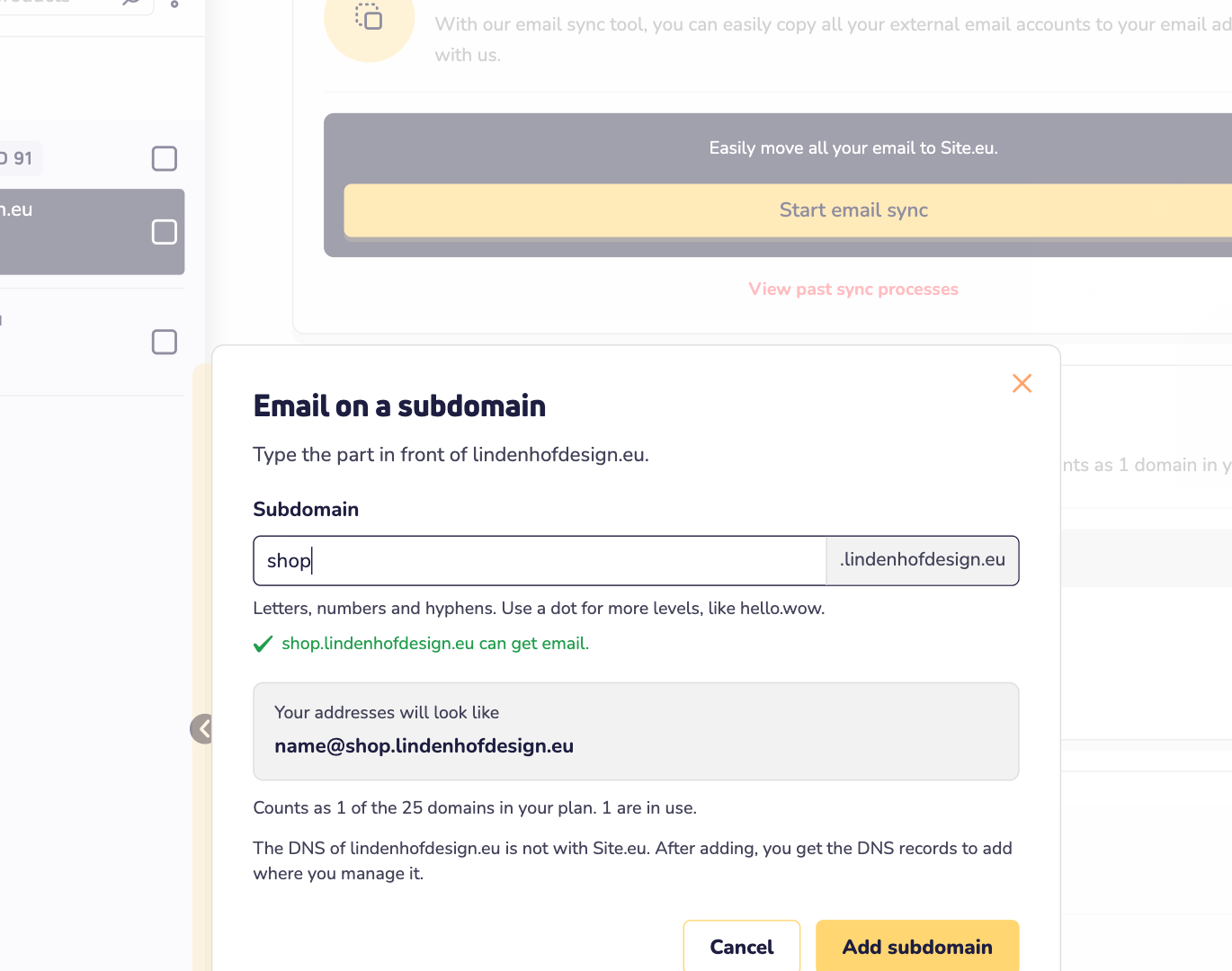
Log in to your dashboard, click Domains and open your domain name. On the Email tab, you find Email on subdomains. Click Add subdomain, type the part before your domain name, such as shop, and add it. Read how to create email addresses on a subdomain.
Good to know:
- DNS is done for you. Is your DNS with us? Then we add the records right away. Is it somewhere else? Then you see which records to add there.
- Ready in a few minutes. Then you create addresses on the subdomain, the same way as on your domain name.
- Same spam filter. The subdomain follows the spam filter settings of its domain name, with the same allowed and blocked senders.
- It counts as a domain name of your plan. Its addresses count toward the addresses of your plan.
2. Order domain names through our API
Do you manage many domain names, or sell them to your customers? Then let your own software do the ordering. With our API, you register, transfer, renew and restore domain names. You can also order, renew and restore plans.
- Paid from your online wallet. Make sure your balance covers the order, VAT included.
- The same prices and checks as in the cart.
- One clear invoice. Your orders through the API go on your monthly invoice, marked "Via API".
All you need is an API key with permission to order. Make one under Settings, on the API keys tab. Read how to order domain names with the API and how to order plans with the API. Prefer to ask an AI assistant? Read how to connect an AI assistant to your account.
3. Set your default nameservers
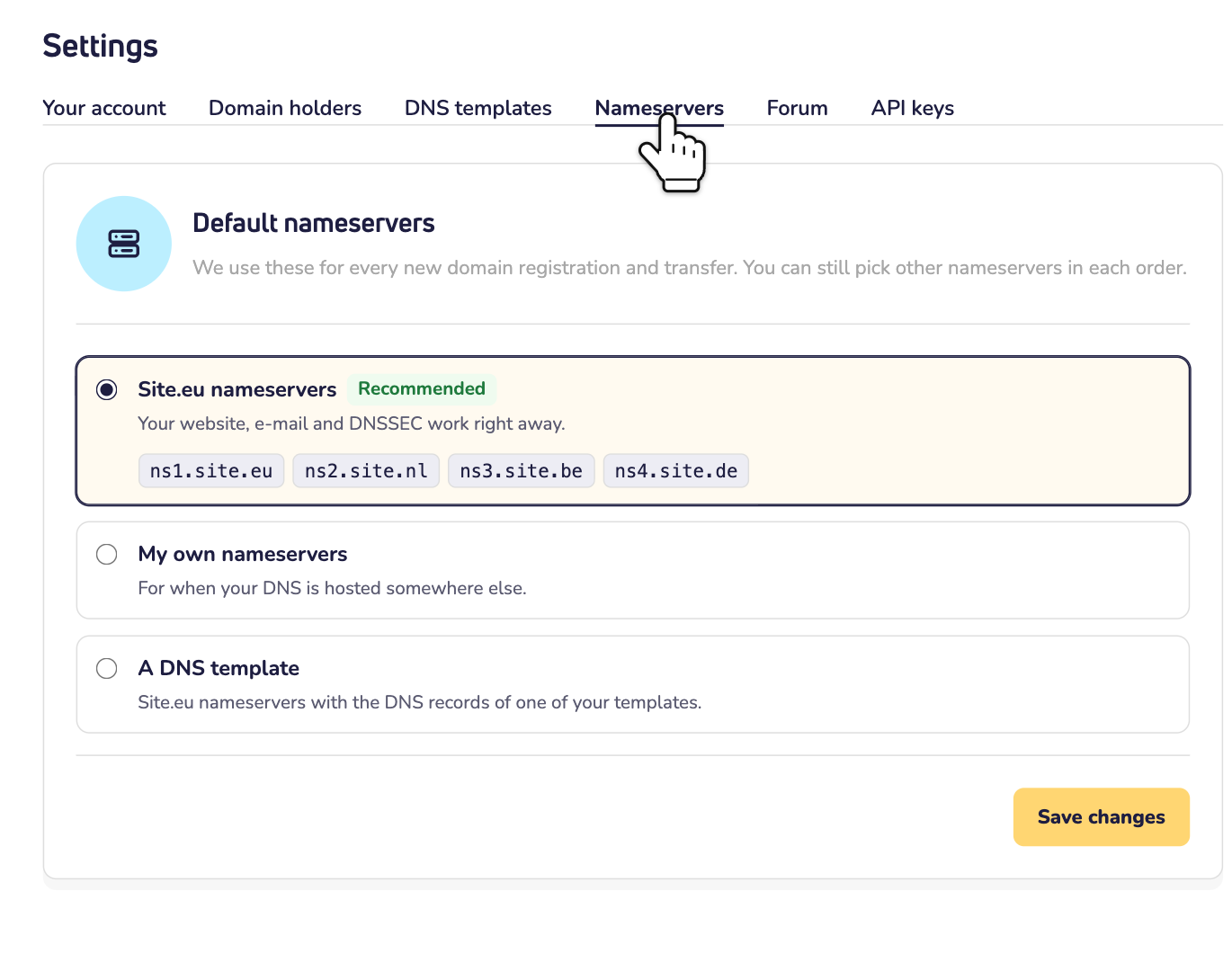
Do your domain names always point to the same nameservers? For example, because your DNS is with another provider? Then set them once, as your default. Every new domain name you register or transfer gets them right away. No more filling them in with every order.
Go to Settings and open the Nameservers tab. Choose our nameservers, your own, or our nameservers with one of your DNS templates. Read how to set default nameservers.