

Do your domain names always point to the same nameservers? For example, because your DNS is with another provider? Then set those nameservers once, as your default. Every new domain name you register or transfer gets them right away. No more filling them in with every order.
Nameservers tell the internet where to find the DNS records of a domain name. Those records point to your website and your email.
Set your default nameservers
Step 1: In your dashboard, go to Settings and open the Nameservers tab.
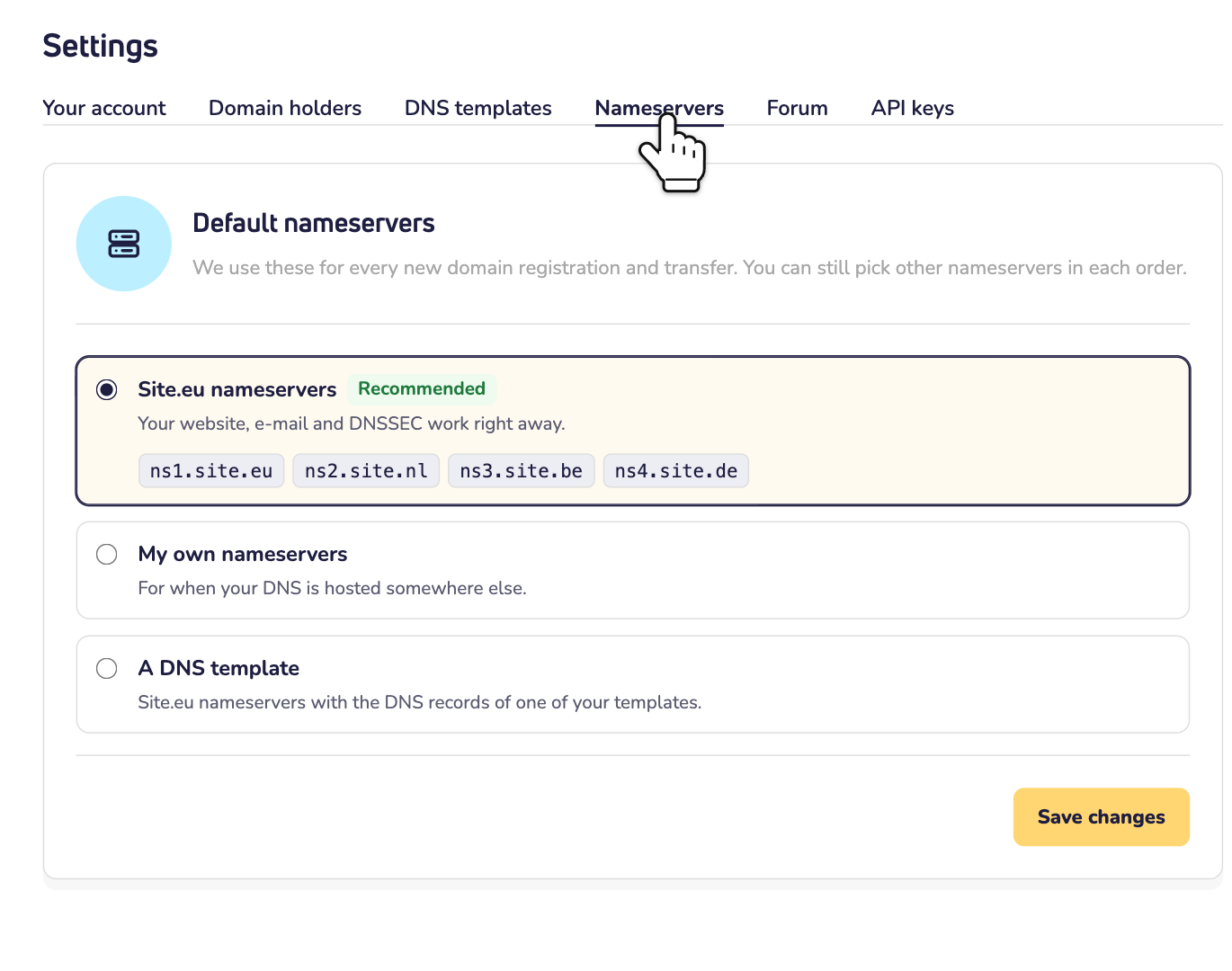
Step 2: Choose one of three options:
- Site.eu nameservers: our own nameservers. They're the standard choice, and we recommend them. Your website, email and DNSSEC work right away.
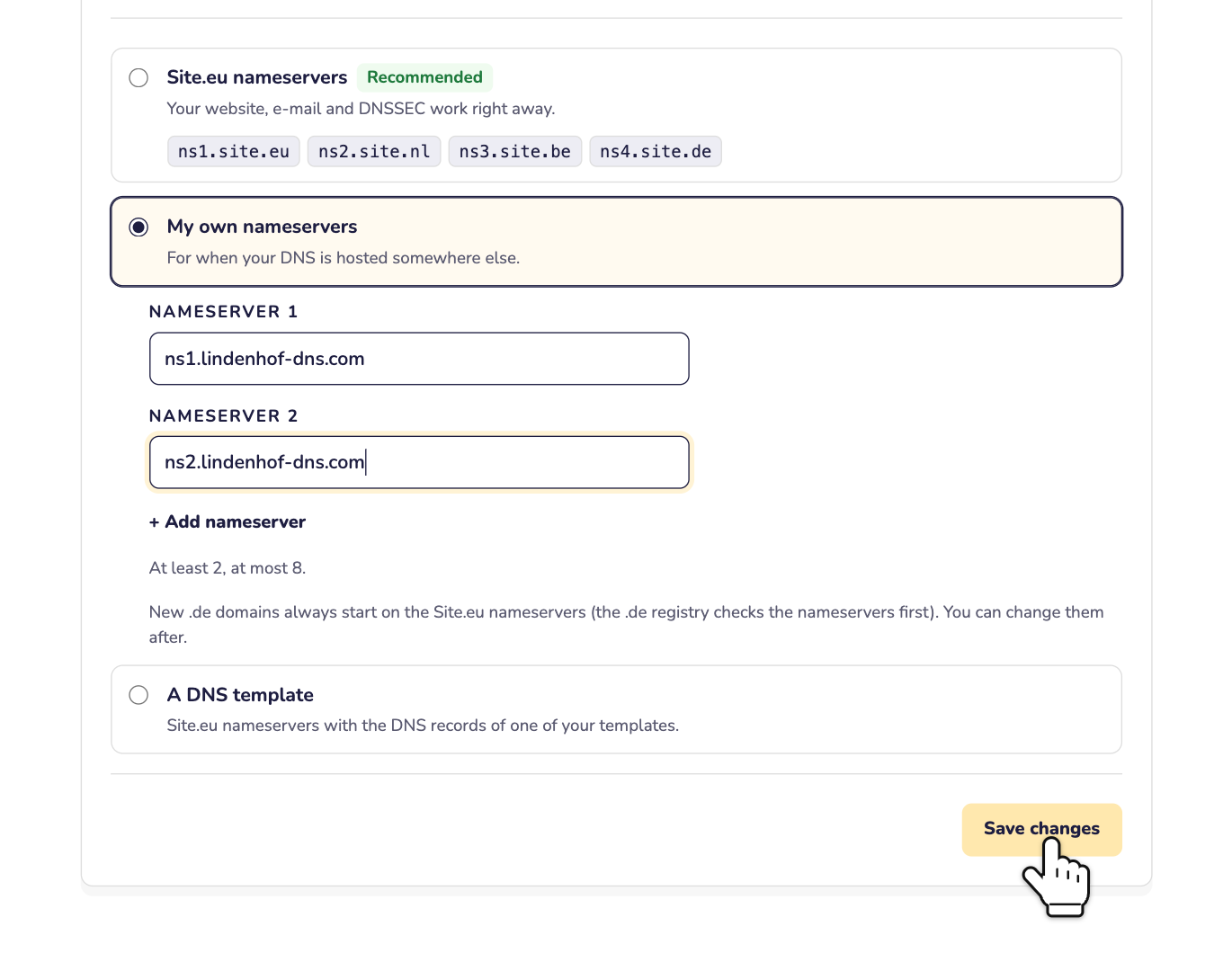
- My own nameservers: for when your DNS is hosted somewhere else.
- A DNS template: our nameservers, plus the DNS records of one of your DNS templates.
Step 3: Chose My own nameservers? Then fill in at least 2 nameservers, like ns1.example.com. Need more? Click Add nameserver. You can add up to 8. Then click Save changes.
Step 4: Chose A DNS template? Then pick one of your templates under DNS template and click Save changes. Don't have a template yet? Read how to use DNS templates.
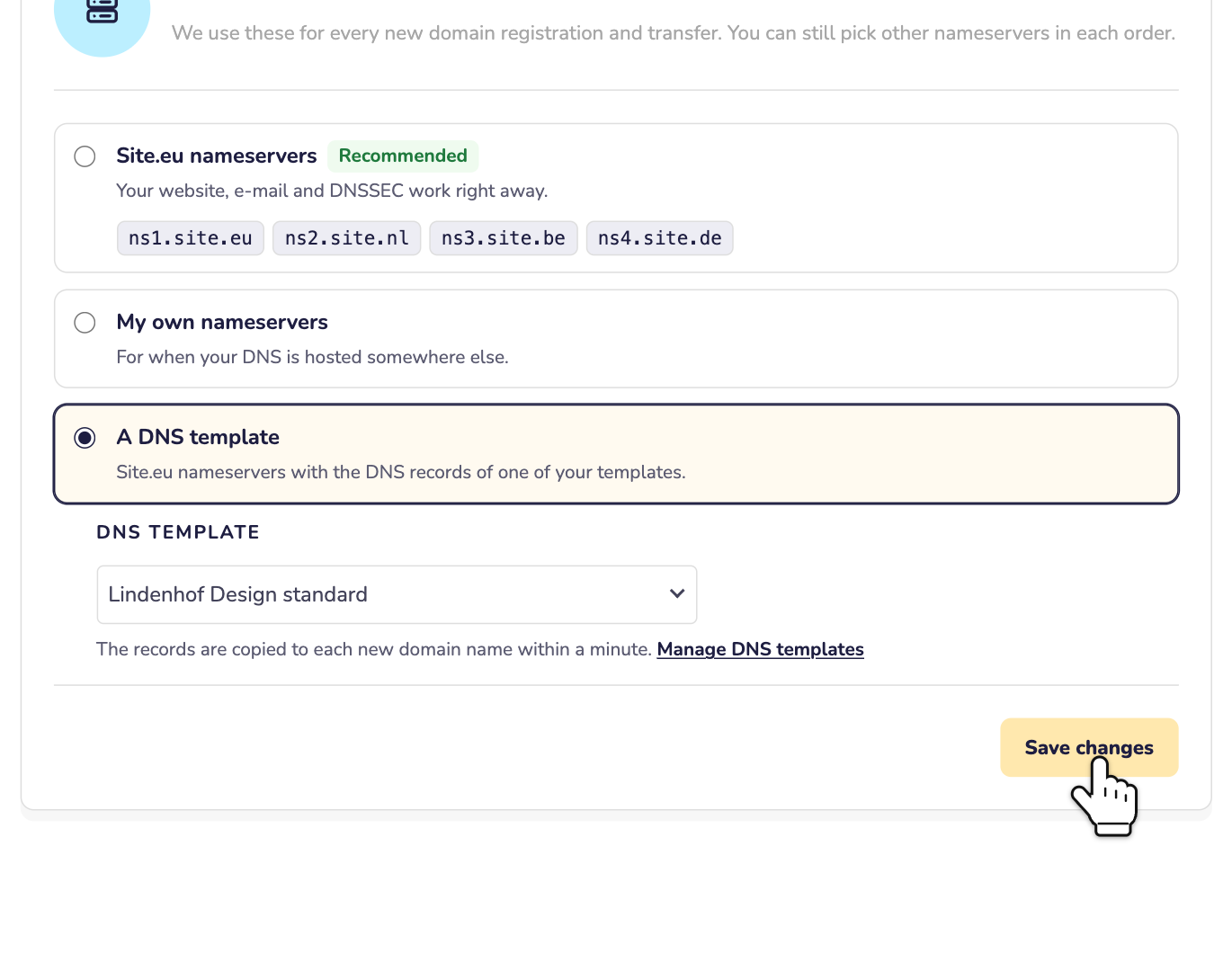
With a template, a new domain name gets our nameservers. Within a minute, we copy the records of your template to it. The domain name also stays linked to the template.
What happens next?
- New domain names get your defaults. That goes for every registration and every transfer to us.
- Your current domain names keep their nameservers. Want to change those? Read how to change your domain name's nameservers.
- You can still choose per order. In the shopping cart, your defaults come first in the list, as My default nameservers or My default DNS template. But you can pick other nameservers there for each domain name. Read how to set up a domain name in your shopping cart.
- Orders through the API use them too. Unless the order has nameservers of its own. Read how to order domain names with the API.
Good to know
- New .de domain names always start on our nameservers. The .de registry checks the nameservers before it registers the domain name. You can change them afterwards.
- Is a nameserver part of the new domain name itself? Like ns1.example.com for example.com? Then that domain name gets our nameservers. Such a nameserver needs extra IP addresses (glue records), and defaults don't have those.
- Using your own nameservers? Then you manage the DNS records and DNSSEC at your DNS provider, not in your dashboard.
- Back to our nameservers? Choose Site.eu nameservers and click Save changes.