

Your website has an SSL certificate. Great. But visitors who type your domain name without https:// may still land on the http:// version. Their browser then calls your website "Not secure". A redirect fixes that. It sends every visitor to the safe https:// version, automatically.
Before you start
Your SSL certificate must work first. Open your website with https:// in front, for example https://yourdomain.com. Does it open without a warning? Then you're ready. Do you get a warning? Then activate SSL in DirectAdmin first. A redirect without a working certificate sends every visitor straight to that warning.
To open DirectAdmin, go to Dashboard, select your plan, and open Web hosting. Then click Log in automatically.
Turn on the HTTPS redirect in DirectAdmin
This is the easiest way. One tick, and you're done.
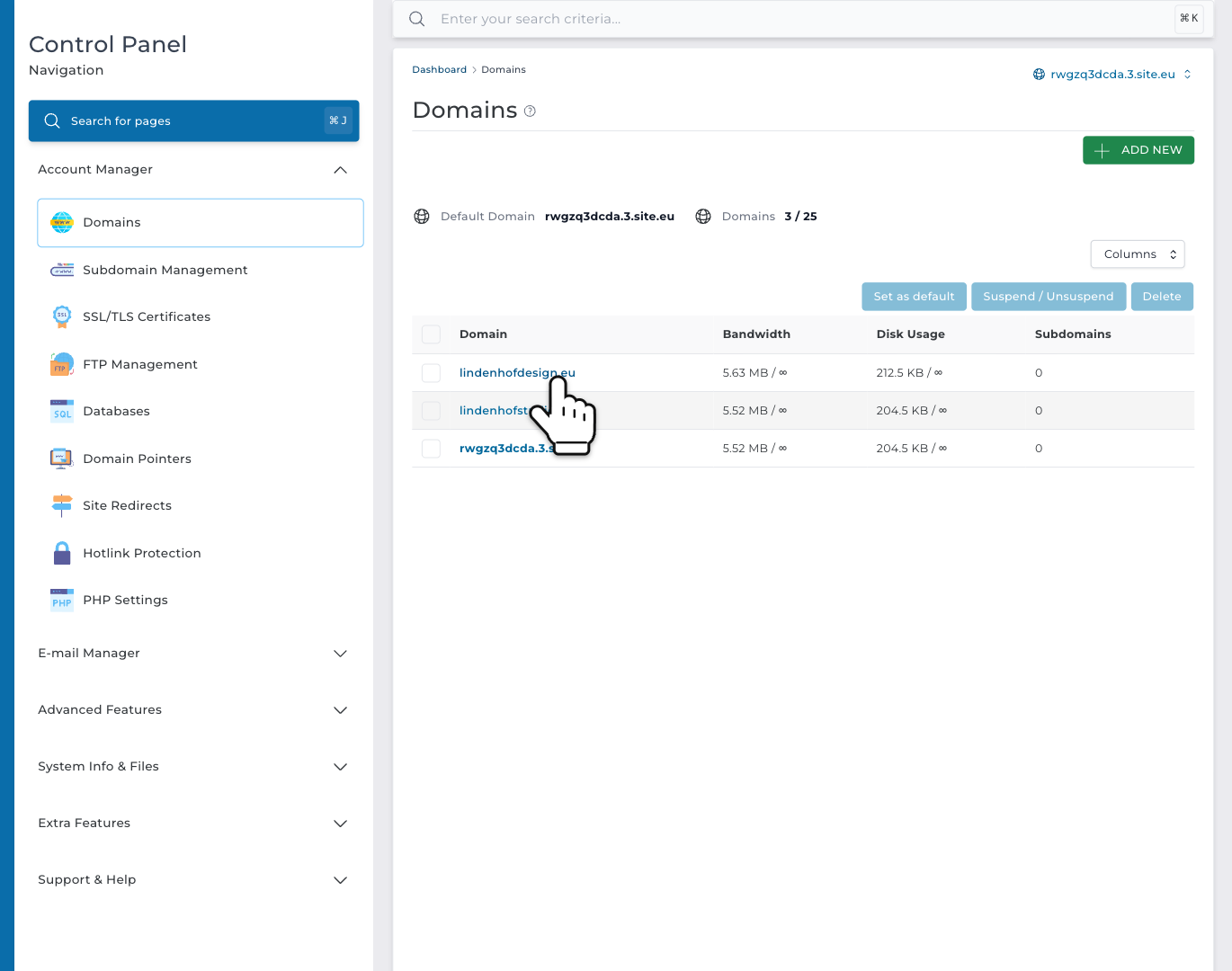
Step 1: In DirectAdmin, open Account Manager in the menu and click Domains. Then click your domain name.
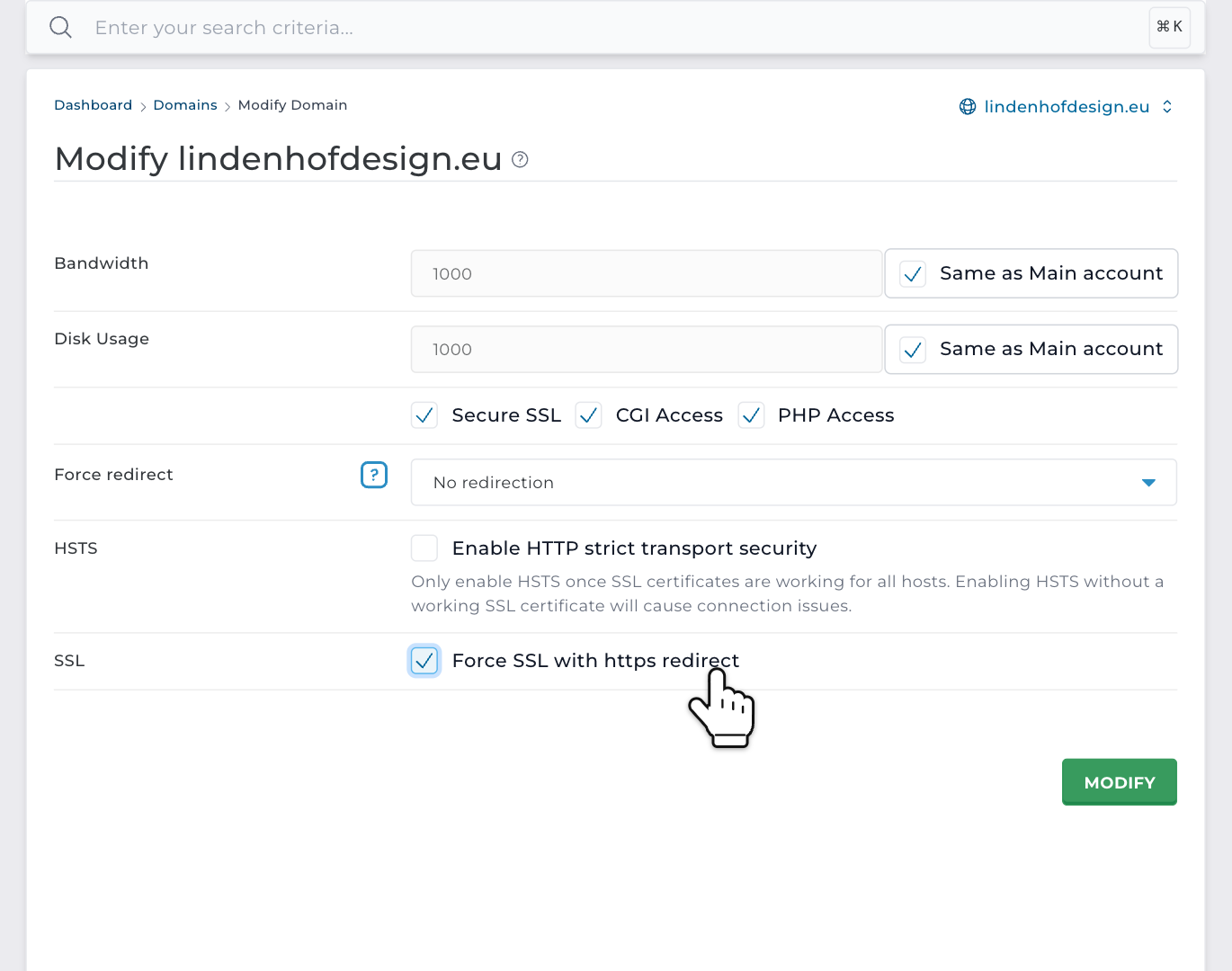
Step 2: Under SSL, tick Force SSL with https redirect. Then click MODIFY.
It works right away. Every http:// address now goes to the same page on https://. So http://yourdomain.com/contact becomes https://yourdomain.com/contact. This works for the www version and your subdomains too. It's a 301 redirect, a permanent one. So search engines switch to your https:// pages as well.
With or without www? On the same page, Force redirect sends every visitor to one address: with www or without. Choose the address your website already uses. In WordPress, that's the Site Address (URL).
Or: a redirect in .htaccess
Prefer a rule in a file? Or only need it for one folder? Then use .htaccess. You only need one of the two ways.
In DirectAdmin, open System Info & Files and click File Manager. Go to domains, then your domain name, then public_html. Tick .htaccess and click Edit. No .htaccess yet? Then make it with New File. Put these lines at the very top, and click Save:
RewriteEngine On
RewriteCond %{HTTPS} !=on
RewriteRule ^ https://%{HTTP_HOST}%{REQUEST_URI} [L,R=301]
Use WordPress? Then .htaccess already has lines between # BEGIN WordPress and # END WordPress. Keep them, and put your lines above them.
On a CloudLinux server, the redirect works right away. On a LiteSpeed server, it can take up to 15 minutes. Read why .htaccess changes take time on LiteSpeed.
WordPress: switch to https too
WordPress remembers your website's address. Is it still http://? Then switch it, so WordPress makes every link with https://.
In WordPress, go to Tools and Site Health. Does it say Your website does not use HTTPS? Then open that message and click Update your site to use HTTPS. No button? Then go to Settings and General. Change WordPress Address (URL) and Site Address (URL) from http:// to https://, and click Save Changes.
Does your browser still call some pages not fully secure? Then such a page loads an image or script over http://. That's called mixed content. After the switch, WordPress changes old http:// links to your own website in posts and pages to https:// by itself. Links to other websites, or addresses in your theme or plugin settings, you change yourself.
Website builder or a dashboard redirect?
This guide is for websites on our web hosting. Made your website with the website builder? Then we arrange SSL for you. Read how to get SSL on your website builder site. Does your domain name only redirect to another website, with a redirect in your dashboard? That works with https by itself. Read whether dashboard redirects work with HTTPS.
Check the redirect
Open a private window in your browser and type http://yourdomain.com. The address bar should change to https://. Use a private window, because browsers remember redirects.
"Too many redirects"? Then two redirects send visitors back and forth.
- Do you use Cloudflare's proxy? Then set its SSL/TLS encryption mode to Full (strict). With Flexible, Cloudflare opens your website over http://, and your redirect sends it back.
- Does a plugin redirect too? Then turn one of the two off.
- Does Force redirect choose www, and WordPress not? Or the other way round? Then make them the same.