

SiteBirdy is the email client from Site.eu. Your email, calendar, contacts, notes and to-dos in one place. For all your email addresses. And it comes free with every plan.
Think of it as a calm home for your inbox. Real people come first. Newsletters wait their turn. And strangers wait at the door until you let them in.
What can you do with SiteBirdy?
- Decide who gets in. Someone emails you for the first time? Their email waits until you let it in. Choose Allow and that sender comes straight in from then on. Choose Block and you never hear from them again.
- People first. Email from real people sits at the top. Newsletters and notifications get their own place, so they don't distract you.
- All your addresses in one inbox. Add addresses from Site.eu, Gmail, Outlook, iCloud and most other providers.
- Your day on one page. The email that matters, your appointments, your to-dos and the weather. All together.
- Snooze and send later. Not now? Snooze an email and it comes back when it suits you. Or write it now and pick a time to send it.
- Mistakes are easy to undo. Archived or deleted something by accident? One click puts it back.
- Work together. Notes, contacts, calendar and to-dos. For yourself, or for your whole team.
Does SiteBirdy read my email?
No. SiteBirdy has no AI that reads your email. Want help from AI anyway? Then you connect your own assistant, such as Claude or ChatGPT. You decide what it may do: read email, write drafts or plan appointments.
Do I have to move my email?
No. Your email stays on your own mail server. SiteBirdy fetches it from there. So your phone and other email apps keep working, with the same folders.
Where does SiteBirdy work?
In your browser, and as an app for Mac, Windows, iPhone and Android. In 24 languages, with light and dark themes.
What does it cost?
Nothing extra. SiteBirdy comes with every Site.eu plan, along with your email and our spam filter.
How to start
Step 1: Create an email address for your domain name. Our guide to creating an email address shows you how.
Step 2: In your dashboard, open your domain name and click Email. Under Webmail, click Open SiteBirdy.
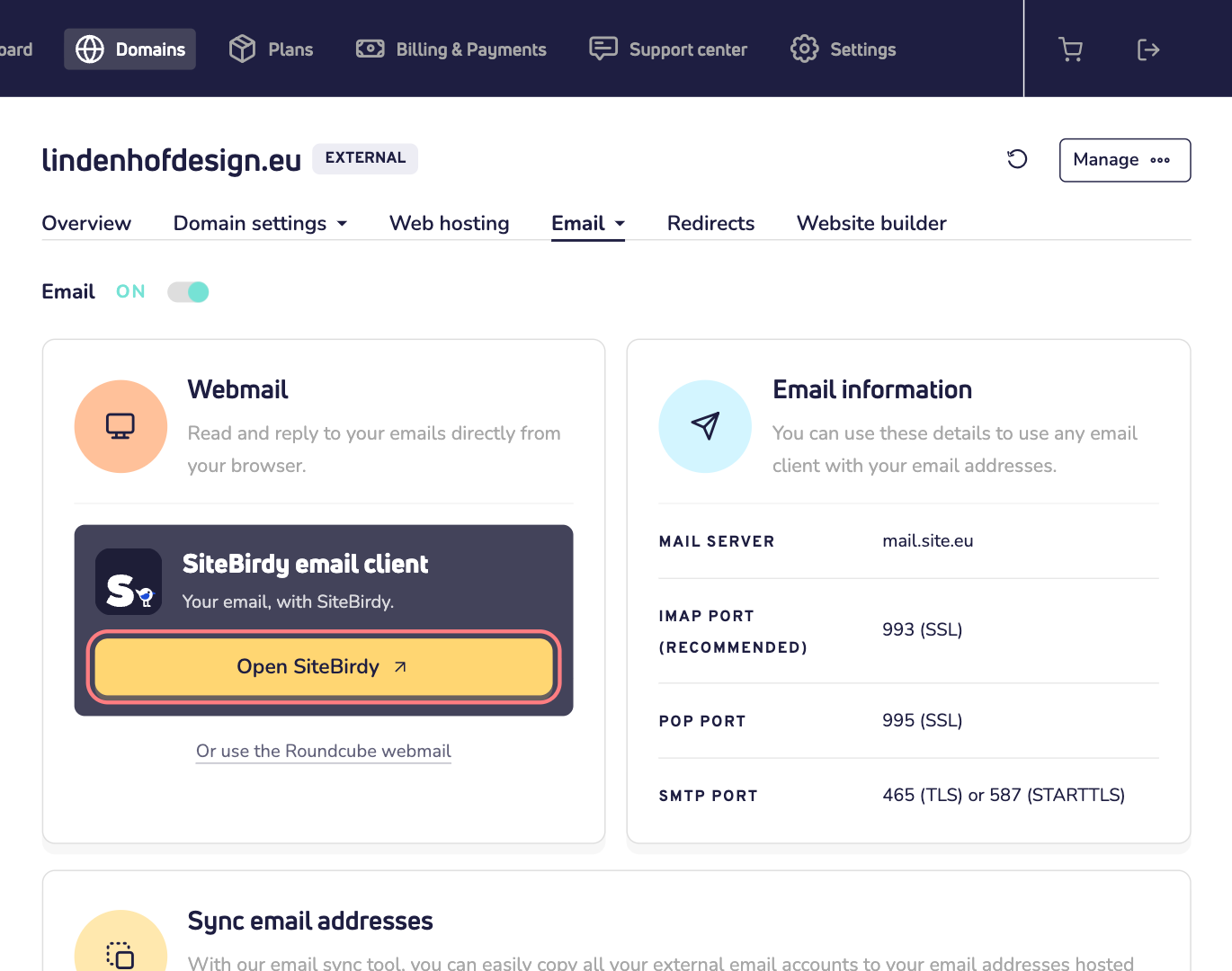
Step 3: SiteBirdy has its own account. Create one, then add your email addresses.
Prefer the classic webmail? It's still there. Read how to log in to webmail.
Want to see more first? Take a look at sitebirdy.com.