

Only follow this guide if Site.eu support asks you to.
DnsPt recently changed how .PT contacts are verified. We cannot add the new verification to a contact that already exists. This can stop us from completing a new .PT domain registration with that contact.
This is a temporary workaround. We hope it will only be needed until DnsPt fixes the process.
Before you start
Make sure you have:
- the DnsPt contact handle sent to you by Site.eu support
- access to the email address and phone number linked to the contact
- a user account for the DnsPt reserved-area portal
Never used the DnsPt portal before? Go to the DnsPt login page and select Create User first. Your account details must match the details linked to your contact.
Verify your email address and phone number
- Go to the DnsPt reserved-area portal and log in with the contact handle provided by Site.eu support.
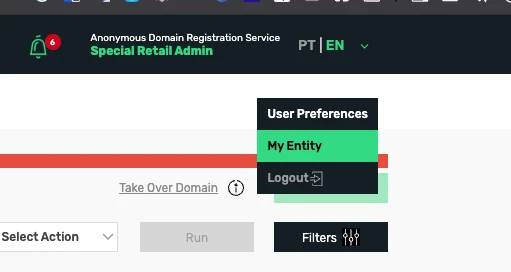
- Open the account menu and select My Entity.
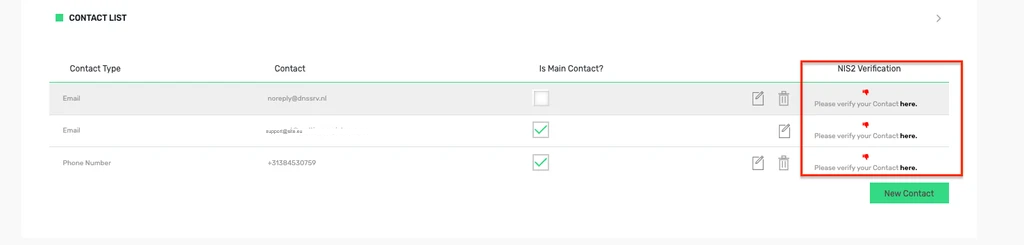
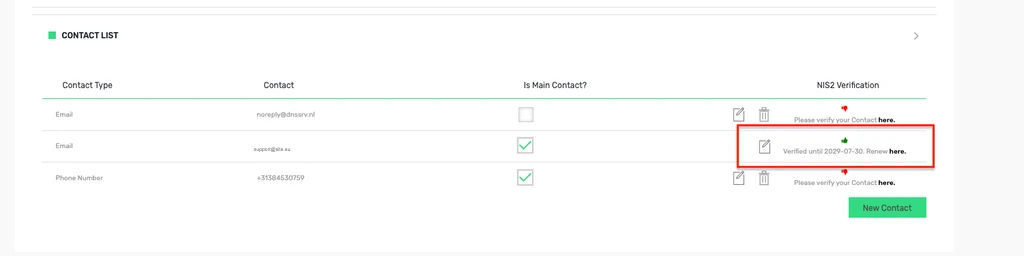
- Find the contact that needs verification. In the NIS2 Verification column, select the here link next to the email address.
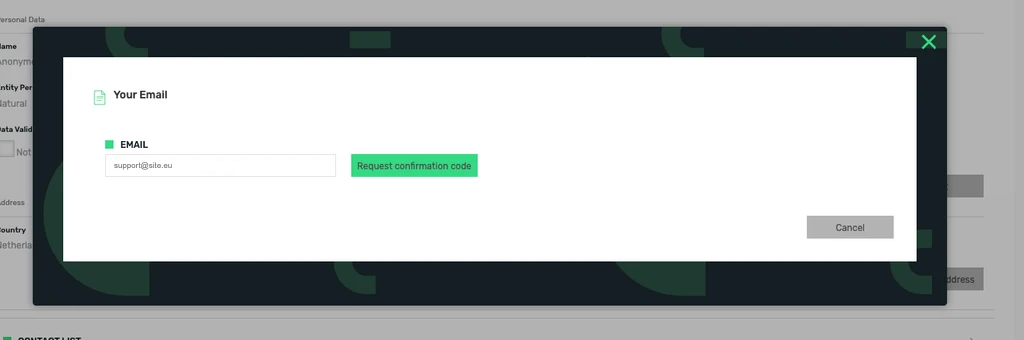
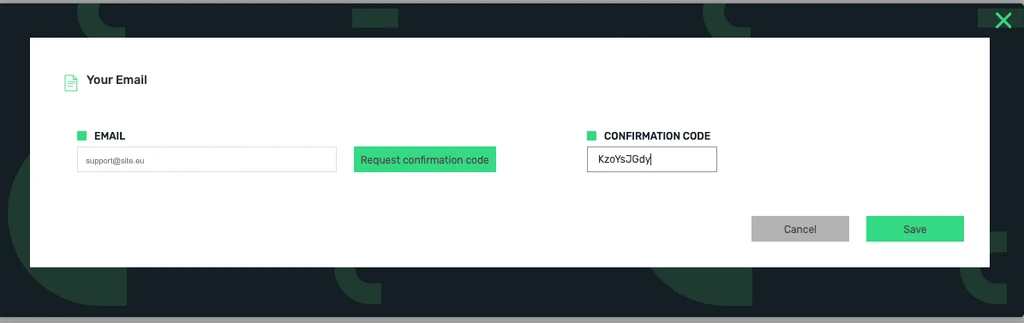
- Select Request confirmation code.
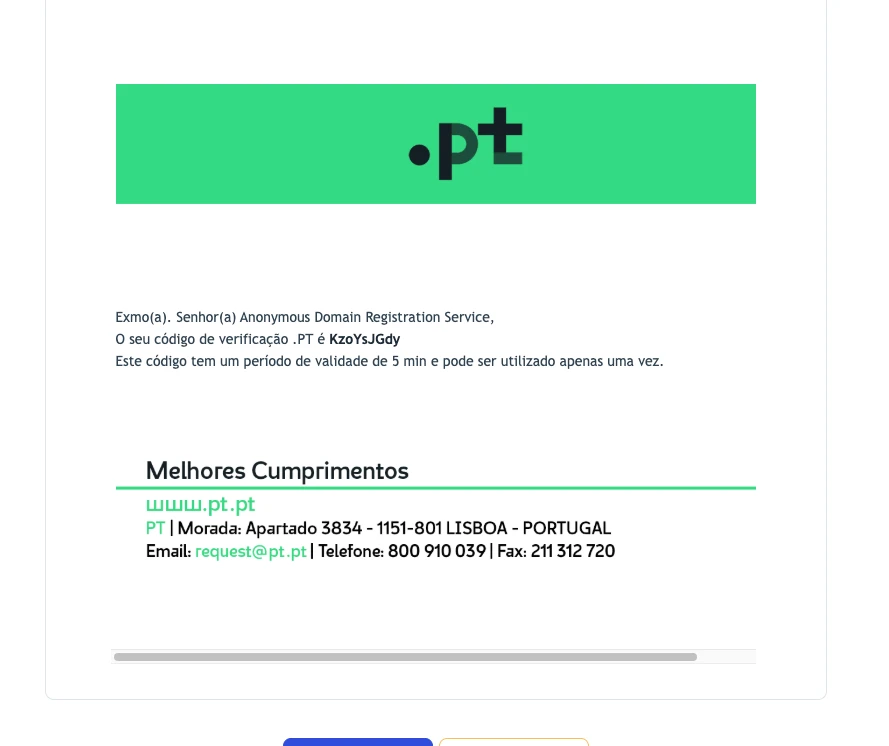
- Open the email from DnsPt and copy the confirmation code. The email may be in Portuguese. The code is valid for five minutes and can only be used once.
- Enter the confirmation code and select Save.
- Check that the email status now says Verified until. Then repeat the same process for the phone number.
What happens next?
Once both the email address and phone number are verified, reply to Site.eu support. We can then continue the .PT domain registration that is waiting for verification.
What if the verification fails?
Ask the owner of the VAT or TIN number to email DnsPt at request@pt.pt. Include the DnsPt contact handle and explain that you need help completing NIS2 verification in the portal.
No reply after a reasonable amount of time? Send the DnsPt ticket number to Site.eu support so we can check the next steps with you.