
A catch-all collects email sent to addresses that don't exist on your domain name.
An example. Someone writes to sales@yourdomain.eu. But you never created that address. Normally, that email is not delivered. With a catch-all, it still lands in a mailbox you choose.
Your existing email addresses and forwarders work as usual. They keep receiving their own mail. The catch-all only takes all the other addresses.
Not sure how a catch-all differs from a forwarder? Read the difference between an email address, a forwarder and a catch-all.
Before you start
A catch-all can only deliver to an email address you created with Site.eu. Don't have one yet? Follow our guide to creating an email address first.
Turn on the catch-all
Step 1: Log in to your Site.eu dashboard and open your domain name.
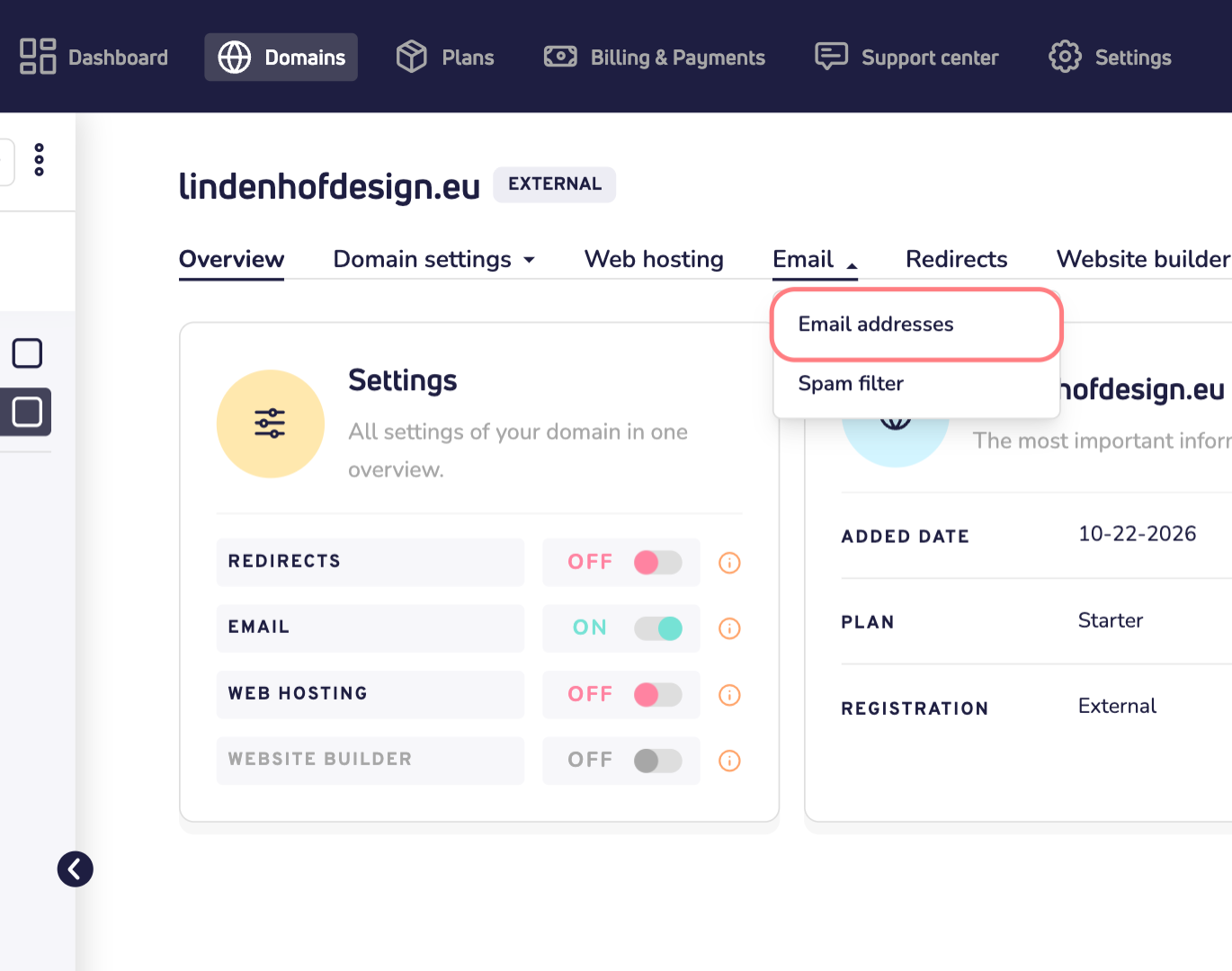
Step 2: Click Email and choose Email addresses.
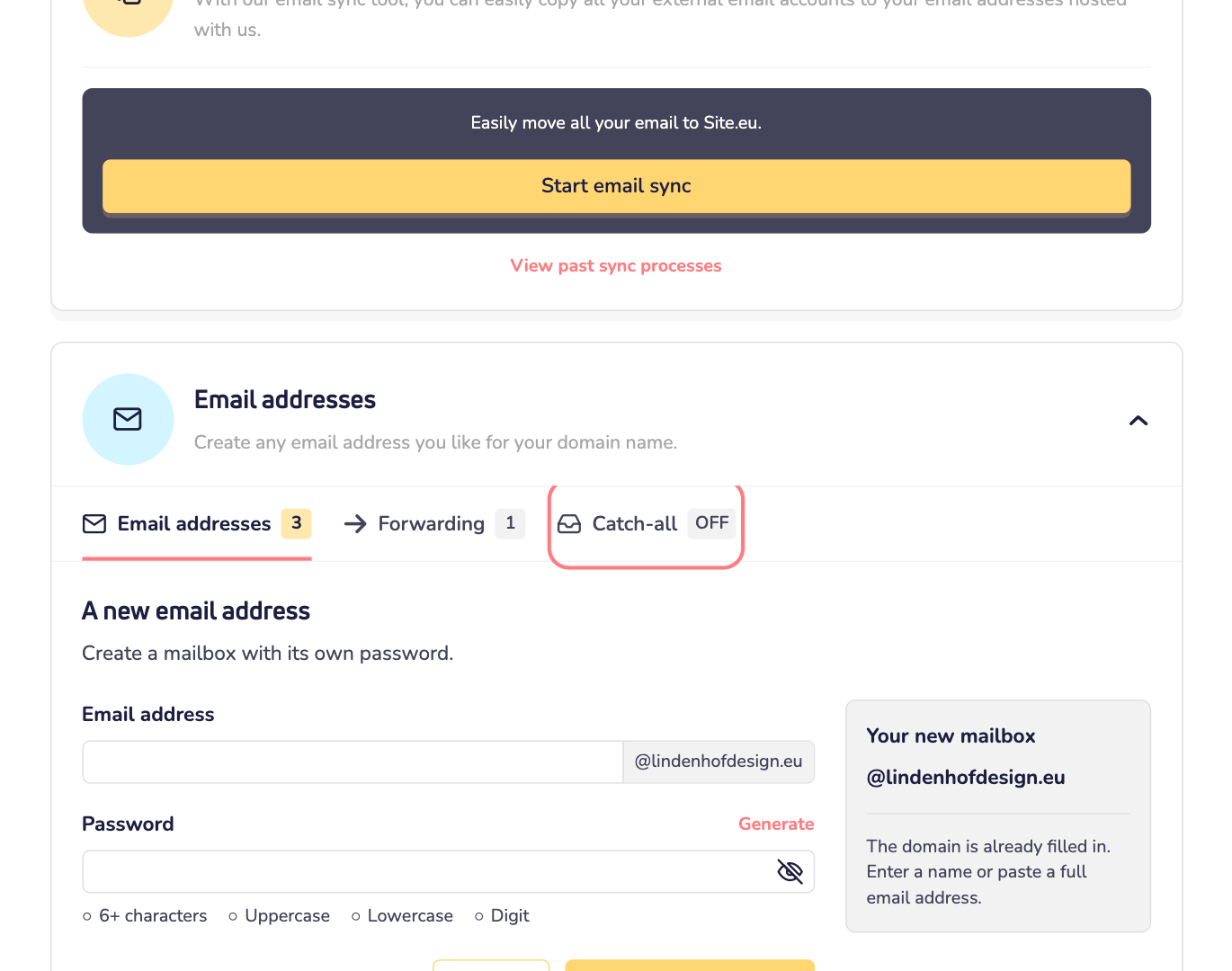
Step 3: Scroll down to Email addresses and click the Catch-all tab.
Step 4: Click the field under Target email address. Choose the mailbox that should receive the mail. You can type to search, and pick a mailbox on any of your domains.
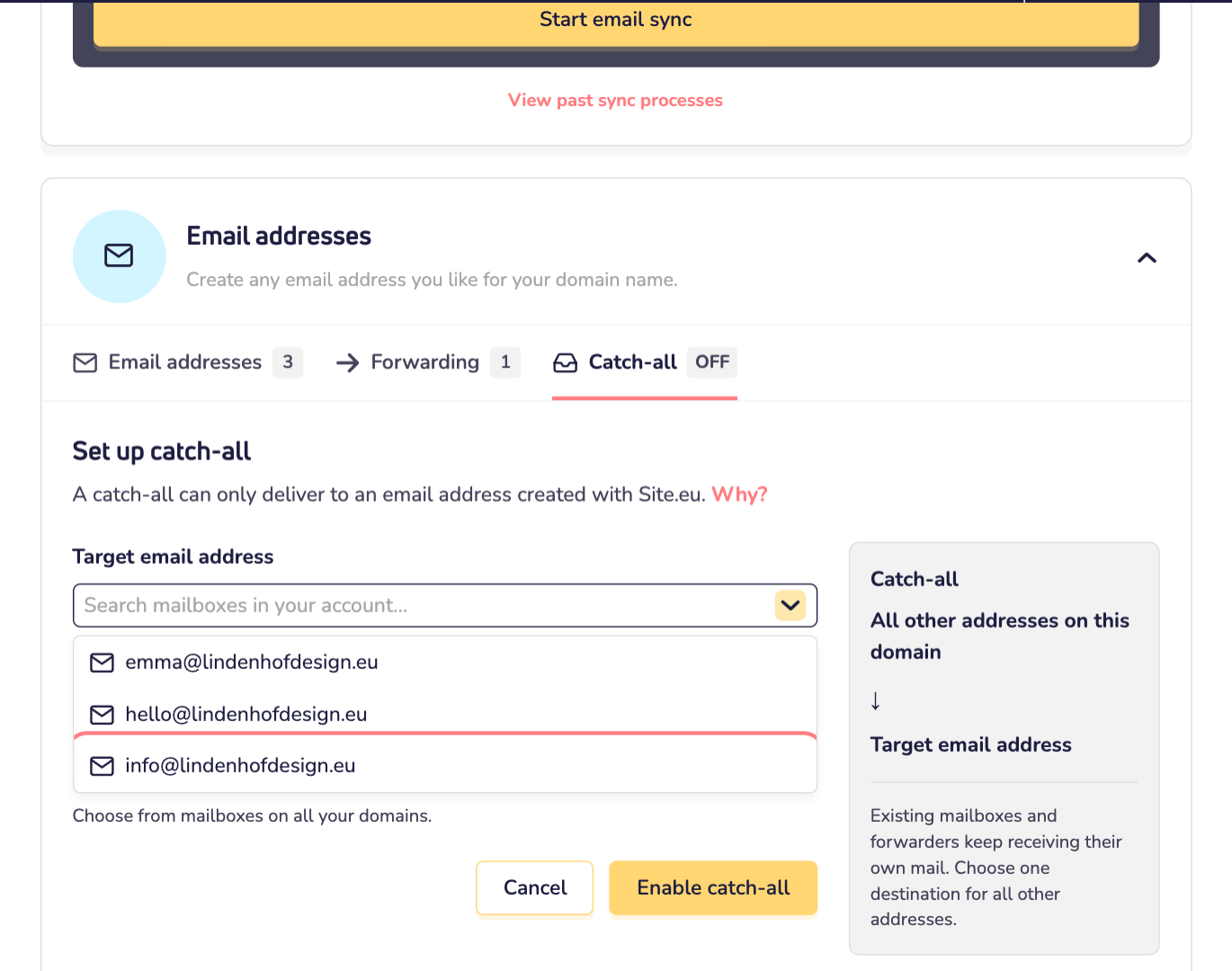
Step 5: Click Enable catch-all.
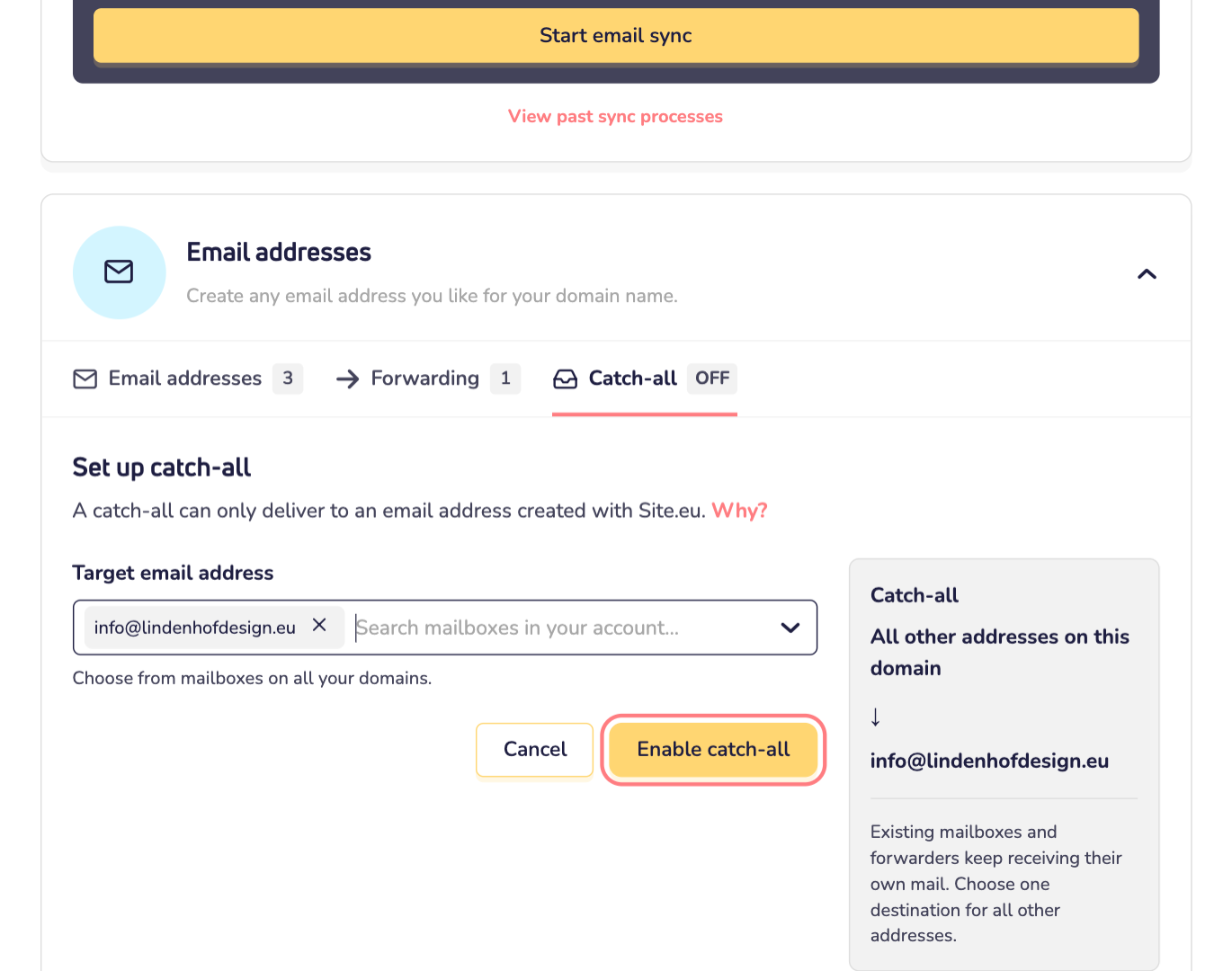
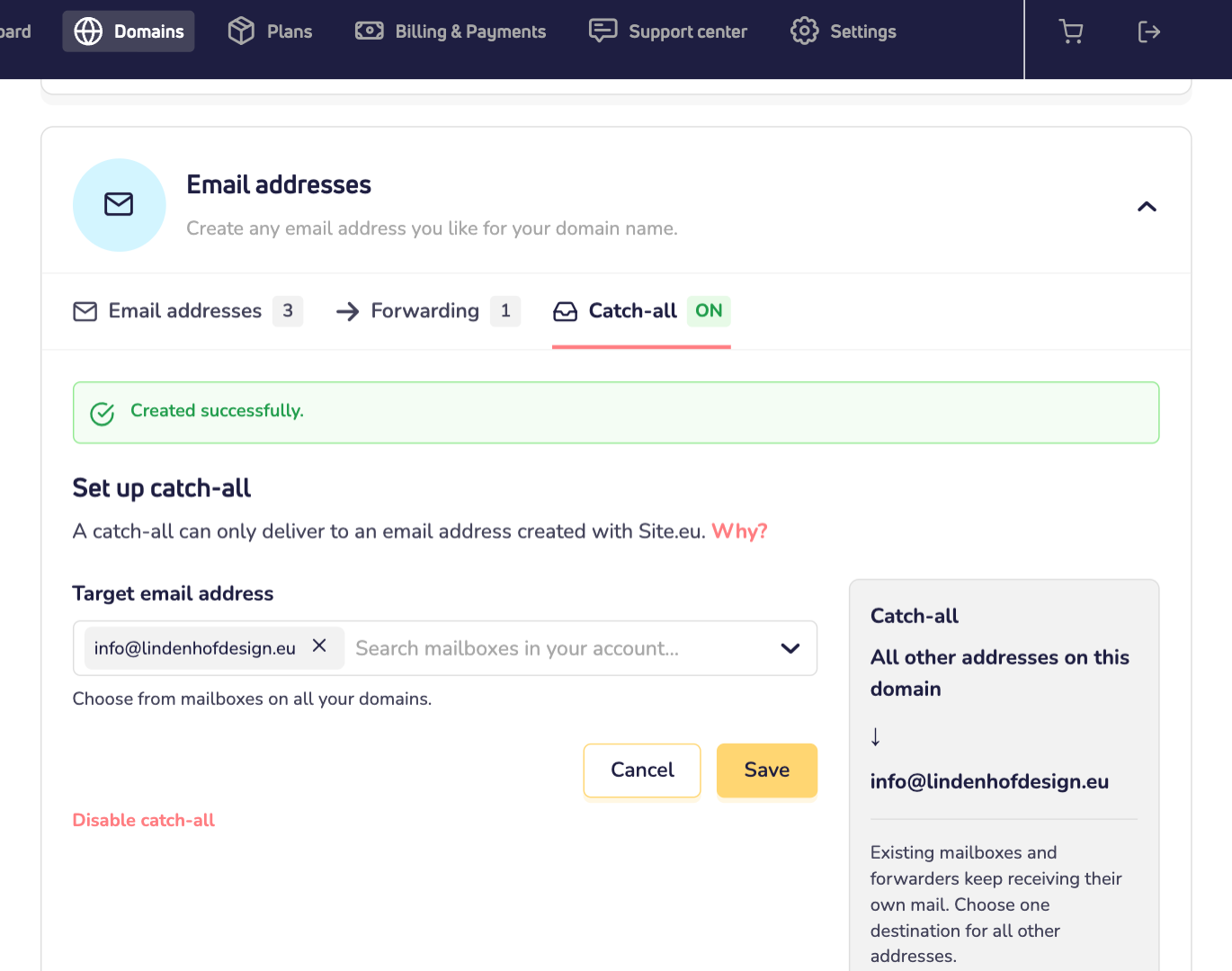
Done! The tab now shows that the catch-all is on. From now on, email to any unknown address on your domain name ends up in the mailbox you chose.
Good to know
- Expect more spam. Spammers often guess addresses, like admin@ or jobs@. With a catch-all, those emails reach your mailbox too. Our spam filter still checks every message.
- Typos arrive too. Someone types infp@ instead of info@? You still get the email.
- One destination. A catch-all sends everything to one mailbox. Want certain addresses to go to someone else? Set them up under Forwarding.
Turn off the catch-all
Step 1: Go to the Catch-all tab again and click Disable catch-all.
Step 2: A window asks: Disable catch-all? Click Disable catch-all.
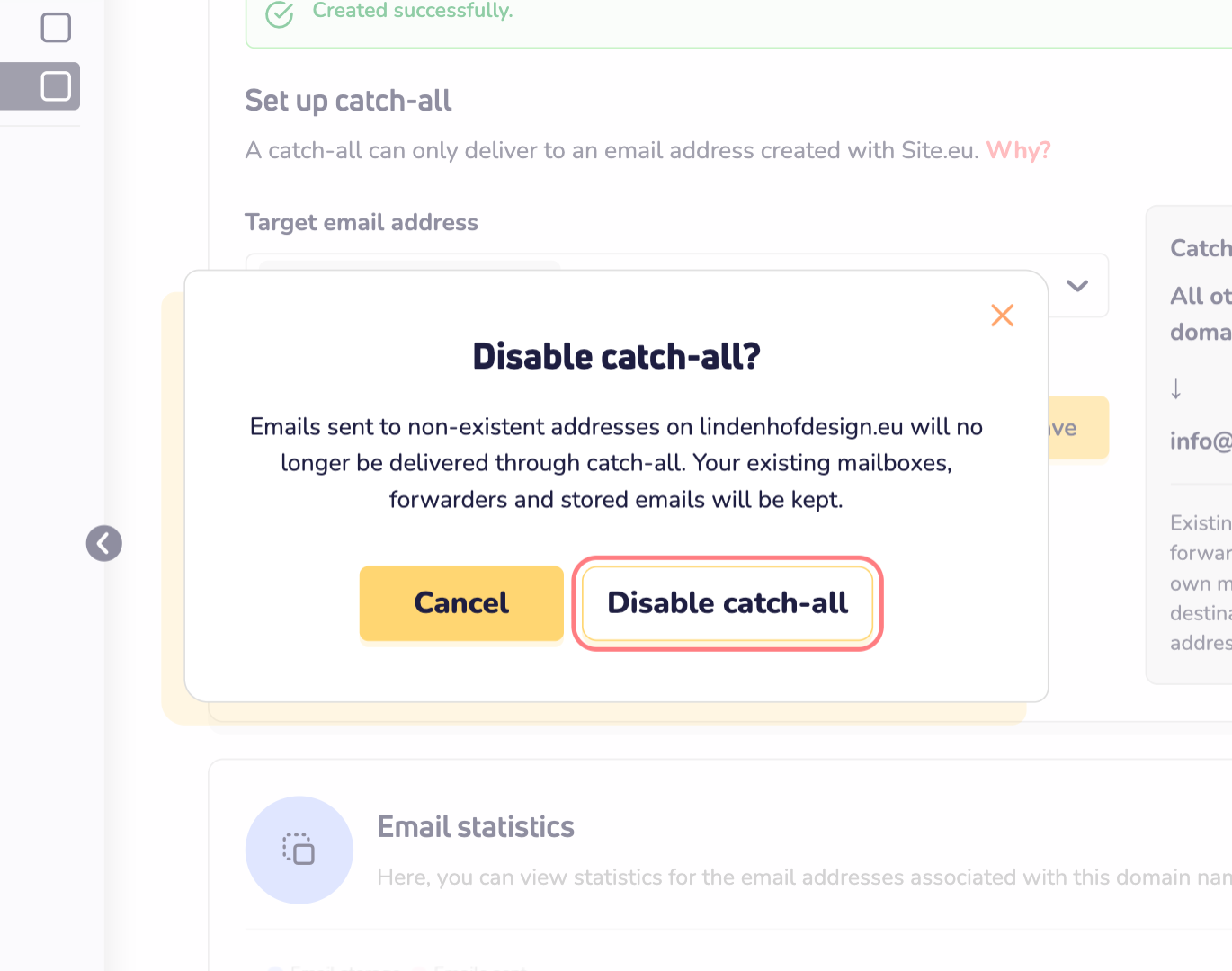
Email to unknown addresses is then no longer delivered. Your mailboxes, forwarders and stored emails are kept.