

Got a question about your domain name, email or web hosting? Chances are, another customer asked it before you. In our customer forum, customers and our team answer each other's questions. Everyone can read along. And as a customer, you can ask your own questions too.
Search the forum
Step 1: Open the customer forum. You can also find it in the Help panel at the bottom right of every page: click Customer forum.
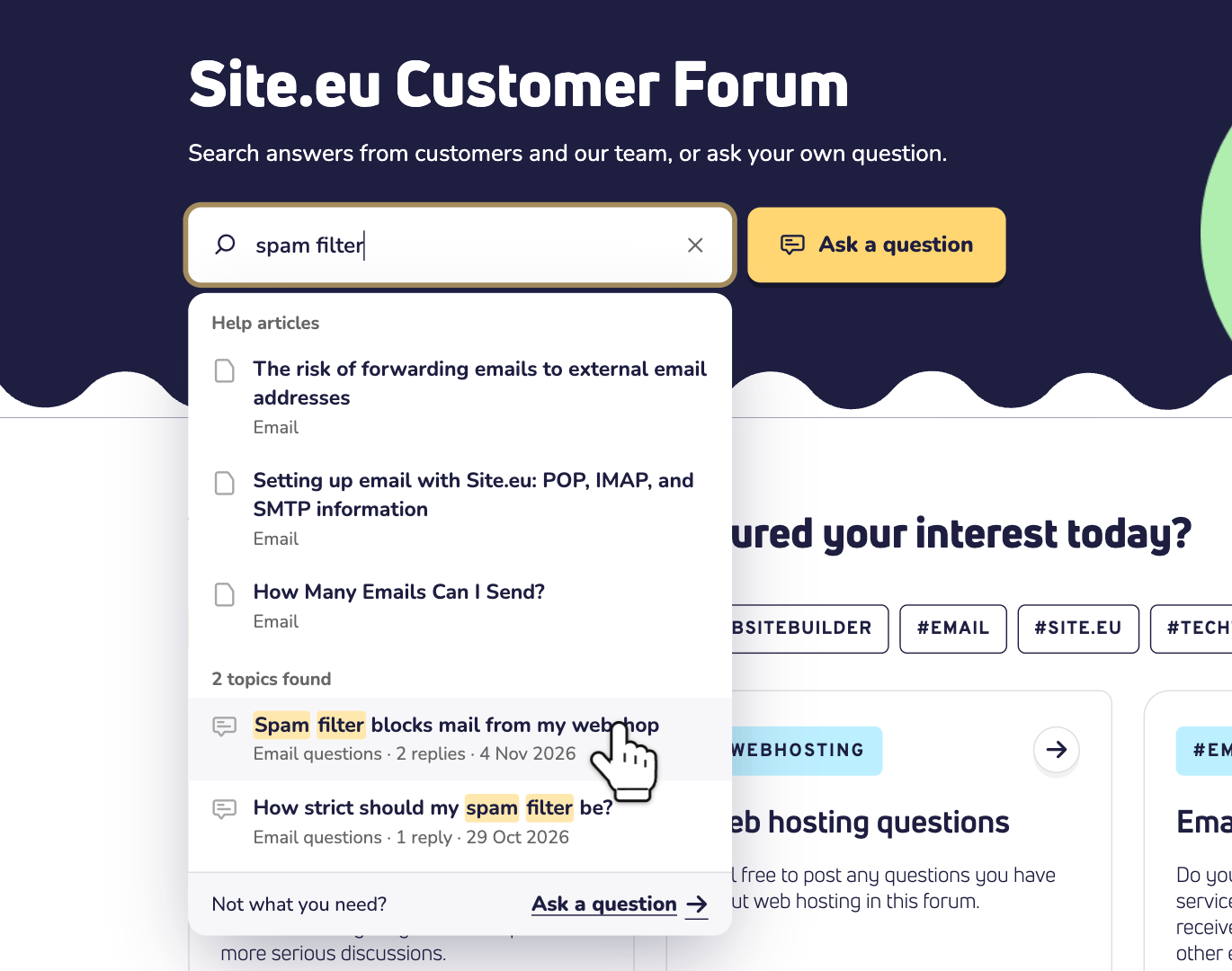
Step 2: Type a few words in Search the forum. While you type, you see matching help articles and forum topics. Click a topic to read the question and its answers.
Ask your own question
Step 3: Didn't find your answer? Click Ask a question. You'll find the button next to the search box, and under the search results.
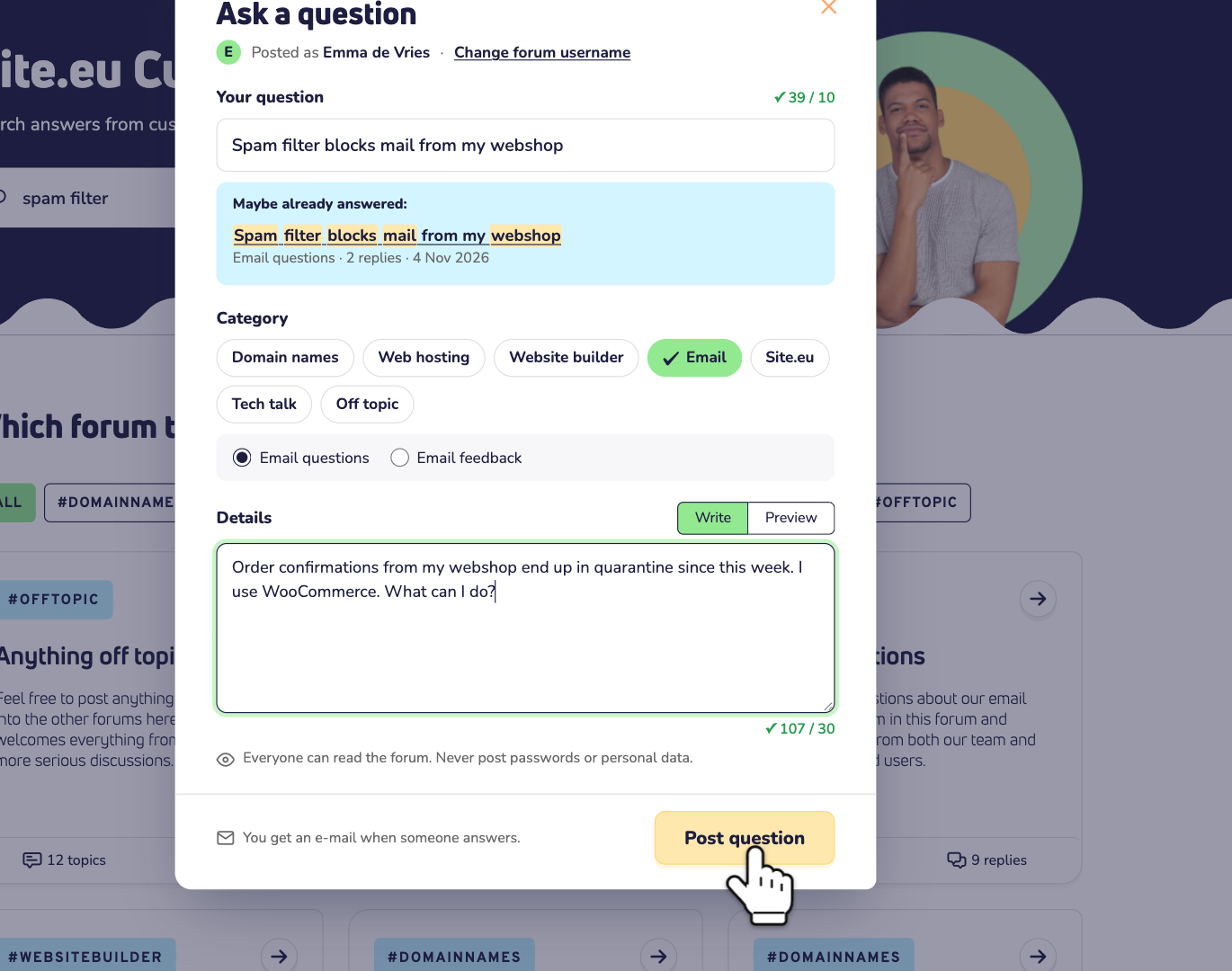
Step 4: Fill in your question:
- Your question: a short title, of at least 10 characters. Under it, Maybe already answered: shows topics that look like yours. Take a look first. Your answer may already be there.
- Category: pick the subject, like Email. Then pick the right sub category.
- Details: tell us what happens and what you already tried, in at least 30 characters. Add the domain name if it matters.
Step 5: Click Post question. We send you an email when someone answers.
Who can ask a question?
- Everyone can read and search the forum. No account needed.
- To ask a question, log in first. Not logged in? Click Ask a question anyway. You'll see Log in to ask a question. After you log in, you come straight back, and your question is still there.
- Posting is for customers. You can post once you have a product with us, like a domain name or web hosting. Until then, you can read and search the forum, or ask Site Assistant.
Good to know
- Everyone can read your question. So never post passwords, your support PIN or other personal data.
- Your forum username shows above your posts. Want a different one? Click Change forum username in the form. Or go to Settings in your dashboard, on the Forum tab.
- Need an answer right away? Ask Site Assistant, day and night. Or contact our team. Read how to get help from Site.eu.