
Got a question about your domain name, your email or your website? Help is always one click away. At the bottom right of every page, you'll find the Help button. On our website and in your dashboard.
Open the help panel
Step 1: Click Help at the bottom right of the page. The panel How can we help? opens. On a phone, it slides up from the bottom of the screen.
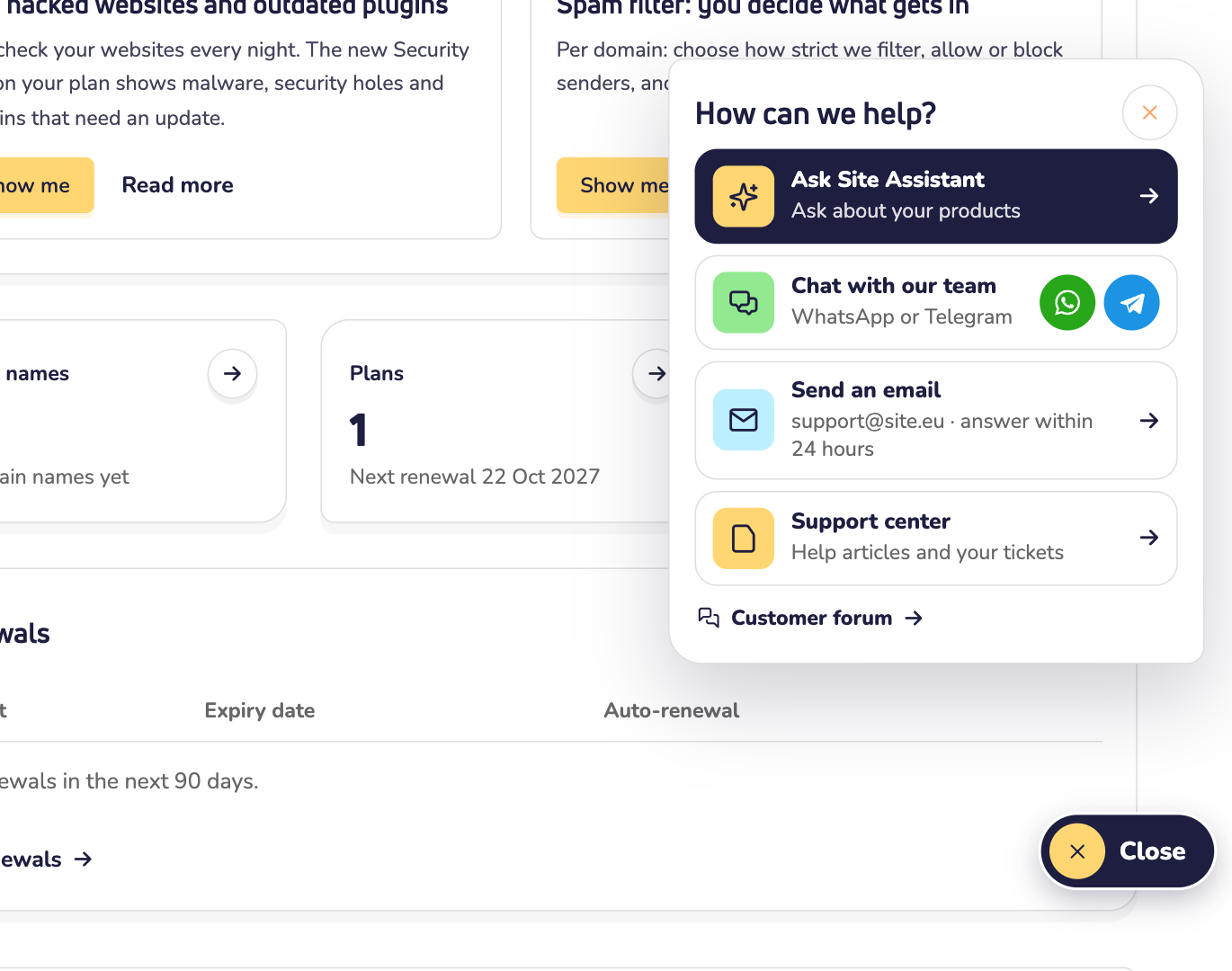
Step 2: Choose how you want help:
- Ask Site Assistant: our AI assistant answers right away, day and night. In your dashboard, it can also look up your own products. Read how to use Site Assistant.
- Chat with our team: click the WhatsApp or Telegram icon, and you chat with one of our people. You can also go straight to WhatsApp or Telegram.
- Send an email: write to our support address. We answer within 24 hours.
- Help articles: on our website, this opens our guides about domain names, email and web hosting. In your dashboard, you see Support center instead. There you'll find the same guides, plus your support PIN.
- Customer forum: at the bottom of the panel. Ask other customers, or find answers to questions that were asked before. Read how the forum works.
Done? Click the button at the bottom right again. It now says Close.
Which one should you pick?
- A quick question, at any time of day? Ask Site Assistant.
- Rather talk to a person? Use WhatsApp, Telegram or email.
- Want to look it up yourself? Read our help articles, or search the forum.
Good to know
- Have your support PIN ready. When you contact our team about your account, we may ask for it. That way, we know it's really you. Read where to find your support PIN.
- Other links open the same panel. For example, "Contact us" in the menu and at the bottom of every page.
- Did Site Assistant answer while you were away? Then you see the number of new replies on the Help button.
- The button makes room. Is there something to click right under it? Then it shrinks to a round question mark. On a phone, it hides while you type.