

Your domain name didn't move to us? Don't worry. It simply stays with your current provider, and your website and email keep working. Most of the time, you can fix the cause yourself. Then you start the transfer again, at no extra cost.
Find the failed transfer
When a transfer fails, we send you an email. In your dashboard, you'll find the transfer under Domains, on one of these tabs:
- Awaiting extra information: we need something from you, like a new transfer key. The column More information required shows the reason.
- Transfers: the transfer failed, for example because it was refused.
Step 1: Open the tab and click the domain name. A window opens.
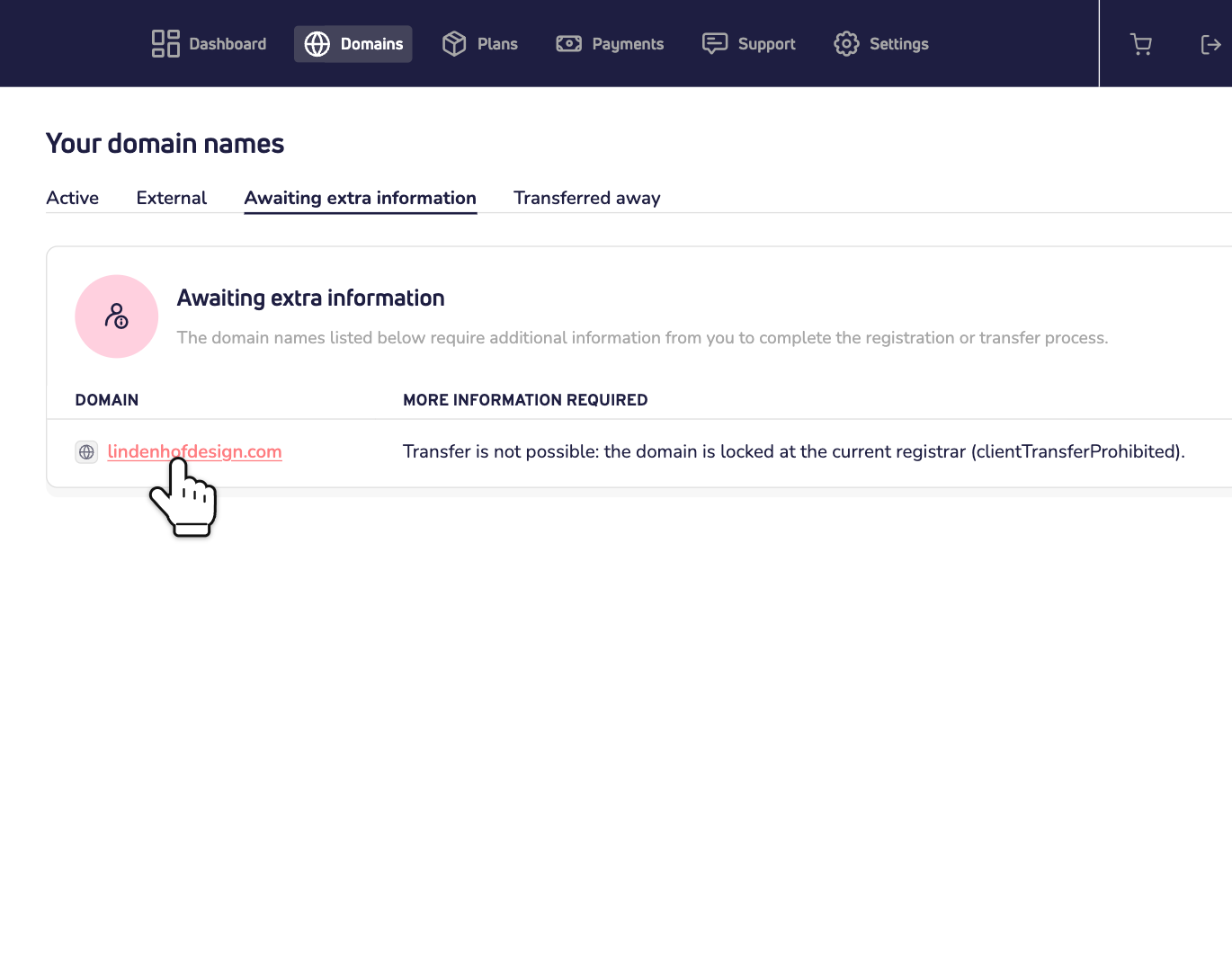
Why did it fail?
The top of the window tells you why:
- Missing transfer key: we didn't get a transfer key. Ask your current provider for it.
- Incorrect transfer key: the key is wrong, or no longer valid. Ask your current provider for a new one.
- Domain is locked: your current provider has locked the domain name. Ask them to remove the lock and to give you a new transfer key.
- Domain already in transfer: another transfer of this domain name is still running. Wait until it's done.
- Extra information required: the registry needs extra details about the domain holder. Read how to make a contact ready for a domain extension.
- Does it say Transfer failed: or Request failed:? Then something else went wrong. For example, the transfer was refused. Not sure what to do? Contact us.
Start the transfer again
Step 2: Fix the cause at your current provider. Usually that means: turn off the transfer lock and ask for a new transfer key. Read how to request the transfer key.
Step 3: In the window, enter the new key under Transfer key. The field shows the key you used before, so replace it. Also check the domain holder, the nameservers and privacy protection. Then click Start transfer.
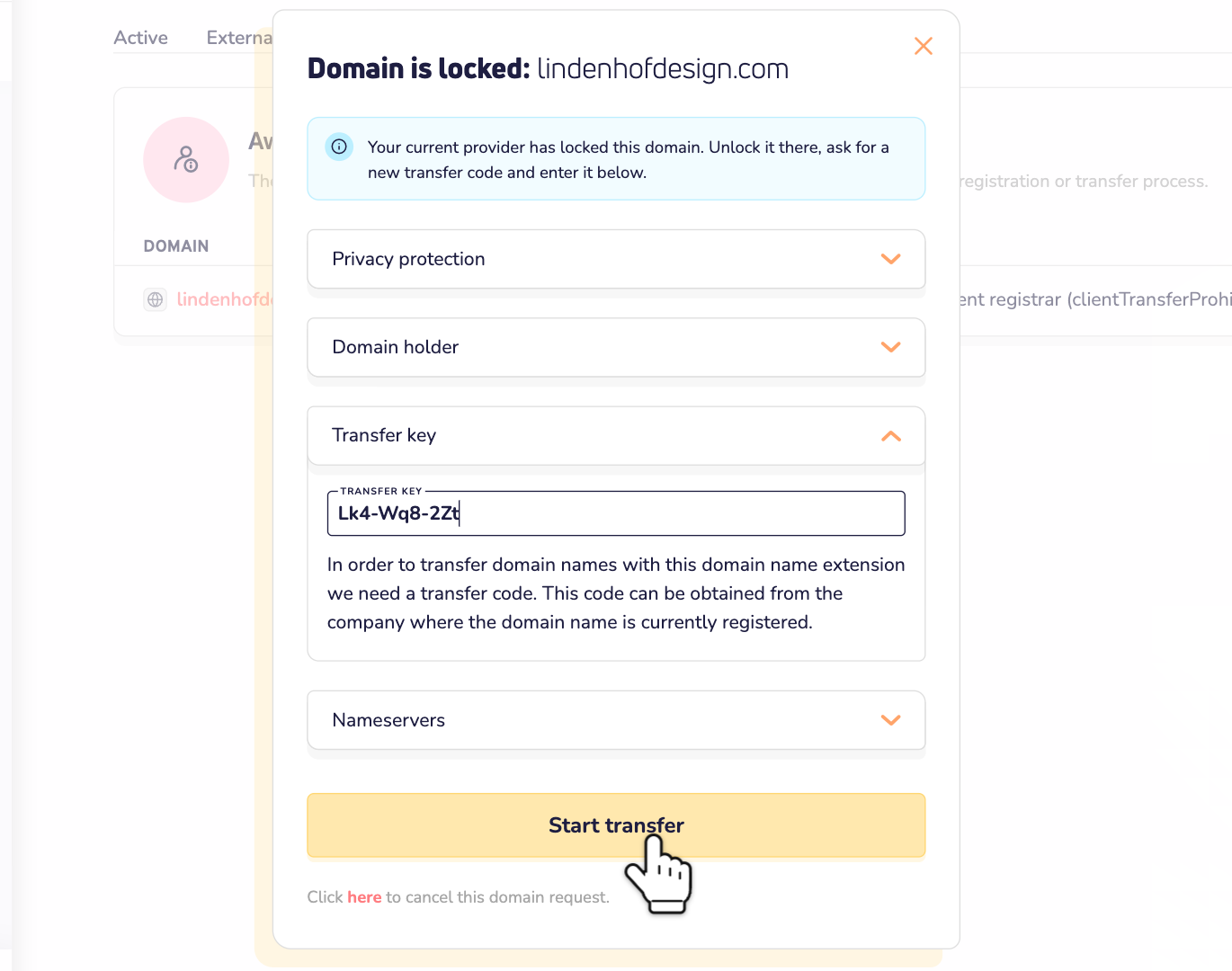
The transfer now starts again. You don't pay a second time. Read how long a transfer takes.
Changed your mind?
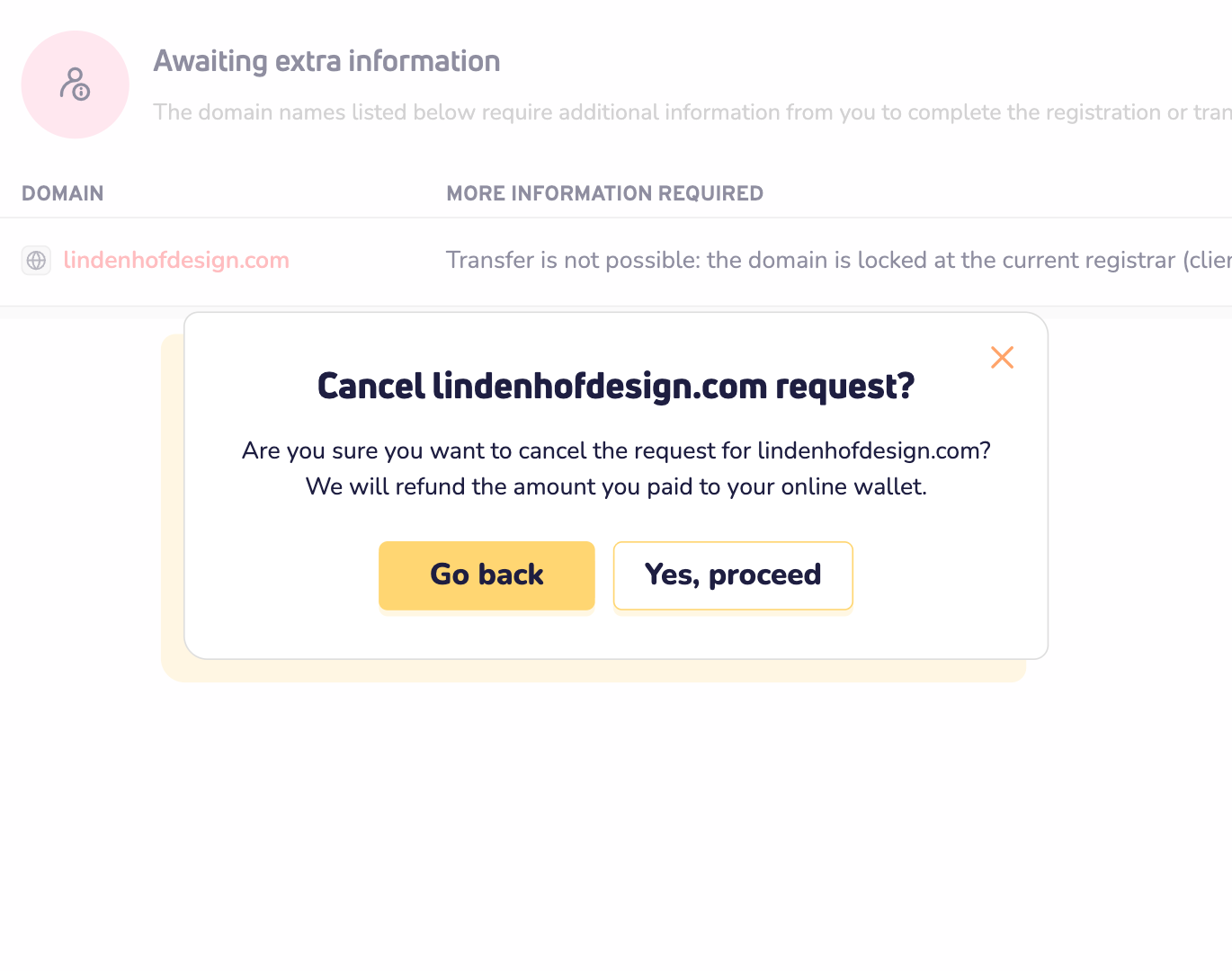
Rather keep the domain name with your current provider? Then cancel the transfer. Under the button, click here and confirm with Yes, proceed. We put the amount you paid back in your online wallet.
Good to know
- Is your domain name less than 60 days old? Most extensions don't allow a transfer yet. The same goes for 60 days after an earlier transfer.
- Has your domain name expired? Then it usually can't be transferred. Renew it at your current provider first.
- Does the domain holder have to approve the transfer? For some extensions, the registry emails the holder. No answer in time? Then the transfer fails.
- Want to avoid downtime next time? Read the best way to complete a domain name transfer without downtime.