
Your website won't load. DirectAdmin keeps loading and then gives up. Your email app asks for your password again and again. But on your phone's mobile data, everything works.
Sound familiar? Then our firewall has probably blocked your IP address. Don't worry. It's easy to fix.
What is an IP block?
Every internet connection has its own address. We call it the IP address. Our firewall protects our servers against attacks. When it sees something suspicious from an IP address, it blocks that address.
The block counts for your whole connection. So everyone on the same Wi-Fi, at home or at the office, is blocked too. And from that connection, nothing on that server works anymore:
- your website
- DirectAdmin, FTP and SSH
- or, when our mail server blocked you: webmail and the email in your apps
Only webmail doesn't open? Then also read what to do when you can't access your webmail.
How do I know I'm blocked?
- You see a message like IP blocked. Please contact support. with your IP address.
- Pages keep loading and then stop with an error, for example ERR_CONNECTION_TIMED_OUT.
- Everything works on mobile data or on another Wi-Fi network. Just not on yours.
Why does this happen?
Usually it's one of these:
- Wrong passwords. A few failed logins in a short time are enough. DirectAdmin, FTP, SSH or email: it doesn't matter. Often it isn't even you. It's an app that keeps trying an old password in the background. Think of an email app on an old phone, FileZilla or a password manager.
- Old email addresses on your devices. You deleted an email address or moved a domain name, but a device still tries to log in with it.
- Lots of errors at once. Your website asks for many files that don't exist, all within a minute. Missing images or an old plugin can cause this. To the firewall, that looks like an attack.
How do I get unblocked?
We lift the block for you. Here's how:
Step 1: Find your IP address. On the blocked connection, go to whatismyip.com and copy the IPv4 address it shows. Use the blocked Wi-Fi, not your mobile data.
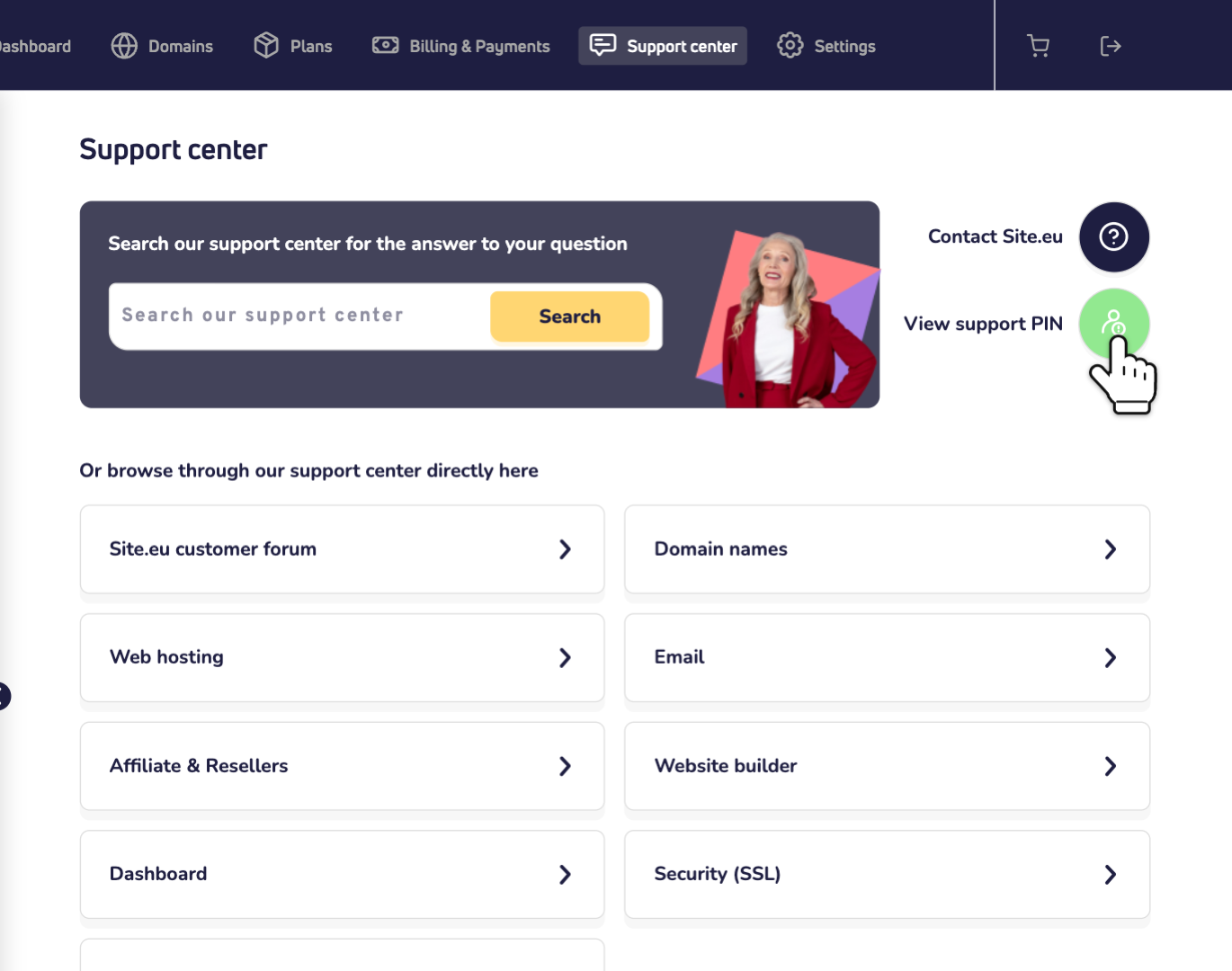
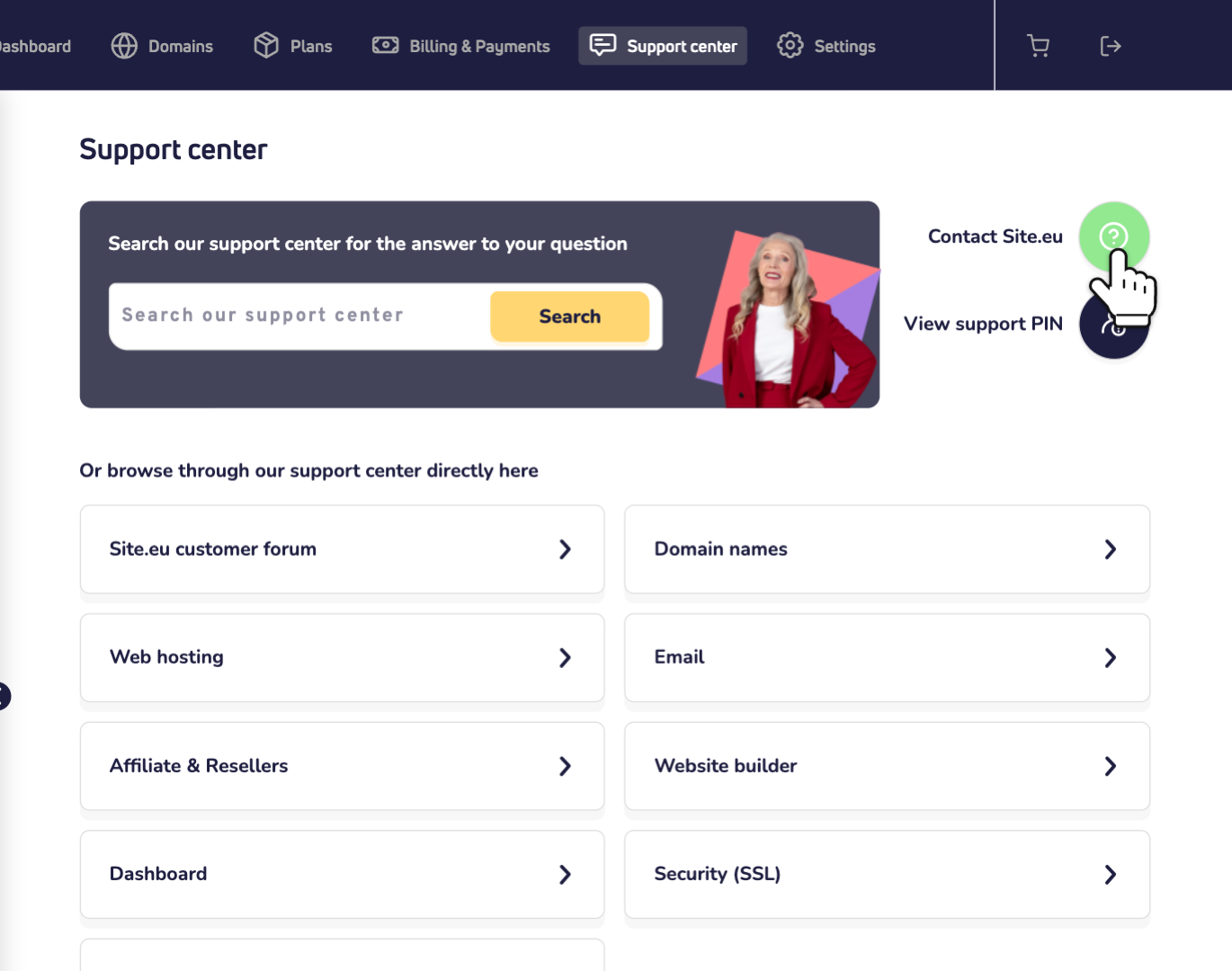
Step 2: Log in to your dashboard and click Support center. Then click View support PIN.
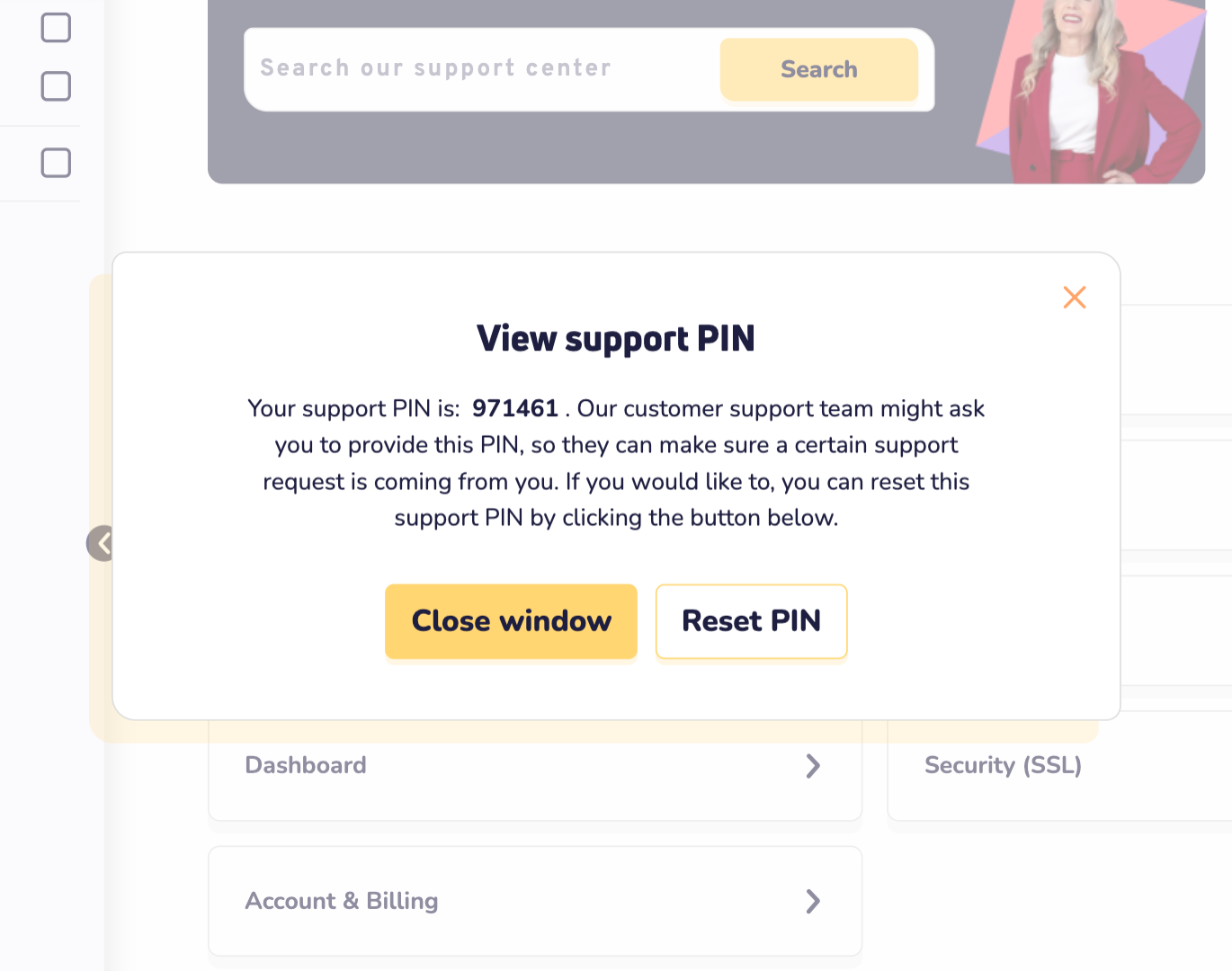
Step 3: Note your 6-digit support PIN. With it, we check that it's really you. Read more about where to find your support PIN.
Step 4: Contact us. Click Contact Site.eu to send us a WhatsApp message. Or send us an email.
Send us:
- the email address of your Site.eu account
- your support PIN
- your IP address
- what you can't reach, for example your website or DirectAdmin
We check why you were blocked and lift the block. We also tell you what caused it. That way, you can stop it from happening again.
How do I stop it from happening again?
- Changed a password? Update it everywhere: in the email apps on your phone, tablet and computer, in your FTP program and in your password manager.
- Clean up old accounts. Remove email addresses you no longer use from all your devices. Old devices too.
- Fix errors on your website. Update or remove the plugin or theme that asks for missing files.
DirectAdmin still won't open at the office?
DirectAdmin uses port 2222. Some office networks block that port. Then it isn't our firewall. Try another network, or ask your IT team to allow port 2222. Need help logging in? Read logging into DirectAdmin.