
Is your website still safe? Every night, we check all websites in your hosting account for malware, security holes and outdated software. You see the results in the Security tab of your plan. And when something is wrong, we email you.
Open the Security tab
Step 1: Log in to your dashboard and click Plans. Open the plan with your web hosting.
Step 2: Click the Security tab. A red number next to it? Then we found a hacked website.
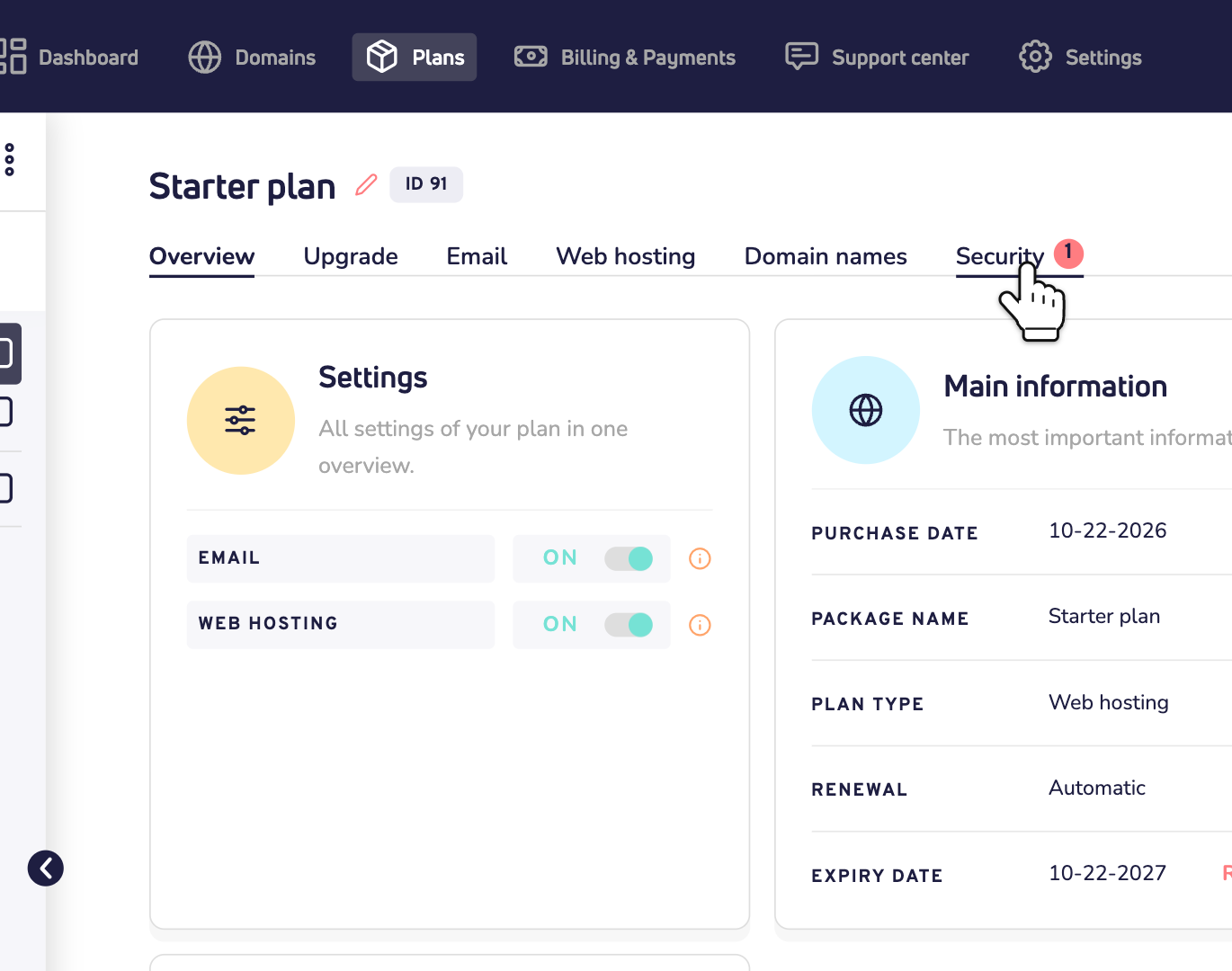
You only see this tab for a plan with web hosting, because that's where your websites live. Here's how to turn on web hosting.
The overview
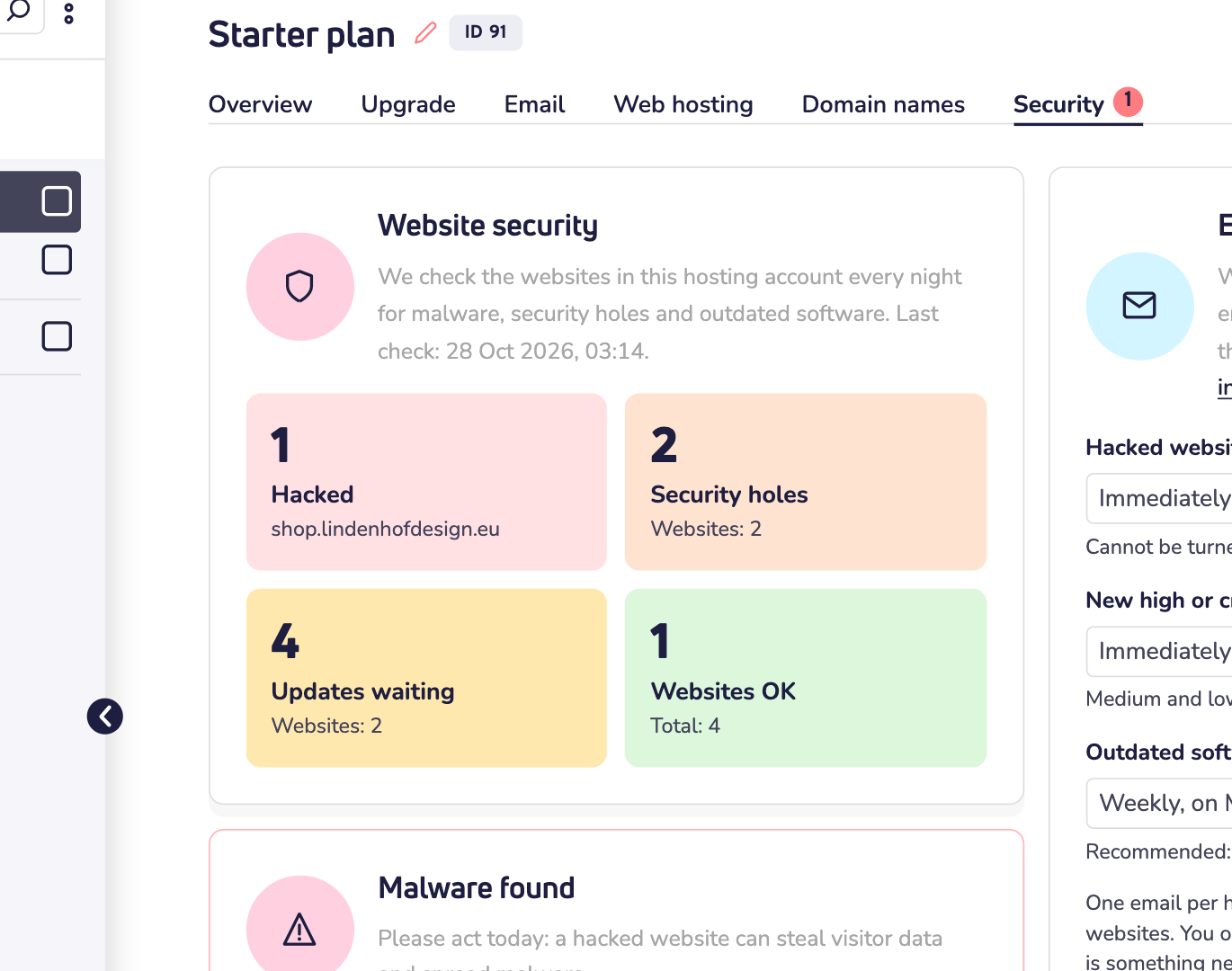
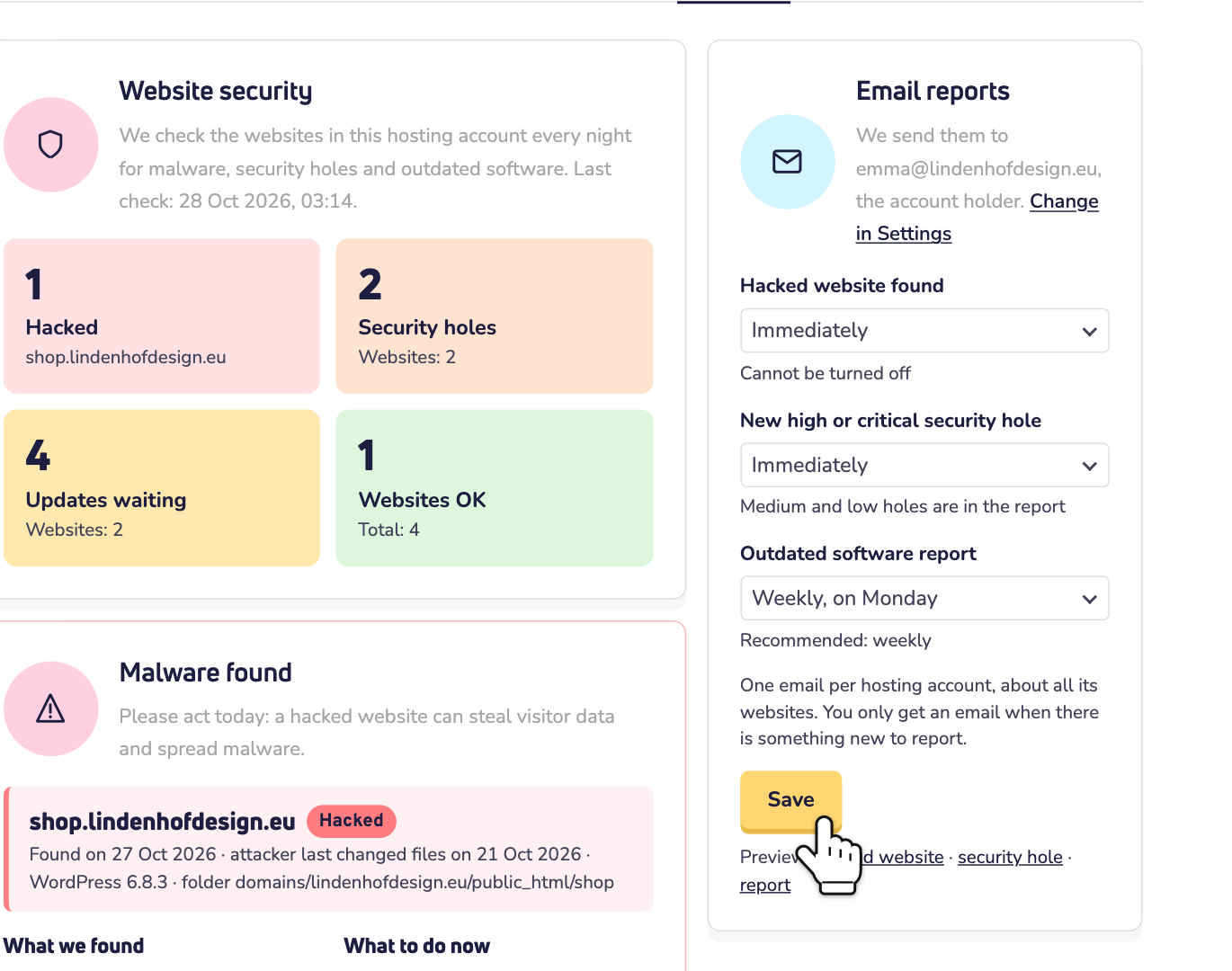
At the top, under Website security, you see when we last checked. Below it are four tiles:
- Hacked: websites with malware.
- Security holes: known security holes in your website software, plugins and themes.
- Updates waiting: updates you can install.
- Websites OK: websites without problems.
Click a tile to jump to the details.
A hacked website
This is the most urgent part. A hacked website can steal your visitors' data, show spam or spread malware. So please act the same day.
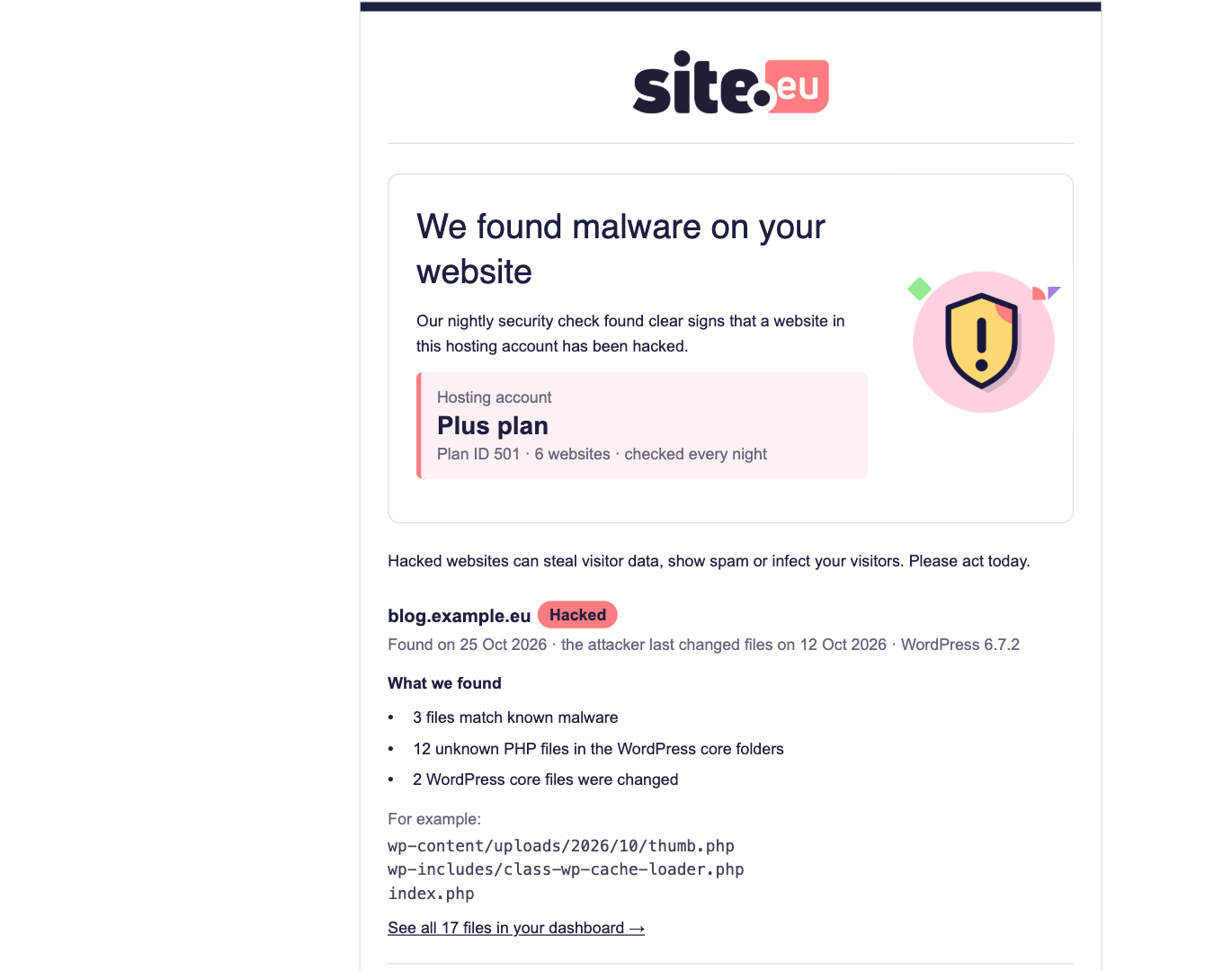
Under Malware found, you see for each hacked website when we found the malware and when the attacker last changed files. Under What we found are the signs, for example files that match known malware. Below that, you see the suspicious files themselves.
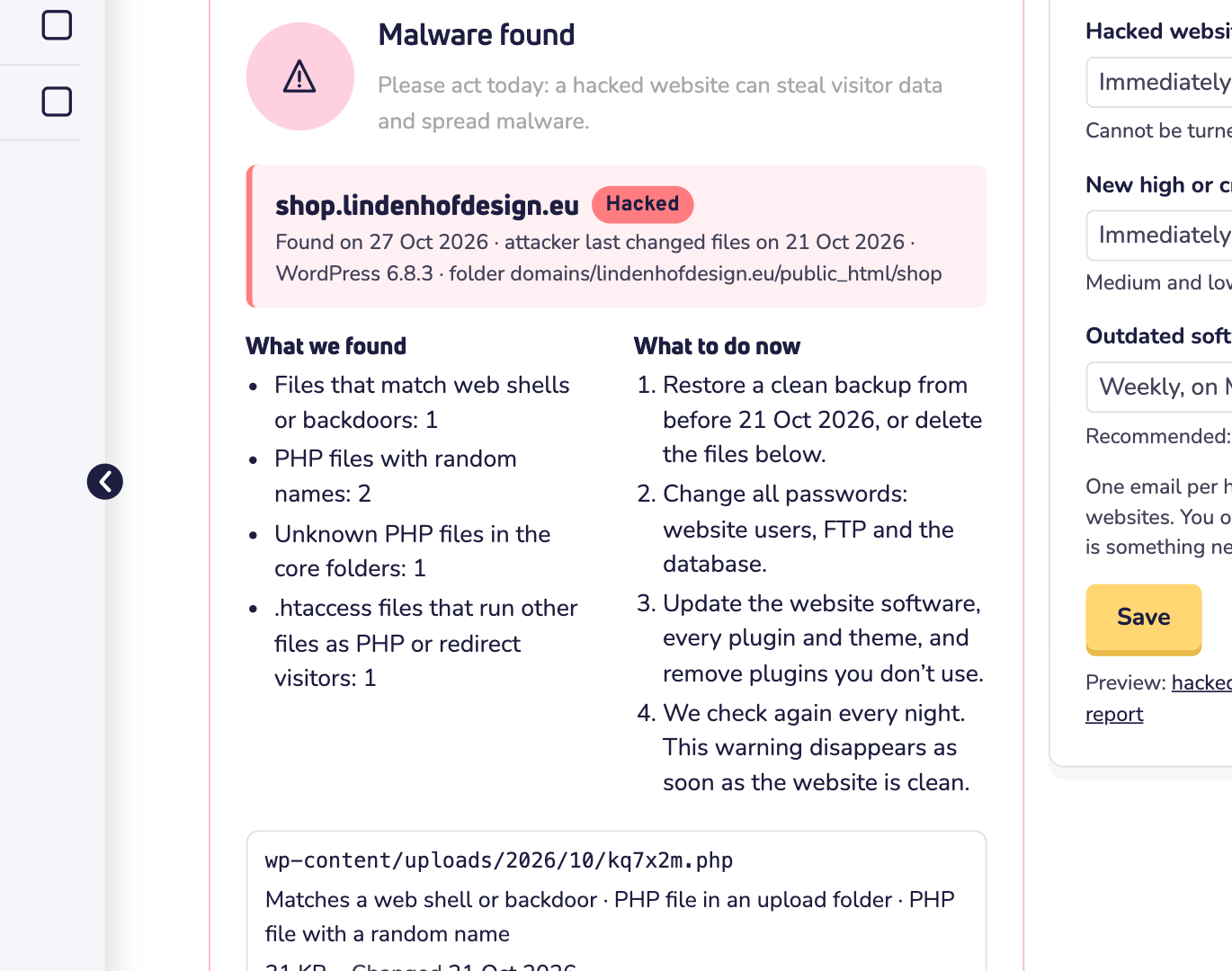
Under What to do now, you find the steps:
- Restore a clean backup from before the date the attacker last changed files. Or delete the files in the list. Read how to create and restore backups in Softaculous.
- Change all passwords: of your website's users, FTP and the database.
- Update your website software and every plugin and theme. Remove the plugins you don't use.
- We check again every night. Is the website clean? Then the warning disappears.
Need help? Click Contact support. Using WordPress? Also read what to do when your WordPress website is hacked.
Security holes
Under Security holes, you see the software with a known security hole, per website. Attackers search for these holes automatically, often within days. So update as soon as you can.
- Update shows your version and the version that closes the hole.
- Risk shows how dangerous the hole is: Critical, High, Medium or Low.
- No fix yet? Then remove the plugin or theme, or replace it with another one.
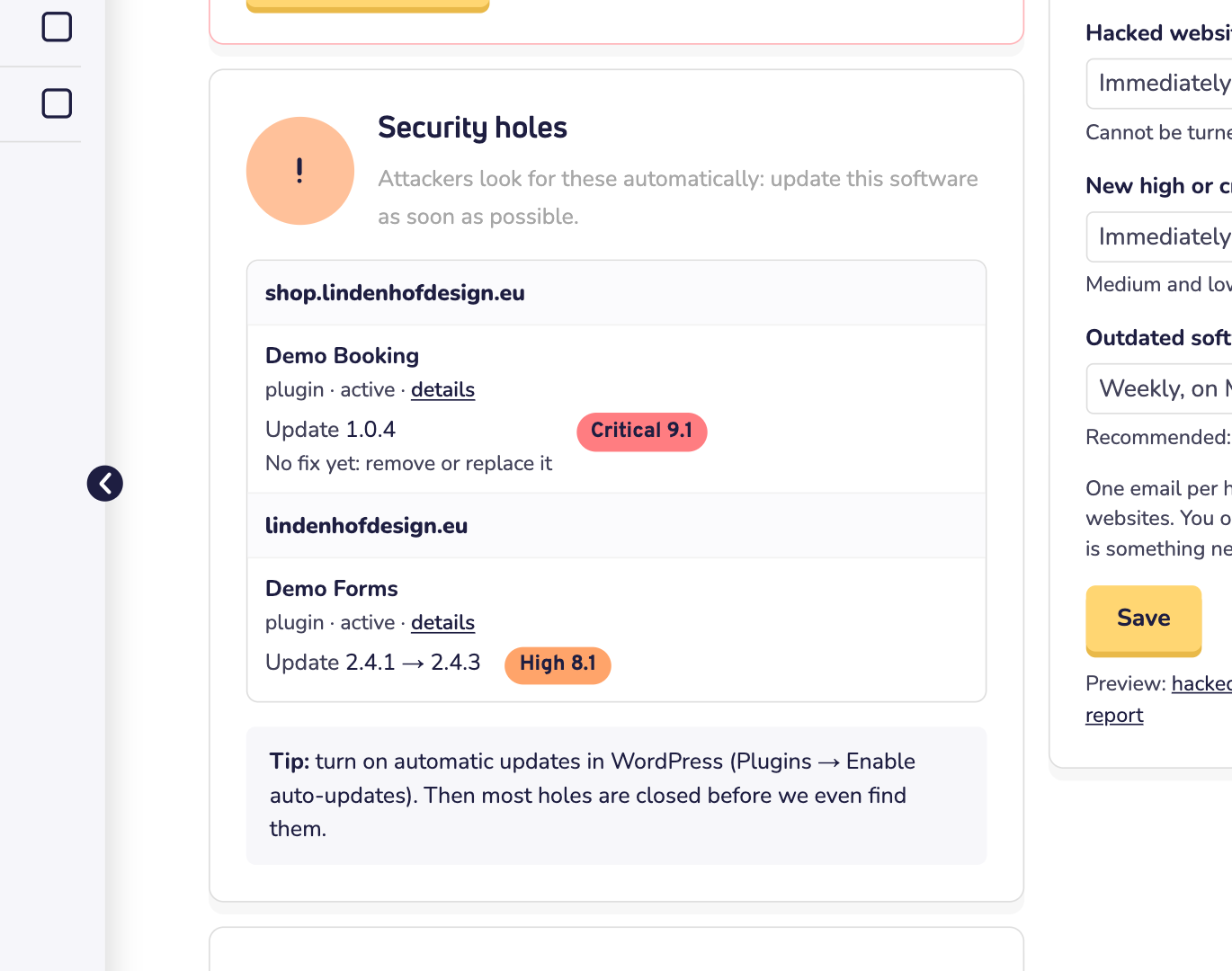
Tip: using WordPress? Turn on automatic updates for your plugins. Then most holes are closed before we even find them.
Outdated software
Under Outdated software, you see per website what needs your attention:
- Update: a newer version is ready. A security update also closes a known hole.
- End of life: the software no longer gets updates. Upgrade to a newer version, or replace it. Is it your PHP version? Then choose a newer PHP version in DirectAdmin. Here's how to log in to DirectAdmin.
- Closed: the plugin was closed on wordpress.org and gets no more updates. Replace it.
- Not maintained: its maker hasn't updated it for more than 2 years. It still works, but keep an eye on it.
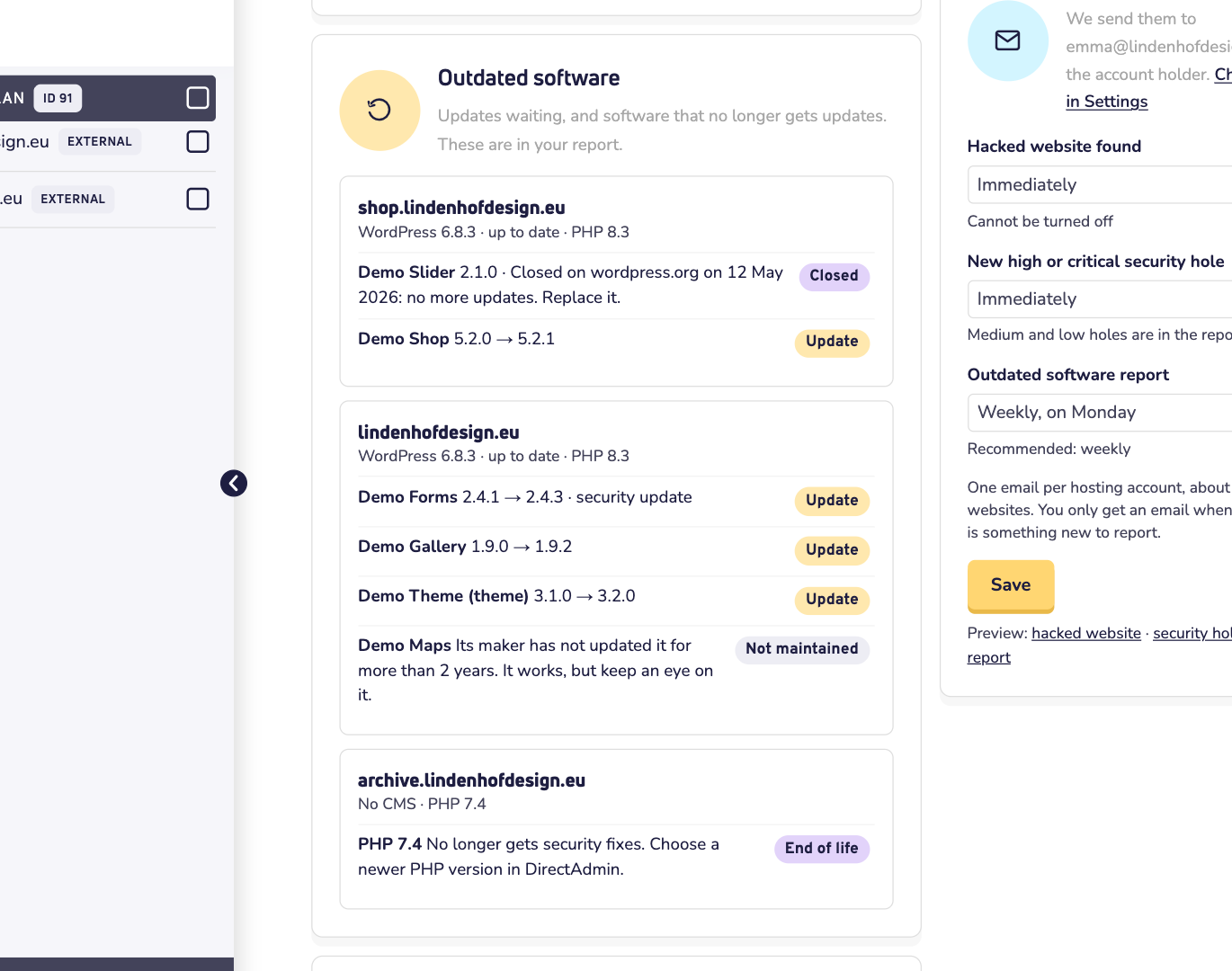
At the bottom, under All websites, you see every website in your hosting account, with its software, its PHP version and its status. An old PHP version that no longer gets security fixes shows as PHP end of life. A website without software like WordPress or Joomla? Then we only check its PHP version.
Choose your emails
Under Email reports, you choose which emails you get. We send them to the account holder: one email per hosting account, about all its websites. And only when there is something new to report.
- Hacked website found: right away, or once a day. You can't turn this email off.
- New high or critical security hole: right away, once a day, once a week, or off. Holes with a medium or low risk are in the outdated software report instead.
- Outdated software report: every Monday, on the first Monday of the month, or off. We recommend weekly.
Changed something? Click Save. Under the button, you can open an example of each email.
This is what an email about a hacked website looks like:
Good to know
- We check every night. Fixed something? The next morning, the tab shows the new state.
- Just turned on web hosting? Then the tab says we haven't found any websites yet. They show up after the next nightly check.
- Who can change the emails? Only someone who can manage the plan.