
Contacting our support team? Then we may ask for your support PIN. It's a 6-digit code that shows us it's really you. Here's where you find it.
Find your support PIN
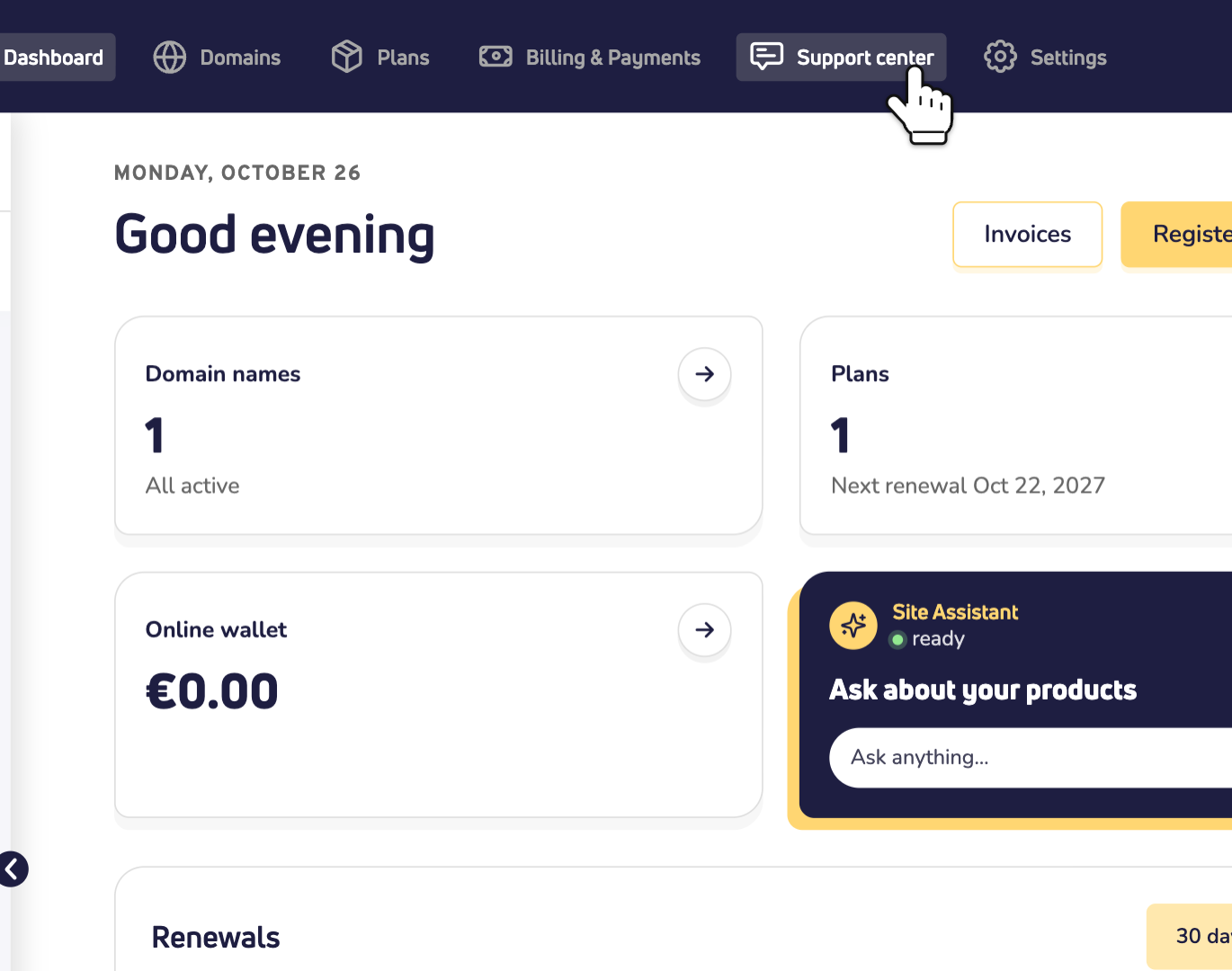
Step 1: Log in to your dashboard and click Support center at the top.
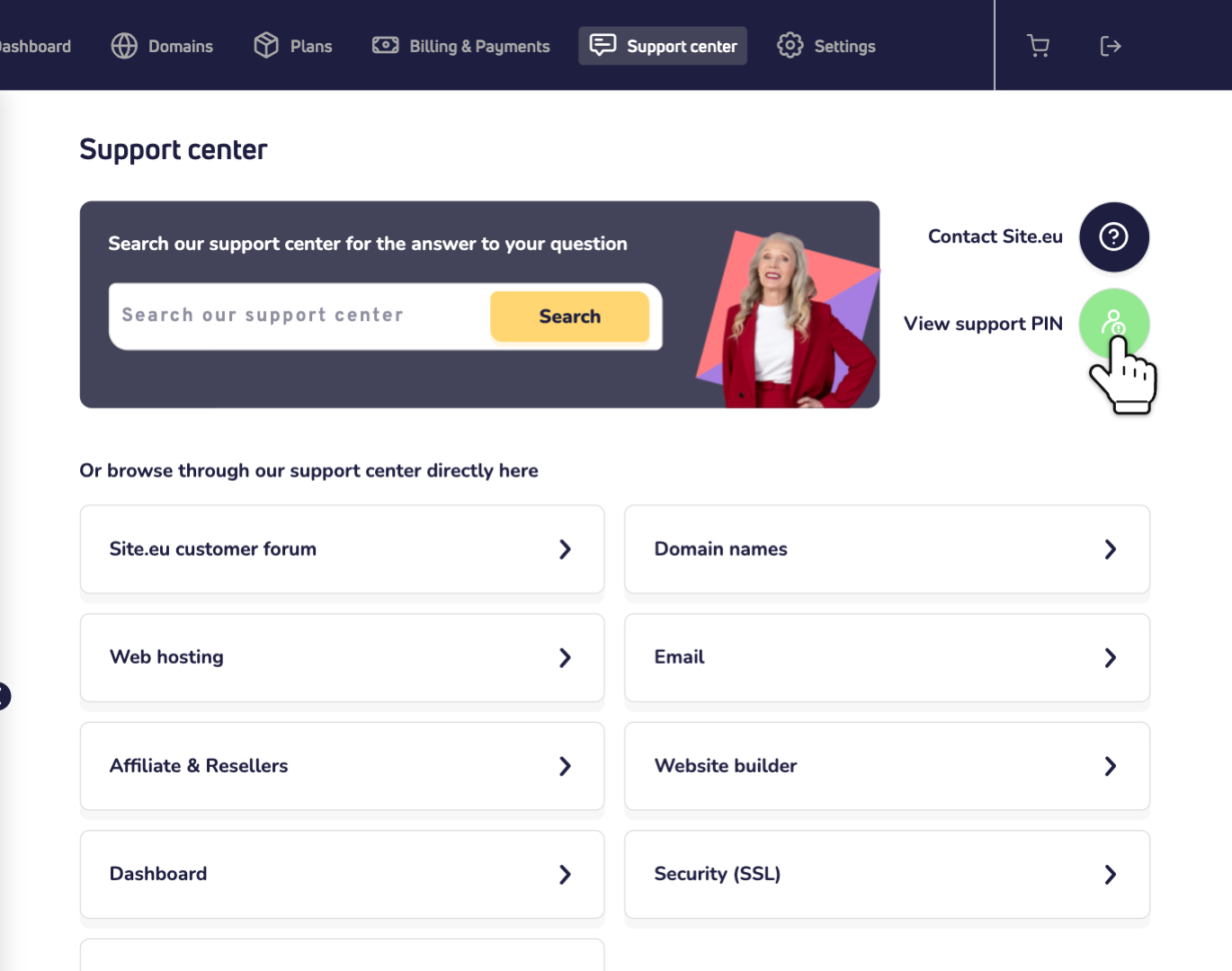
Step 2: Click View support PIN on the right.
Step 3: Your support PIN appears. Keep it at hand when you contact us.
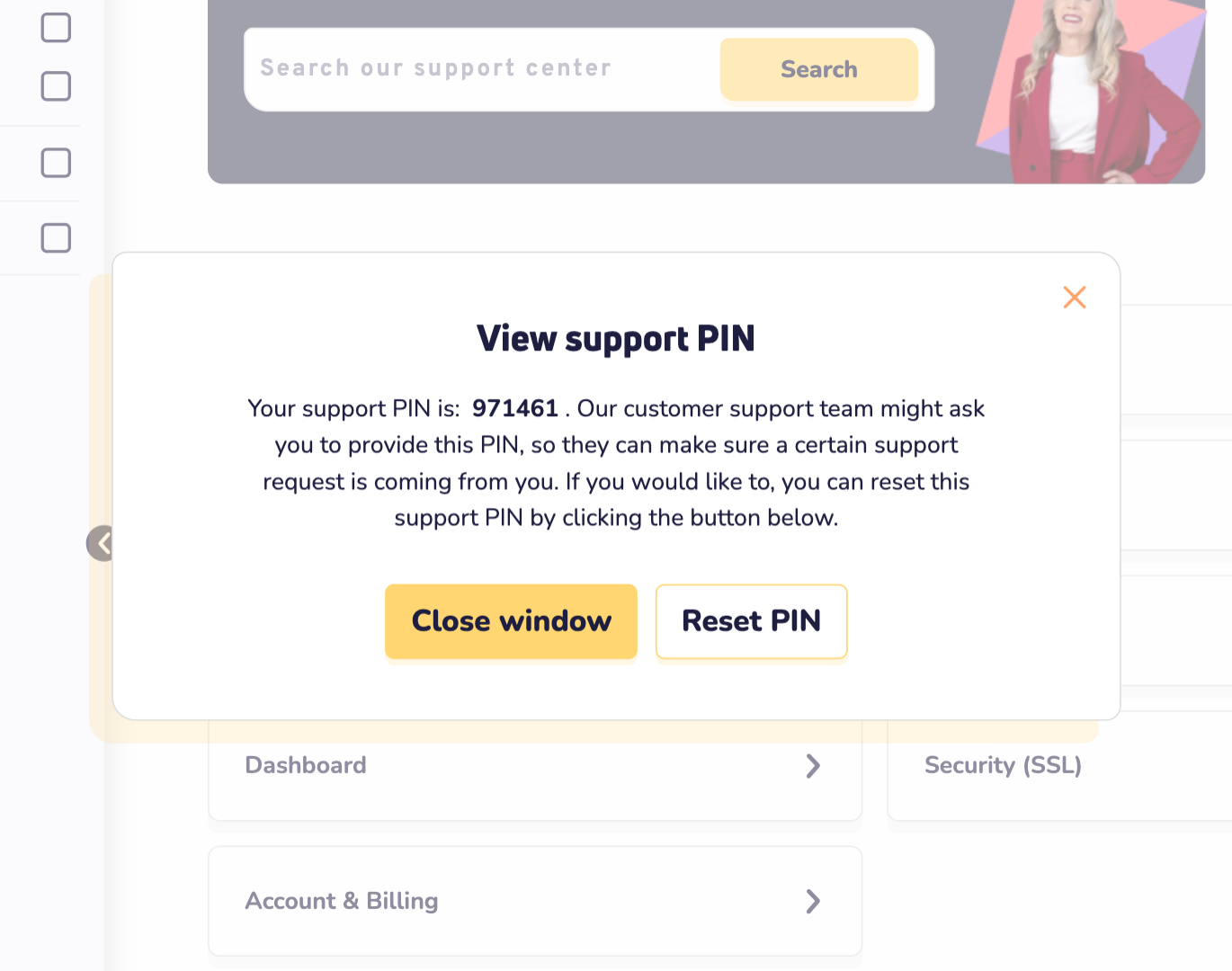
Want a new PIN?
Click Reset PIN in the same window. You get a new PIN, and the old one no longer works.
Good to know
- Keep your PIN to yourself. Only give it to our support team.
- Can't log in? First reset your dashboard password.
- Want extra protection? Turn on two-factor authentication.