Want to upload a website, install WordPress, or use FTP? First activate web hosting for your plan. After that, you can log in to DirectAdmin from your Site.eu dashboard without typing a password.
Before you start
You need an active plan that includes web hosting. If you only have a domain name without a plan, web hosting will not be available yet.
Activate web hosting
Step 1: Open your dashboard
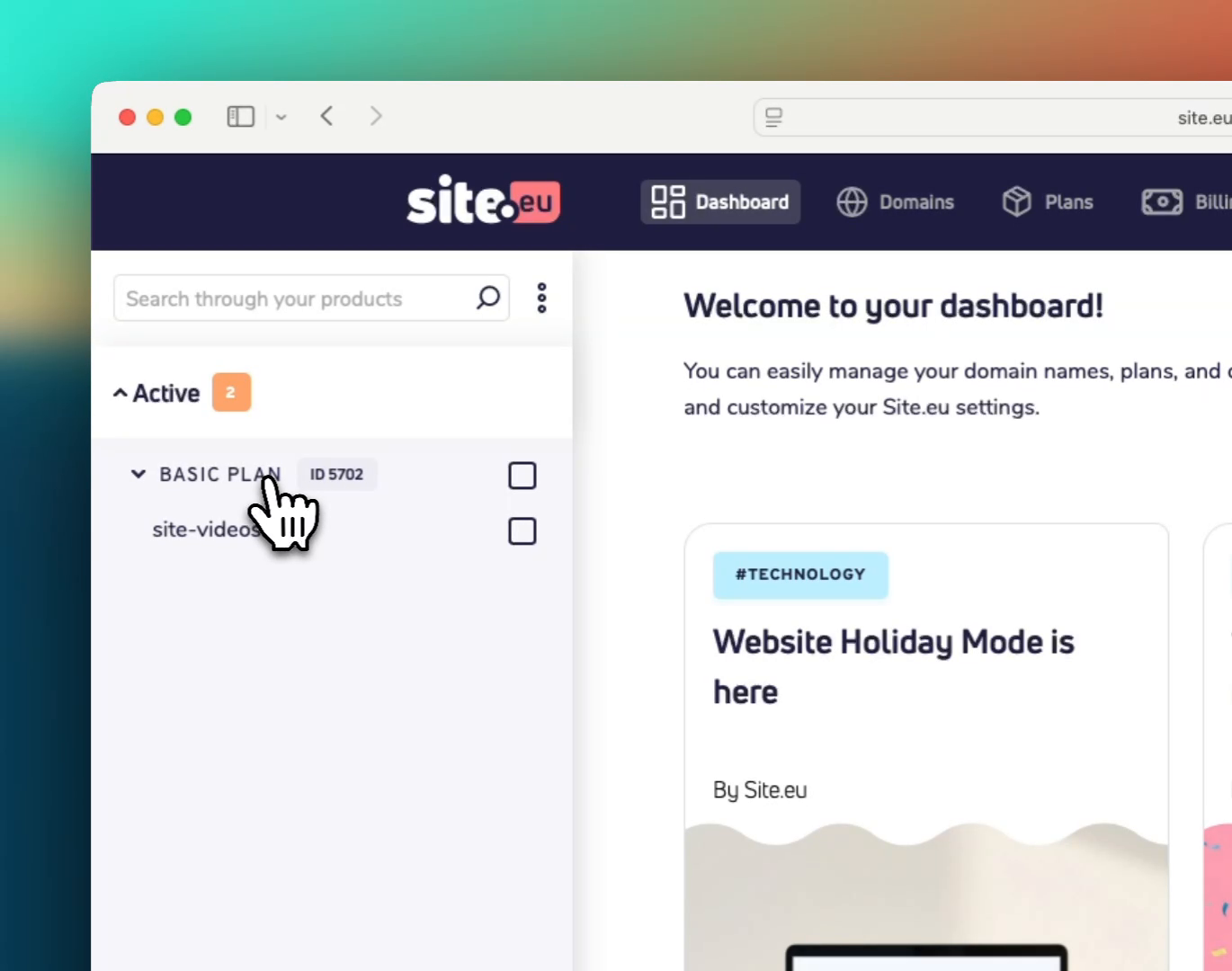
Open Site.eu and click Dashboard. In the product sidebar, click the plan you want to use for web hosting. The domain name linked to that plan is shown below it.
Step 2: Open the hosting tab
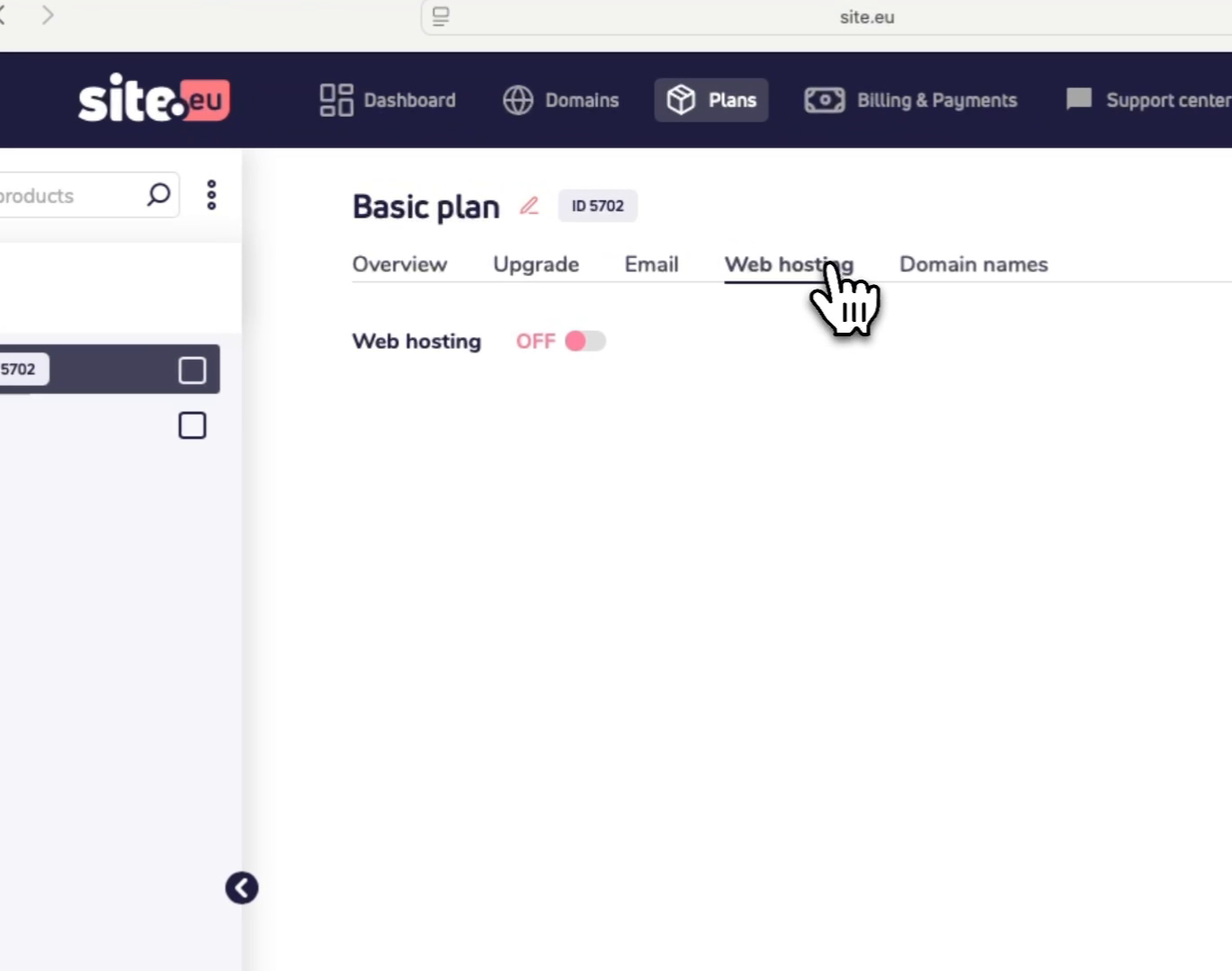
On the plan page, open Web hosting. This is where you can turn web hosting on for the plan.
Step 3: Turn on web hosting
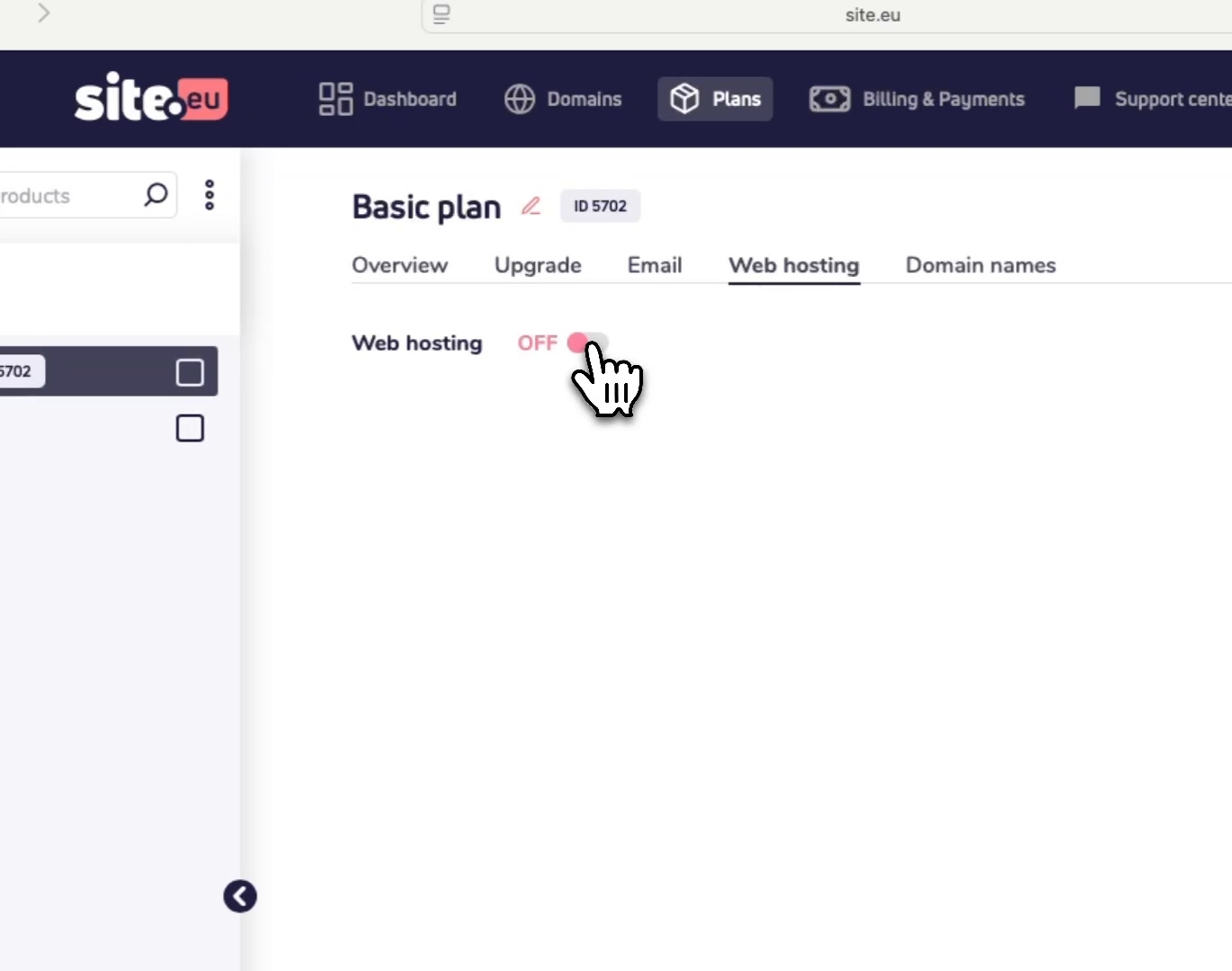
Turn on the switch next to Web hosting. This starts the web hosting setup.
Step 4: Choose the control panel and server
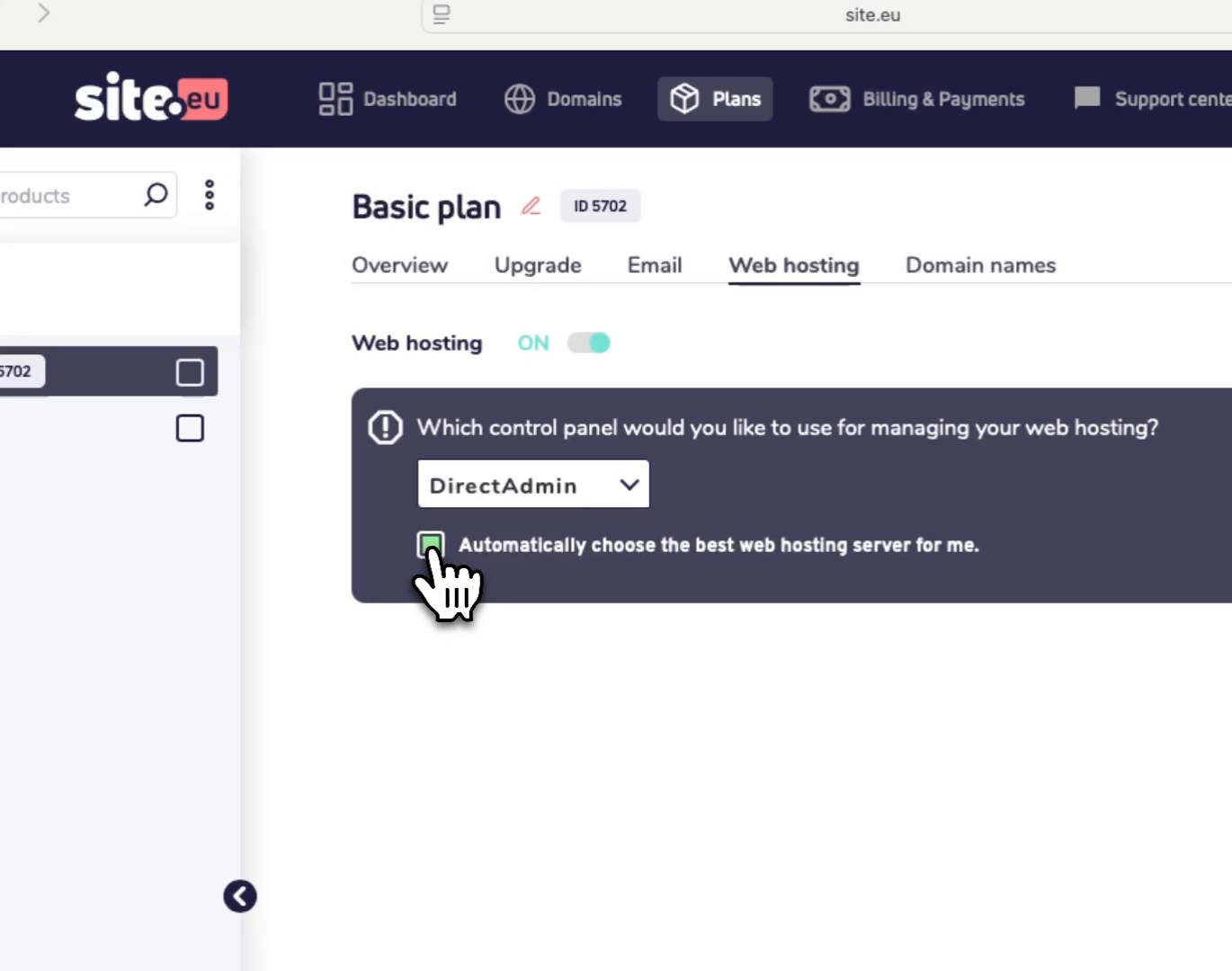
Under Which control panel would you like to use for managing your web hosting?, leave DirectAdmin selected unless you want to use another supported control panel.
For the server choice, it is best to leave Automatically choose the best web hosting server for me. selected. Site.eu will then choose the best server for you.
Advanced user? Untick this only if you know which server you want to use.
Step 5: Save your hosting login details
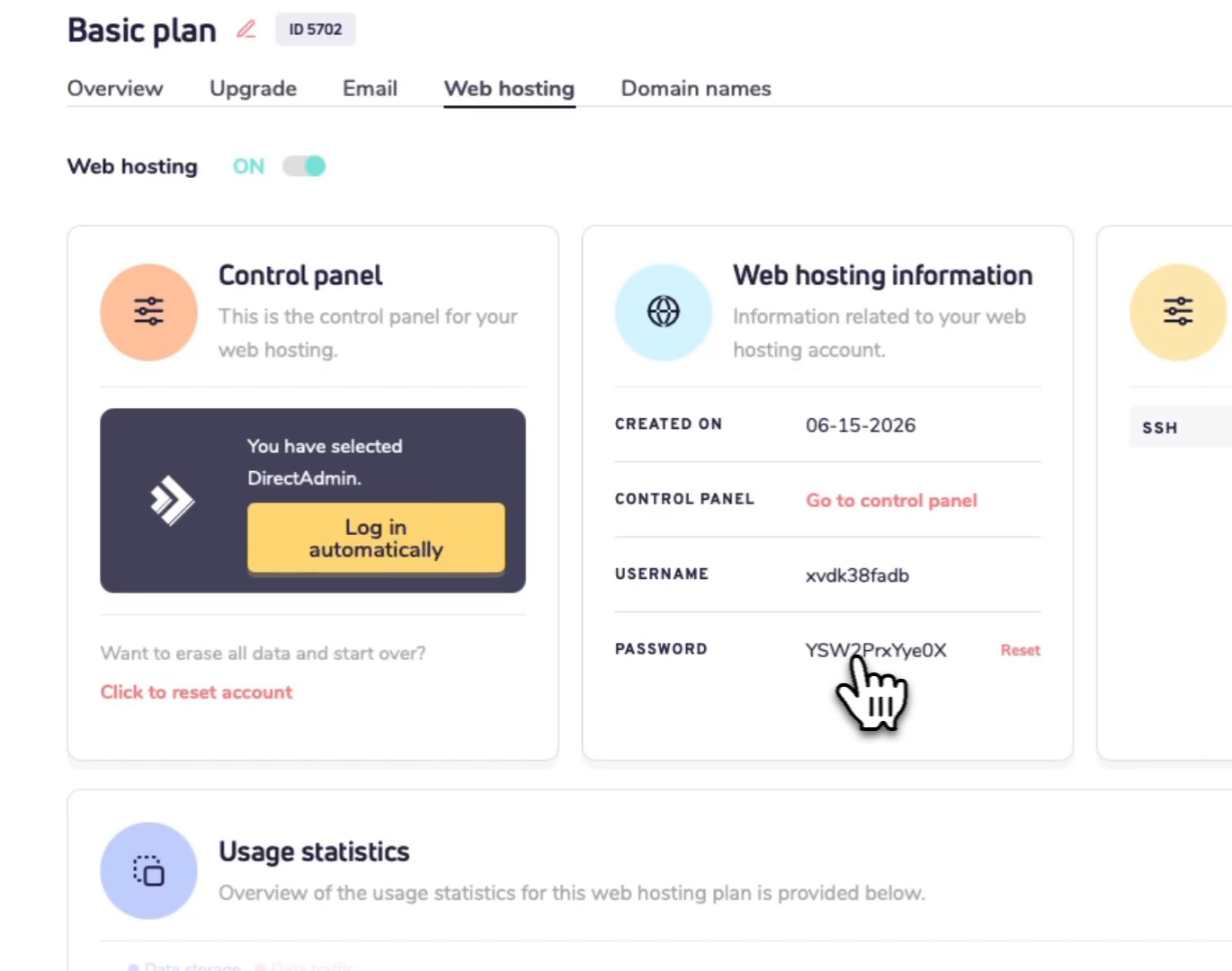
After activation, the page shows Web hosting information. Save the Username and Password if you plan to log in manually or use FTP.
Think of this password like the key to your hosting account. Keep it somewhere safe and do not share it. If you don't plan on using FTP, then don't store it at all.
Step 6: Open the control panel
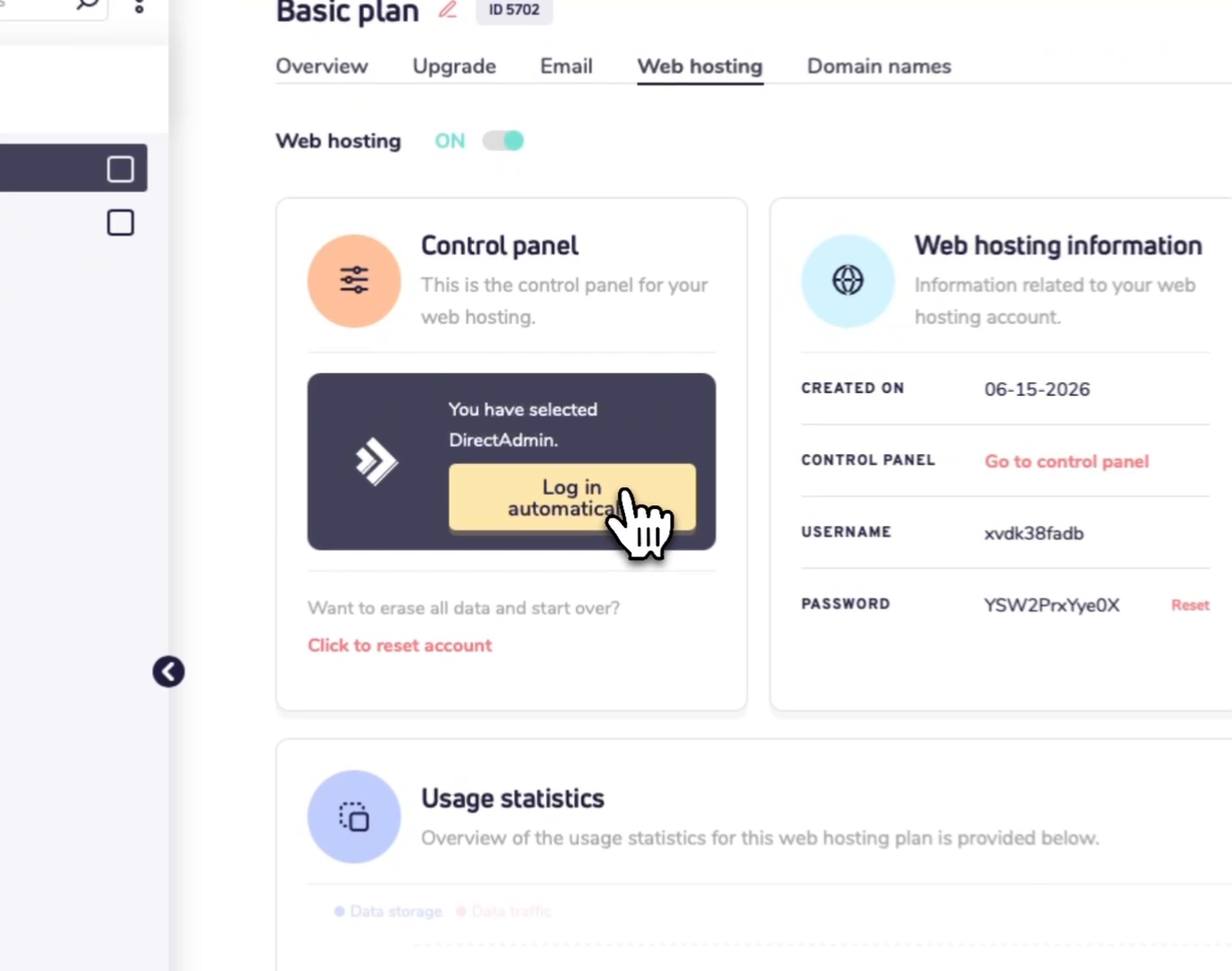
To open DirectAdmin from your dashboard, click Log in automatically. You do not need to enter the hosting password when you use this button.
What can I use the control panel for?
DirectAdmin is where you manage the technical parts of your website hosting. For example, you can use it to:
- upload website files
- create and manage databases
- install WordPress or another CMS
- manage FTP access
Good to know
- The automatic login button is the easiest way to open DirectAdmin.
- If you reset your web hosting account later, your hosting login details may change.
- Your Site.eu dashboard login and your web hosting login are not the same thing.