

Does someone have to approve a payment before you pay? Then download a proforma invoice. It's a PDF of your order, before you pay: the products, the price, a payment link and our bank details. You download it on the payment page, in a few seconds.
Download a proforma invoice
Step 1: Put the products in your cart. Go through the checkout until you reach Choose payment method. Not sure how? Read how to order a domain registration or transfer.
The proforma invoice is made out to the billing details of your order, from the step Billing details. Should it show your company name and VAT number? Then choose billing details that have them.
Step 2: Under the payment methods, click Download proforma invoice (PDF). Your browser saves the PDF.
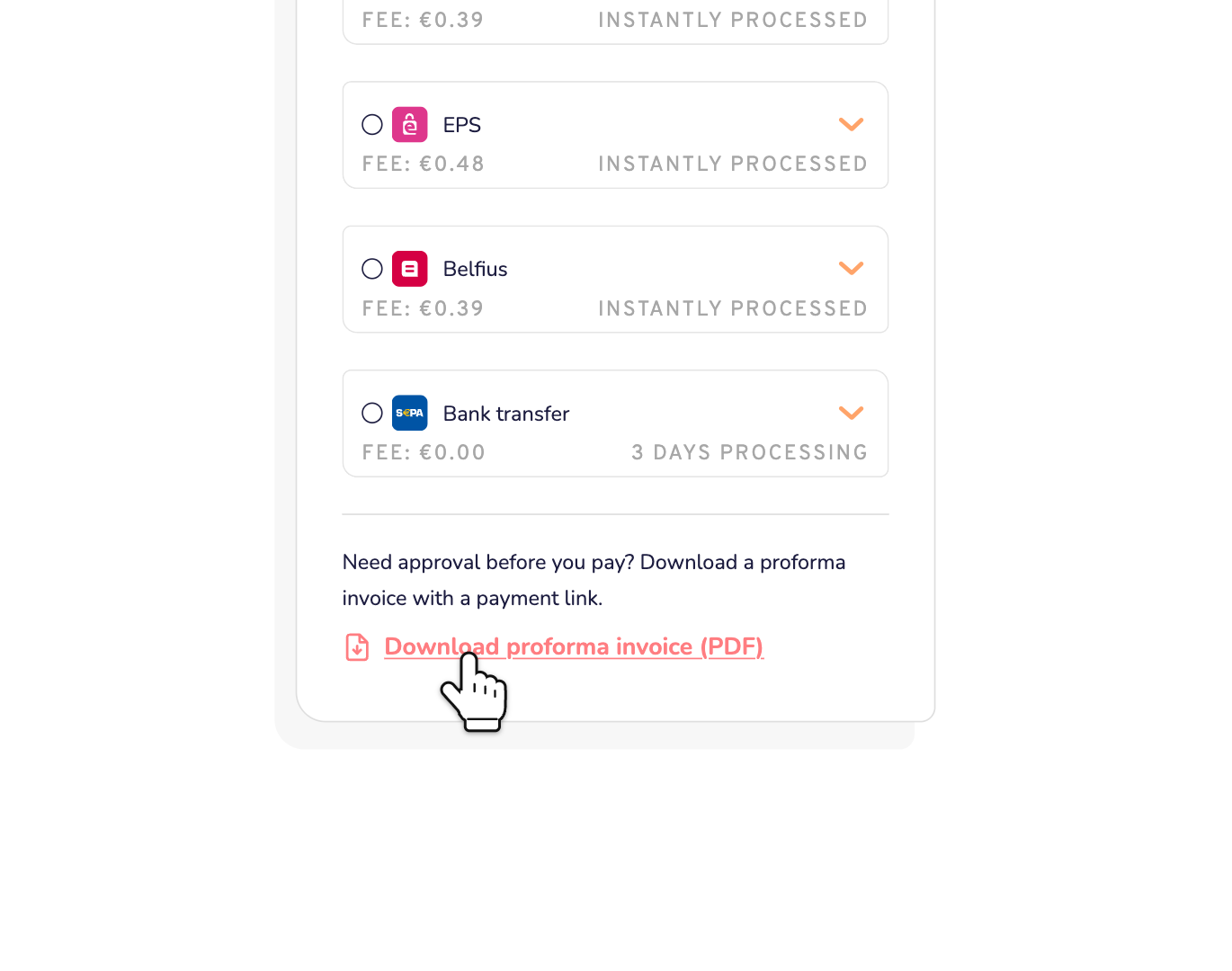
That's it. You haven't paid anything yet. Your order stays in your cart, so you can pay later.
What's in a proforma invoice?
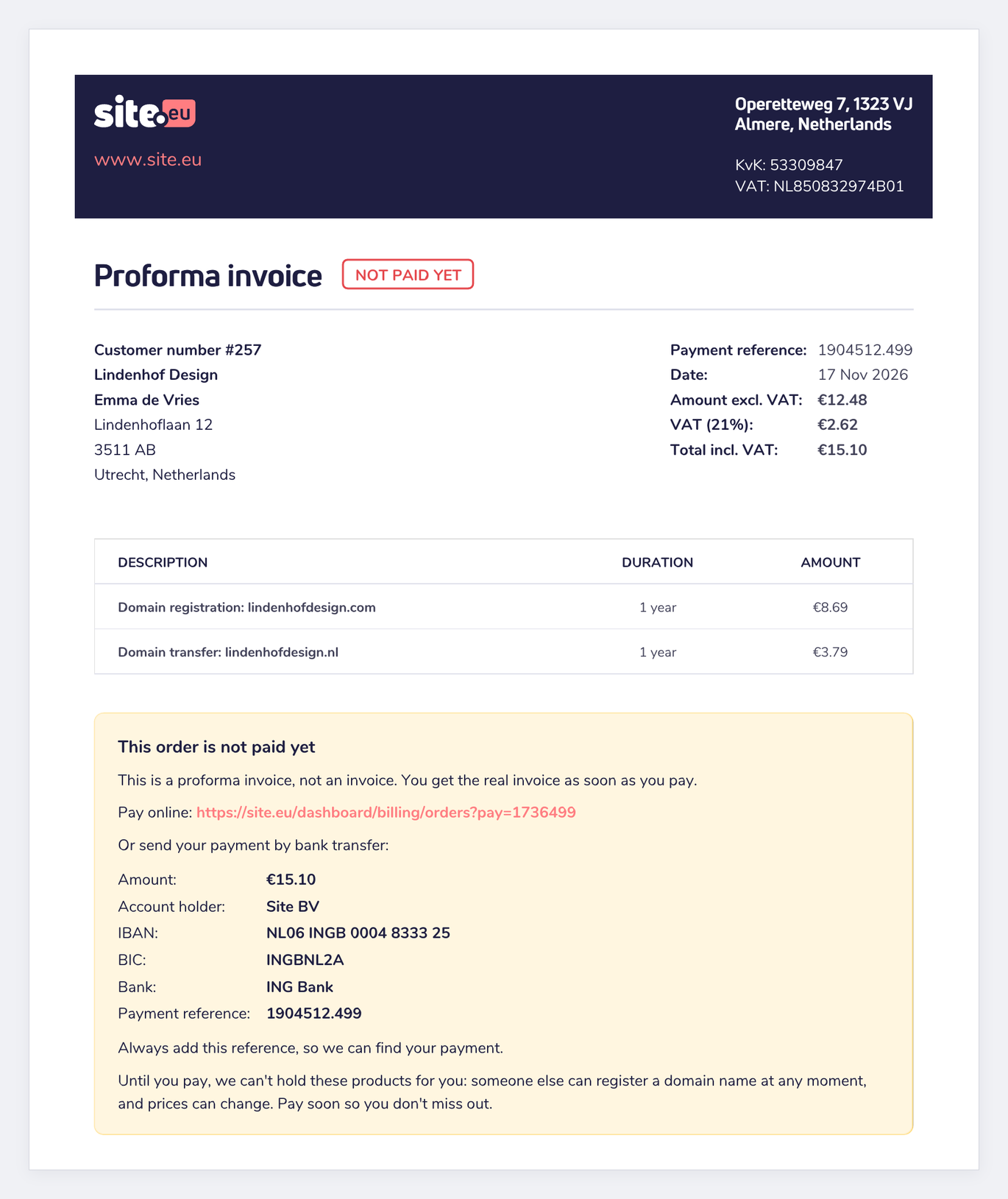
- Not paid yet: a clear label at the top.
- Your details: your customer number and your billing details.
- Your products: every product, its period and its price. Also your discount code, if you used one.
- The amounts: the amount excluding VAT, the VAT and the total.
- A payment link: it opens your order in your dashboard, so you can pay online with any payment method.
- Our bank details: the amount, our IBAN and the payment reference, for a bank transfer.
Can't this order be paid by bank transfer? Then the PDF has no bank details, only the payment link. That happens, for example, when you renew something that expires within 7 days.
Pay the proforma invoice
- Online: open the payment link in the PDF and log in. Your order opens in the checkout. Continue to Choose payment method and choose any payment method. Its fee, if any, is added to the total.
- By bank transfer: transfer the amount on the PDF, and always add the payment reference. Without it, we can't find your payment. A bank transfer can take up to 3 days. Read how fast a bank transfer is processed.
Don't wait too long. Until you pay, we can't hold your products: someone else can register your domain name, and prices can change.
Changed your order after you downloaded the proforma invoice? Then download a new one. Use the amount and the payment reference on the new PDF.
Proforma invoice or invoice?
A proforma invoice is not an invoice. It shows what you're going to pay. It has no invoice number, and it isn't saved in your dashboard. Need it again? Click the button on the payment page again.
The real invoice comes as soon as we receive your payment. You find it in your dashboard. Read where to find your invoices.