Anyone can look up who registered a domain name. That's called a WHOIS lookup. Want to keep your details out of it? Turn on privacy protection. It's free, and it takes one click.
What does privacy protection do?
With privacy protection on, your domain name is registered in the name of a privacy service. A WHOIS lookup then shows that service, not you. Think of it as a PO box: people see the box, not your home address.
- It's free.
- You keep full control. You manage your domain name in your dashboard, just like before.
- Official messages about your domain name, like legal notices, still reach the domain holder. The privacy service forwards them.
Don't privacy laws already hide your details? Most of them, yes. But some can still show, like your country or your company name. Privacy protection hides those too.
How do I turn it on?
Step 1: Log in to your dashboard and click Domains. Open your domain name.
Step 2: On the Overview tab, look at Settings. Click the switch next to Privacy protection.
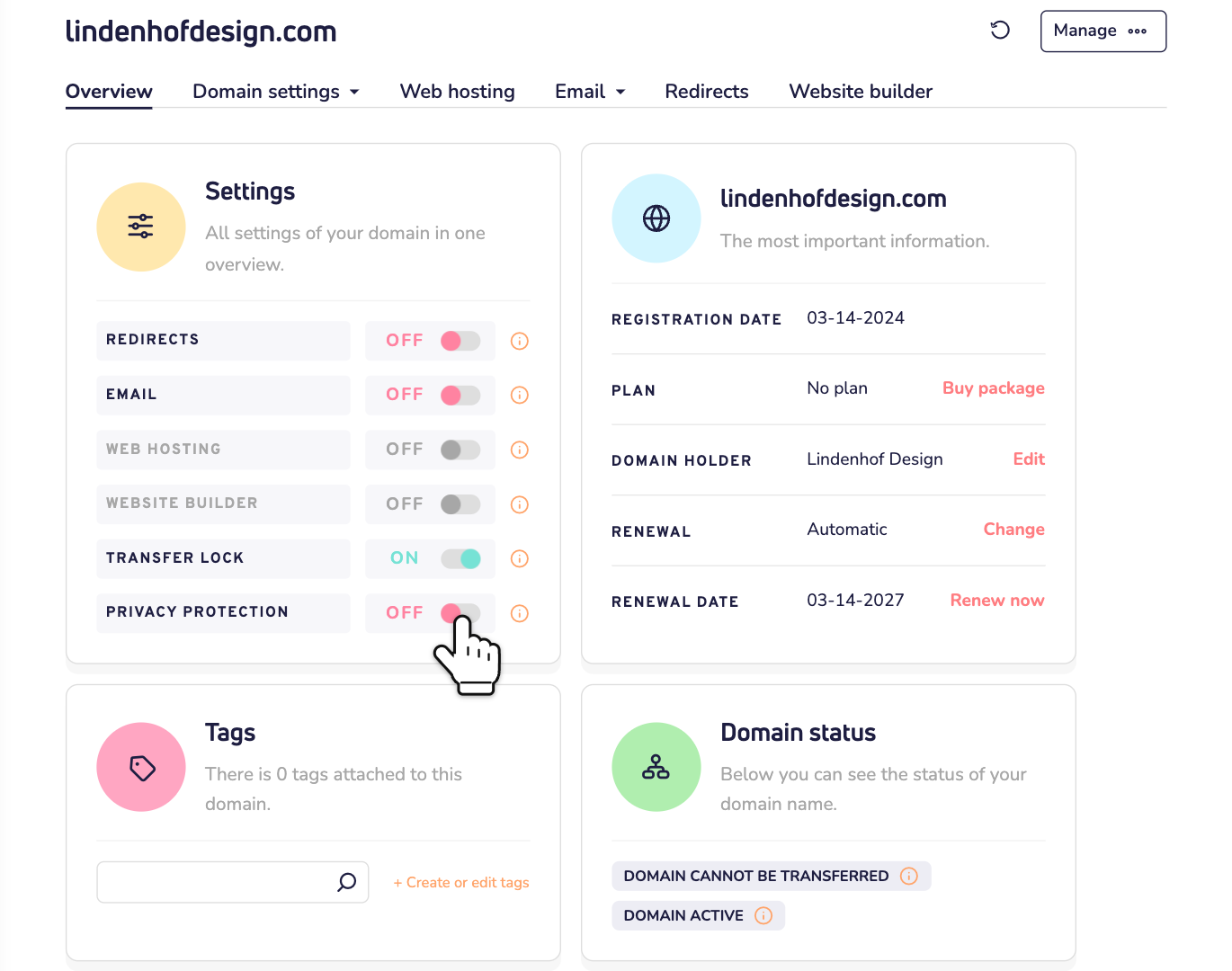
That's it. The switch now says ON.
Ordering a domain name? Turn it on in your cart
You can also turn on privacy protection when you order a domain name, or move one to us. It stays off unless you choose it. In your cart, click the gear icon next to the domain name. Open Privacy protection, choose On and click Save changes.
No switch, or it doesn't work?
No switch? Then the extension of your domain name doesn't offer privacy protection. Generic extensions like .com, .net, .org and .shop do. Many European extensions don't, like .eu, .nl, .de, .fr and .es. Good to know: many of their registries already hide the details of private persons. A registry is the organization that manages all domain names with one extension.
An external domain name? A domain name that's registered with another provider doesn't have this switch. Ask that provider.
Does the switch jump back to OFF? Or does Domain status say Privacy protection not allowed? Then privacy protection didn't turn on. Contact us and we'll look into it.
How do I turn it off?
Click the switch next to Privacy protection again. A window asks if you're sure. Click Yes, disable.
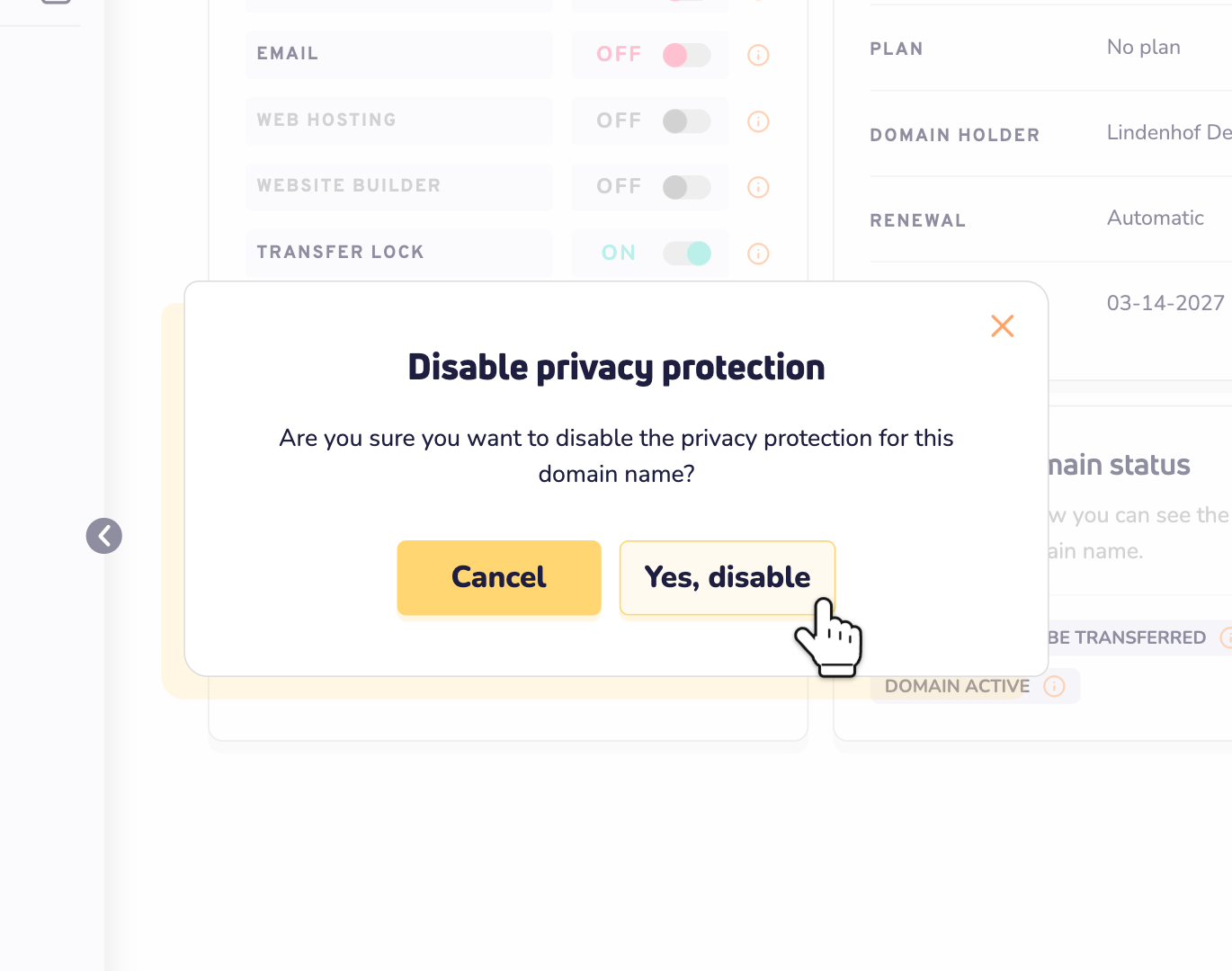
A WHOIS lookup then shows the domain holder's details again, as far as privacy laws allow.
Keep your details correct
Privacy protection only changes what the public sees. Your domain holder details in your dashboard stay the same. Keep them correct and up to date. That's where important messages about your domain name go.
Questions?
Contact us by WhatsApp, Telegram or email. Tell us your domain name. We're happy to help.