

Your website doesn't load. Your email doesn't arrive. Or you just changed your DNS and want to know if it's right. The DNS check on our website tells you in seconds.
Think of it as a check-up for your domain name. It runs 28 checks on your nameservers, email records, website and security settings. Then it tells you in plain words what's fine and what to fix. It's free, you don't need an account, and it works for any domain name. Also for one that isn't with us.
Run the check
Step 1: Open the DNS check. It's also at the bottom of our website, under Tools.
Step 2: Type your domain name, for example yourdomain.com, and click Check DNS.
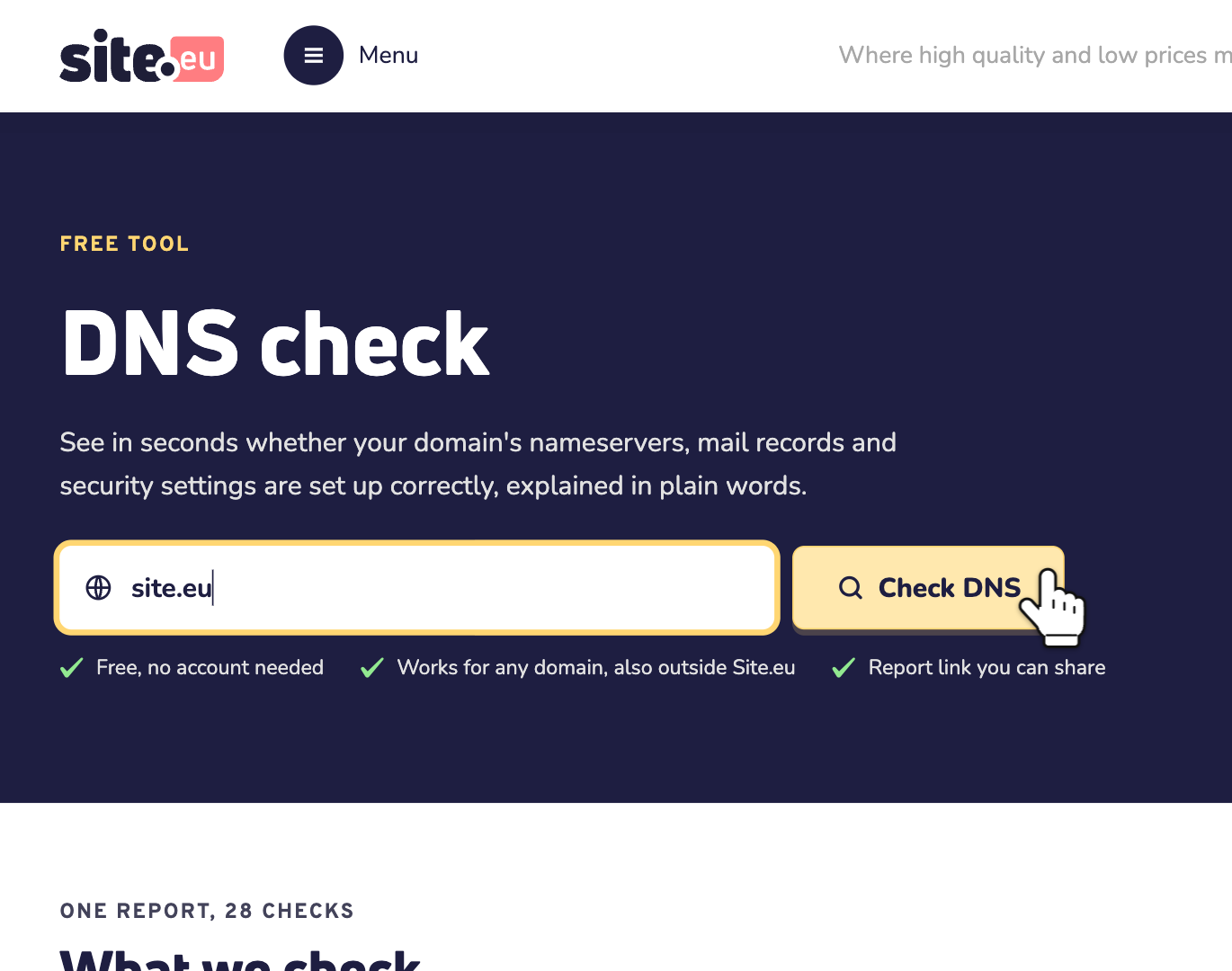
Step 3: Wait a moment. The check asks the registry of your extension (like .eu) and each of your nameservers directly. So you get their real answers, not an old copy. This takes up to 10 seconds.
Tip: you can also paste a web address or an email address. The check takes the domain name out of it. A subdomain, like shop.yourdomain.com, checks yourdomain.com.
Read the report
At the top, one label sums up your domain name:
- Healthy: no errors, and at most one warning.
- Needs attention: no errors, but two or more warnings.
- Problems found: at least one error.
Next to it, you see how many checks passed, and how many gave a warning, an error or info. Below it, Worth improving lists every warning and error, with what to do.
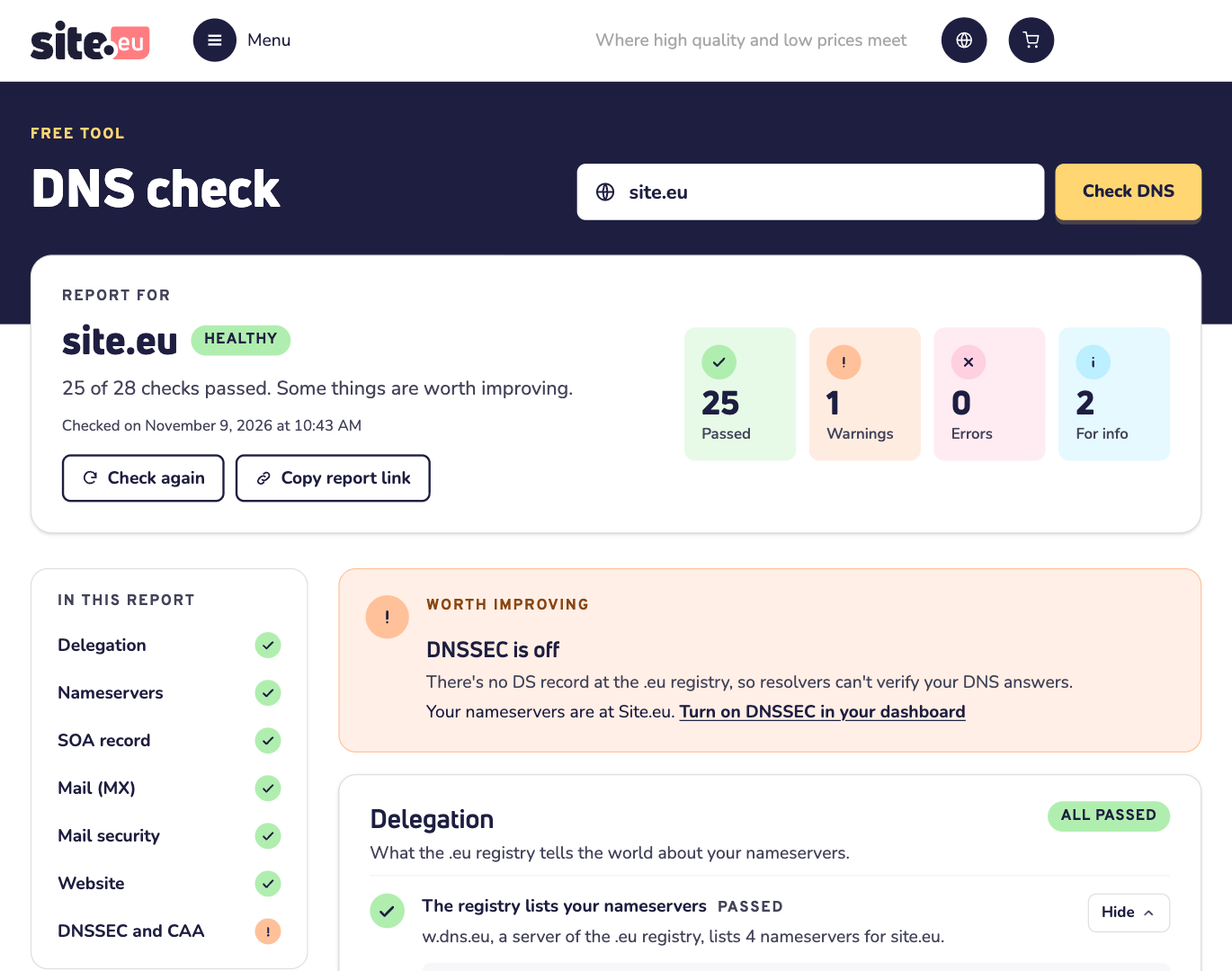
Want to show the report to someone, like your web developer or us? Click Copy report link and send them the link. It opens the latest report for your domain name.
Fixed something? Click Check again. Reloading the page isn't enough: for 5 minutes, it shows the same report.
The four results
Every check gets one of four results:
- Passed: all good.
- Warning: worth improving.
- Error: needs fixing. Start with these.
- For info: good to know, nothing to do. A check that got no answer in time is also for info. Then try again in a minute.
The 7 parts
The 28 checks come in 7 parts. On a computer, click a part under In this report to jump to it:
- Delegation: does the registry point to the right nameservers, and do they have working IP addresses?
- Nameservers: do all your nameservers answer, agree with each other and run in different networks?
- SOA record: are the serial number and refresh times set the way other DNS servers expect?
- Mail (MX): can other mail servers find where to deliver email for your domain name?
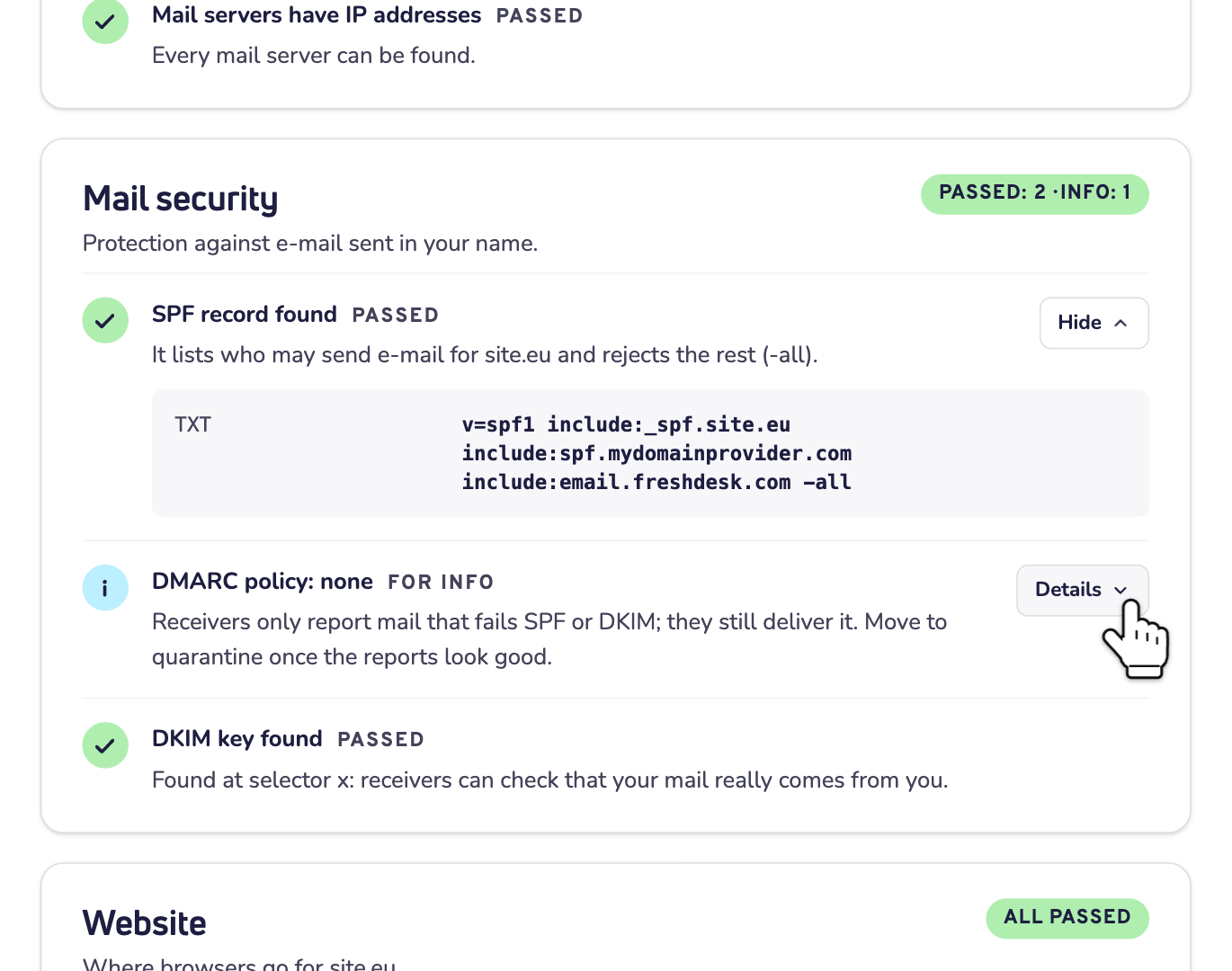
- Mail security: do SPF, DKIM and DMARC protect you against email that others send in your name?
- Website: where do browsers go for your domain name, with and without www?
- DNSSEC and CAA: are your DNS answers signed, and who may issue SSL certificates for your domain name?
Some checks have a Details button. It shows what the check found, like your nameservers with their IP addresses, or your SPF record. Hide closes it again.
Common problems and what to do
Most fixes are a change in your DNS records. Does your domain name use our nameservers? Then you change them in your dashboard. Read how to manage your DNS records. Other nameservers? Then you change them at your DNS provider.
The good news? With our email and our default settings, we set your MX, SPF, DKIM and DMARC records for you.
Email: SPF, DKIM and DMARC
No SPF record, More than one SPF record, SPF allows everyone or SPF doesn't protect? Your domain name needs exactly one SPF record. It lists the servers that may send email for you, and it ends in ~all or -all. Read how to create an SPF record.
No DMARC record? Then receivers don't know what to do with email that fails SPF or DKIM. Add a TXT record for _dmarc.yourdomain.com. You can start with:
v=DMARC1; p=none;The check then shows DMARC policy: none, for info. Receivers still deliver email that fails SPF or DKIM. Sure your SPF and DKIM are right? Then change p=none to p=quarantine. Receivers then send that email to the spam folder.
Mail servers (MX)
No mail servers? Then your domain name can't receive email. Add MX records. For our email, these are 10 spamfilter1.site.eu and 20 spamfilter2.site.eu.
An MX record points to an IP address or An MX record points to a CNAME? An MX record must point to the real host name of a mail server, like spamfilter1.site.eu.
Website
No IPv4 address? Then browsers can't open your domain name. Add an A record with the IP address of your website.
www doesn't work? Then visitors who type www get an error. Add a record for www as well: an A record with the same IP address, or a CNAME to your domain name.
No IPv6 address is for info. You don't need one: visitors on IPv6 still reach your website over IPv4.
Nameservers
Your nameservers don't answer or Some nameservers don't answer? Then your domain name can't be found, or only slowly. Check your nameservers with your DNS provider. Are they ours? Then look at our status page, site.instatus.com.
Registry and nameservers differ, Some nameservers don't know your domain or Too few nameservers? You need at least 2 nameservers. Each one must know your domain name. And the list at the registry must match the list on your nameservers. Our nameservers are ns1.site.eu, ns2.site.nl, ns3.site.be and ns4.site.de. Read how to change your nameservers.
DNSSEC and CAA
DNSSEC is off is a warning. Is your domain name registered with us, with our default settings on? Then we turn DNSSEC on for you, when its extension supports it. Not every extension does. Still off while yours does? Contact us. Read more about what DNSSEC is.
DNSSEC is broken is an error. Fix it right away. The registry has a DNSSEC record (a DS record) for your domain name, but your nameservers have no keys for it. DNS servers that check DNSSEC then can't find your domain name at all. This can happen after a move to other nameservers.
Use our nameservers? Then contact us. Registered with us, but using other nameservers? Then open your domain name in your dashboard and click Domain settings, then Advanced settings. The records under Set DNSSEC records must match the keys of your DNS provider.
No CAA record is for info. Any company that issues SSL certificates may then issue one for your domain name. You don't need a CAA record.
Good to know
- The check asks your nameservers directly. So Check again shows a change in your DNS right away. Other servers on the internet can keep the old answer for a while.
- A message instead of a report, for example that the domain name isn't registered? Check the spelling.
- Many checks in a short time? Then wait a few minutes before you try again.
Need help?
Contact us by WhatsApp, Telegram or email. Send the report link along, so we see what you see.