

Every domain name you register or transfer with us has a status. It tells you if your domain name works, if it's locked, or if you need to do something. Here's where you find it, what each status means and what to do.
Where do I see the status?
Step 1: Log in to your dashboard and click Domains. Open your domain name.
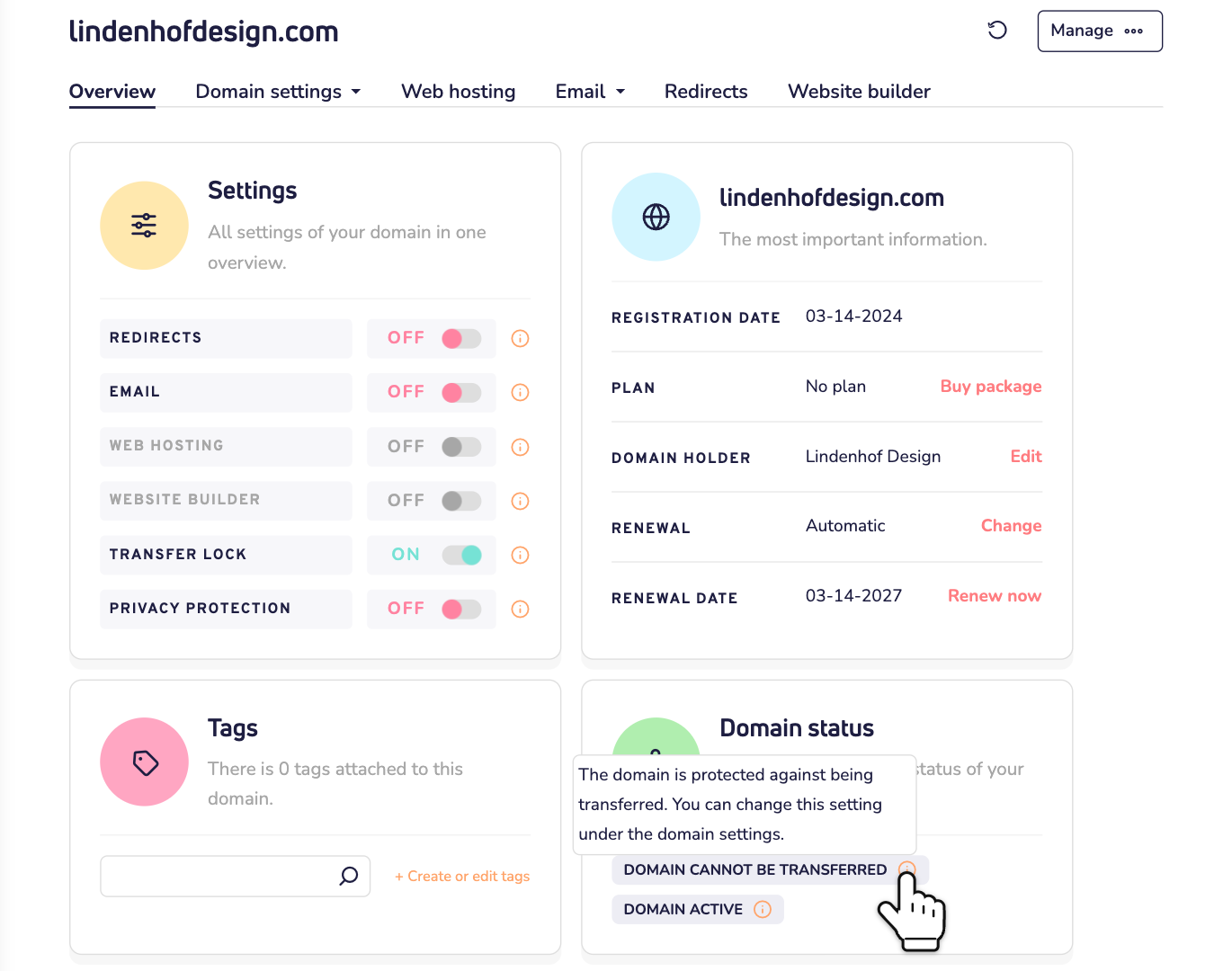
Step 2: On the Overview tab, look at Domain status. Move your mouse over the small i next to a status. A short explanation appears.
Good to know:
- A domain name can have more than one status at a time. Like in the image: protected by the transfer lock, and active.
- Each time you open your domain name, the dashboard asks the registry for the latest status. The registry is the organization that manages all domain names with your extension, like .com or .nl. A change shows up after about 10 seconds.
- An external domain name, registered with another provider, doesn't show a status here.
Active: all good
Domain active means your domain name is active at the registry. That's what you want to see. Nothing to do.
Locked: protected against changes
A lock protects your domain name. One lock you control yourself. The others you don't.
Your transfer lock. Is the Transfer lock switch on, under Settings? Then you see Domain cannot be transferred. Think of it as the lock on your front door. It stops a transfer to another provider that you didn't ask for. And you hold the key. We turn it on when you register a domain name or transfer it to us. No switch? Then the extension has no transfer lock.
Moving your domain name to another provider? Turn the switch off first. Read how to request the transfer key.
Locks set by the registry or by us. You can't turn these off yourself. For example:
- Domain cannot be transferred: you can't move your domain name to another provider, not even with your transfer lock off.
- Domain cannot be updated: you can't make changes to your domain name.
- Domain locked against deletion: you can't delete it.
- Domain cannot be renewed: contact us before your renewal date, so your domain name doesn't expire.
Does a lock stop you from doing something? Contact us.
In progress: give it a moment
Something is being processed. These statuses go away by themselves when it's done.
- Processing renewal: your domain name is being renewed. Read how the renewal of a domain name works.
- Processing update: a change to your domain name is being processed.
- Outgoing transfer: your domain name is moving to another provider. When that's done, you find it in your domain list under Transferred away.
- Processing deletion: your domain name is being cancelled. Read our tips for cancelling domain names.
Didn't ask for a transfer or a cancellation? Contact us right away.
Action needed
Pending domain holder validation: the registry wants the domain holder to confirm their details. The domain holder gets an email with a confirmation link. Click that link. Not in the inbox? Check the spam folder first. Don't wait too long: if it isn't confirmed in time, the registry can suspend your domain name. You can't miss this status. It has an orange dot.
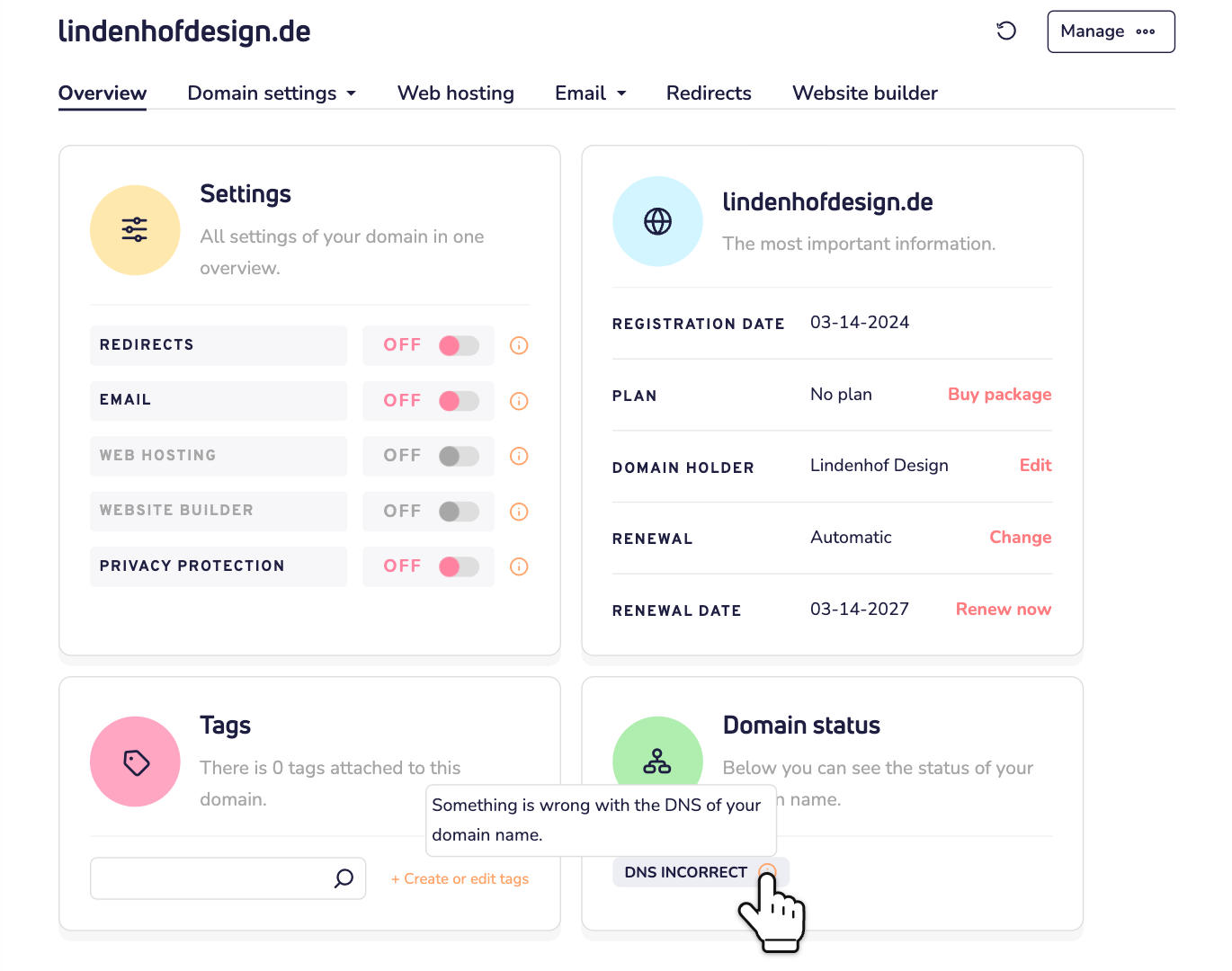
DNS incorrect: something is wrong with the DNS of your domain name. Your website and email may not work. Do you use your own nameservers? Check them under Domain settings > Advanced settings. Read how to change your nameservers. Not sure what's wrong? Contact us.
Domain has expired: contact us as soon as possible. Otherwise you can lose your domain name.
Blocked: contact us
Domain unusable due to abuse: your domain name is blocked. The website and email on this domain name don't work. Contact us. We'll tell you why it's blocked and what you can do.
We also block domain names when the balance of your Online wallet stays below zero, even after our reminders. Top up your wallet to zero or more, and we lift the block automatically.
Domain name not active? Check the tabs
Is your domain name not active (yet)? Then it doesn't show Domain status. You find it in your domain list, on its own tab:
- Processing: we're still processing your order.
- Transfers: your transfer to us is in progress, or it failed.
- Awaiting extra information: we need more information from you to finish the registration or transfer.
- Expired: your domain name has expired or was cancelled. Click the domain name to reactivate it, for an extra fee. Don't wait too long: after a while, anyone can register it.
Still not sure?
Contact us by WhatsApp, Telegram or email. Tell us your domain name and the status you see. We're happy to help.