

Is your domain name registered somewhere else? No problem. Our web hosting, email and website builder work with any domain name, even if you didn't register it with us. There's no need to move it. Just follow these steps.
What you need to do
- Add the domain name to your dashboard as an external domain name. Read how to add external domain names.
- Link it to one of your plans. Don't skip this. Without a plan, you can't use any of our services with the domain name. Read how to link your domain name to a plan.
- Turn on the services you want. Email? Turn it on. Web hosting? Turn it on and link the DNS to web hosting. Website builder? Same story: turn it on and link the DNS to the website builder.
- Point the DNS of your domain name to us. That's the part below.
Point your DNS to us
Your services only work when the DNS of your domain name points to us. You have two options.
Option 1: use our nameservers (the easy way)
Why this is the easiest:
- You don't have to create DNS records yourself.
- We manage them for you. Turn on a service, and the right records are added automatically.
- You set it up once, and then you can forget about it.
- Need extra DNS records? You can still add them in your dashboard.
Read more about why it's best to use our default settings.
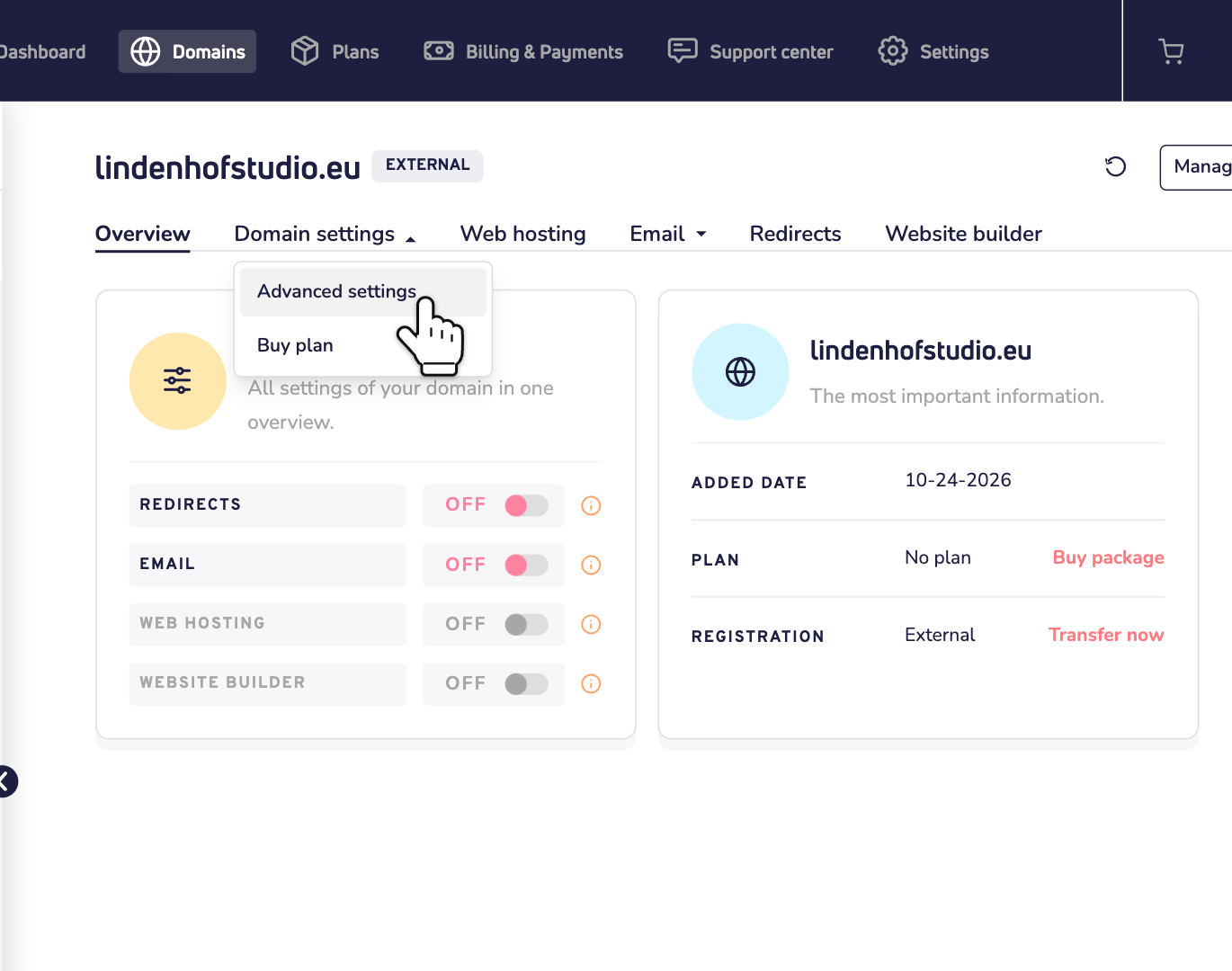
Step 1: Open your domain name in the dashboard. Click Domain settings and choose Advanced settings.
Step 2: Click Link domain to Site.eu nameservers. The window that opens shows our nameservers. Click Proceed.
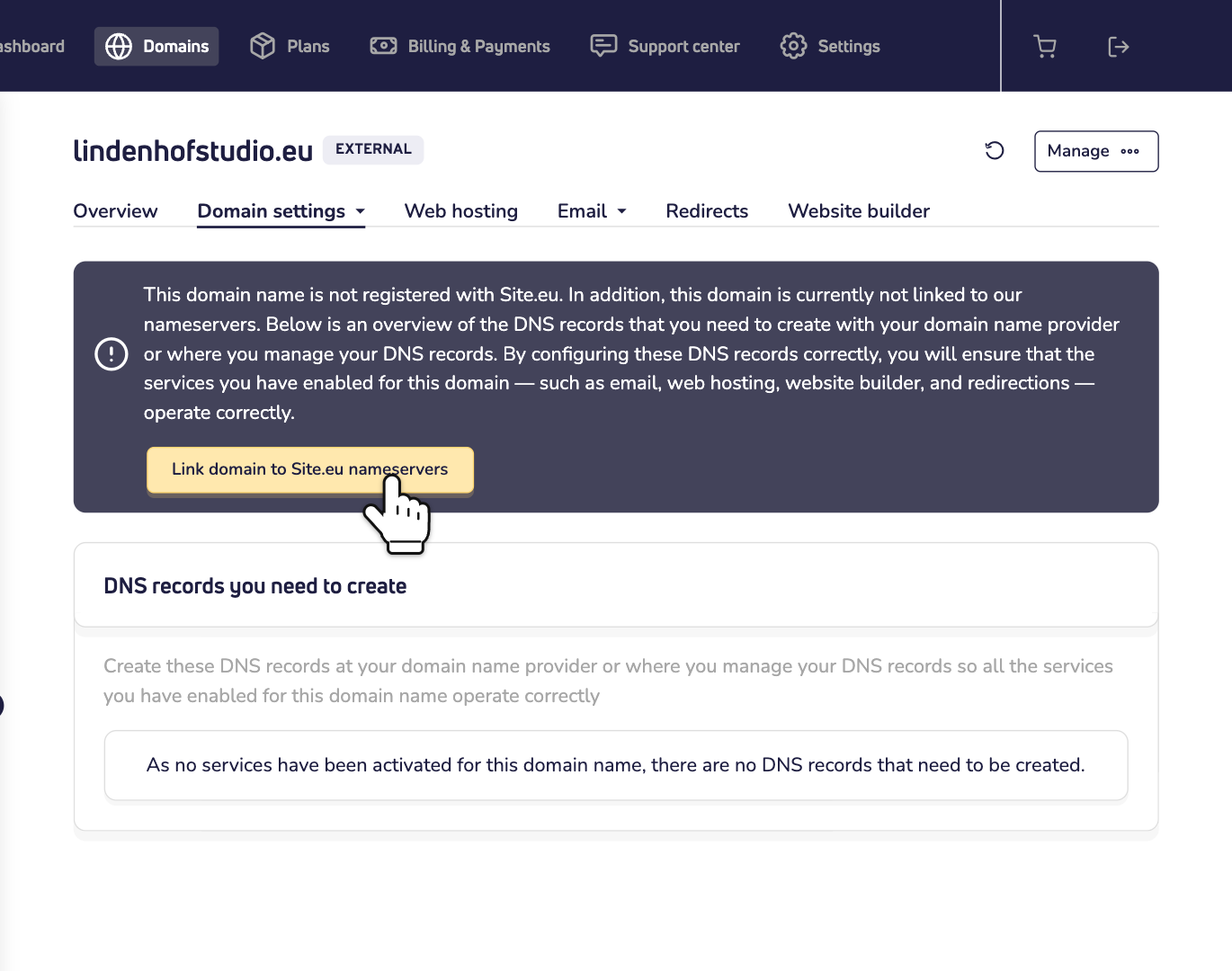
Important: you must do this step. It tells us you'll use our nameservers. Skip it, and we don't add your domain name to our nameservers. Then your domain name won't work with our services.
Step 3: Set our nameservers for your domain name at the company where it's registered. You do that in their control panel. Your dashboard keeps showing which nameservers to use.
New nameservers can take up to 24 hours to work everywhere.
Option 2: keep your own DNS
Prefer to keep your current DNS provider? That's fine too. Under DNS records you need to create, on the same page, you see every DNS record your services need. Create those records where you manage your DNS, for example at your domain name provider. Read more about linking your domain name to external DNS.
Keep in mind:
- Turn a service on or off, and the list changes. Then create or delete those records too.
- Move your web hosting to another server? Then update the records again.
Changed your mind?
Using our nameservers but want to manage your DNS elsewhere after all? Click I will manage my DNS records elsewhere on the same page. We then remove your domain name from our DNS and show the records you need.