

Your plan runs for a fixed period, usually a year. Before it ends, you renew it. That keeps your website, email and website builder online. The good news? By default, we renew it for you.
Renewing a domain name works a bit differently. Read how the renewal of a domain name works.
Automatic renewal: on by default
Every new plan renews automatically. Each time, we renew it for one year. You can see this on your plan.
Step 1: Log in to your dashboard. Click Plans and open your plan.
Step 2: On the Overview tab, look under Main information. Next to Renewal, you see Automatic or Manual.
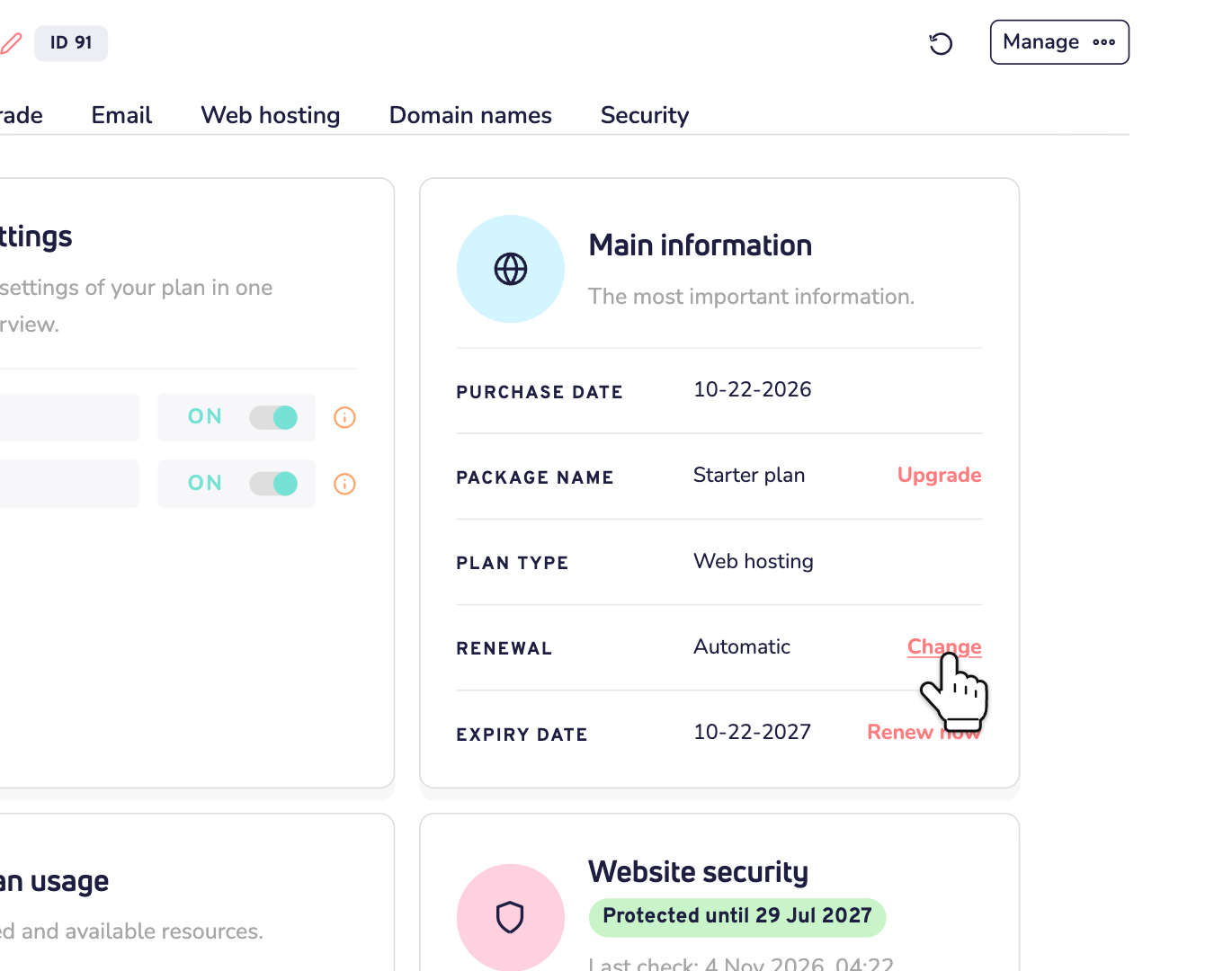
Want to turn it off? Click Change, switch off Renew automatically and save. Then remember to renew yourself, on time. Turning it back on is just as easy: click Change again.
Good to know: when you renew a plan yourself, or reactivate it, automatic renewal switches back on.
When do we renew?
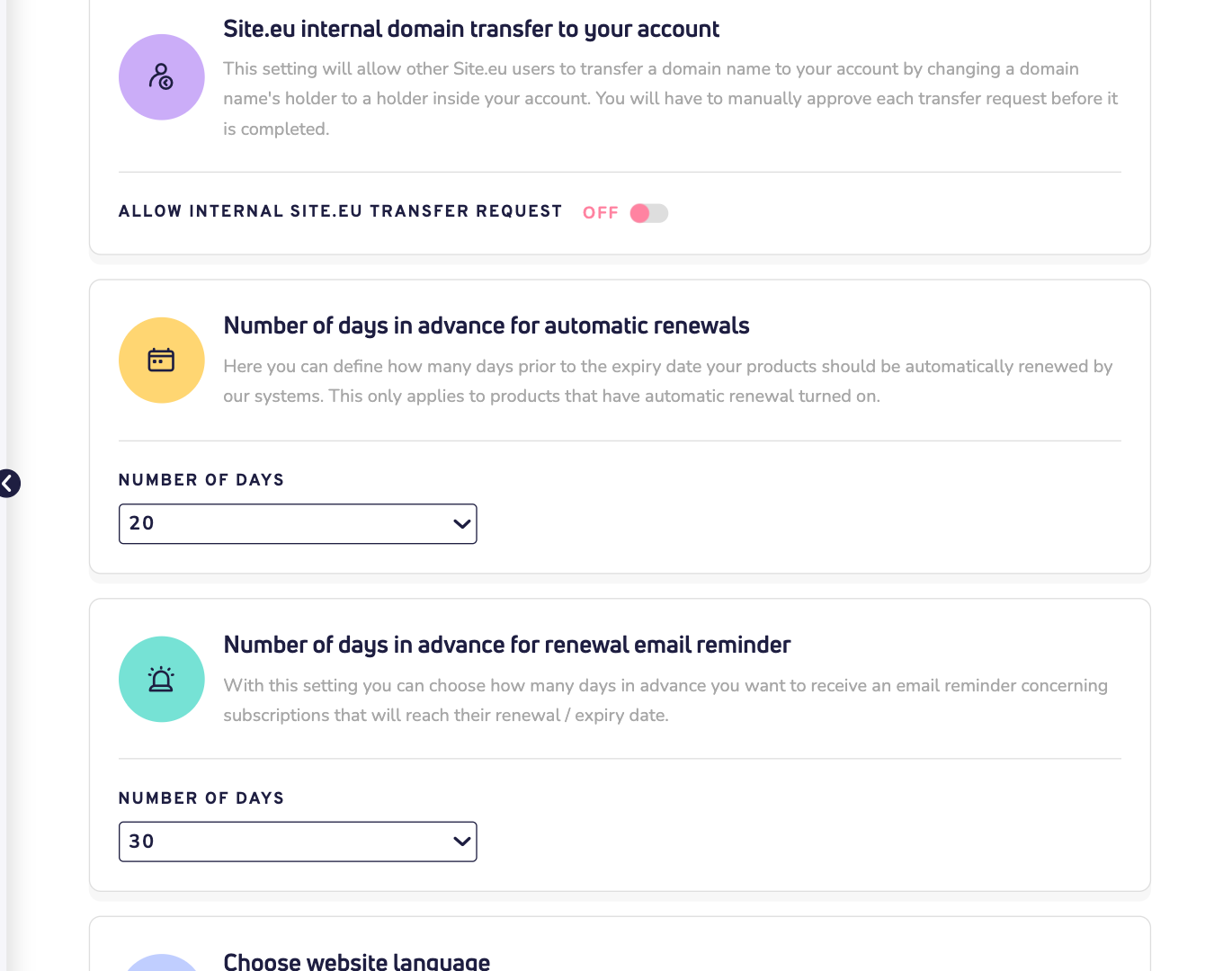
We renew a number of days before the expiry date. You choose how many. We also email you a reminder before that. You set both under Settings, on the Your account tab:
- Number of days in advance for automatic renewals: 15 days, unless you change it.
- Number of days in advance for renewal email reminder: 30 days, unless you change it.
The reminder always comes first. So set it to more days than the renewal. These settings apply to your plans and your domain names.
How do you pay for automatic renewal?
First, we use the balance of your online wallet. Not enough balance? Then we use the payment method you authorized: your direct debit or credit card. You authorize it when you pay for an order: just tick the box at checkout.
Neither works? Then we can't renew your plan, and we email you about it. We keep trying twice a day until the expiry date. Read what to do when we couldn't renew your plan.
Renew your plan yourself
You can also renew yourself, at any time. The time you buy is added to your current end date, so you never lose days by renewing early.
Step 1: Open your plan. Next to Expiry date, click Renew now. Or click Manage and choose Renew package.
Step 2: You're now on the renewals page. Choose how long you want to renew: 1 year, 3 years or 5 years. A longer period gives you a discount. You see straight away how much you save.
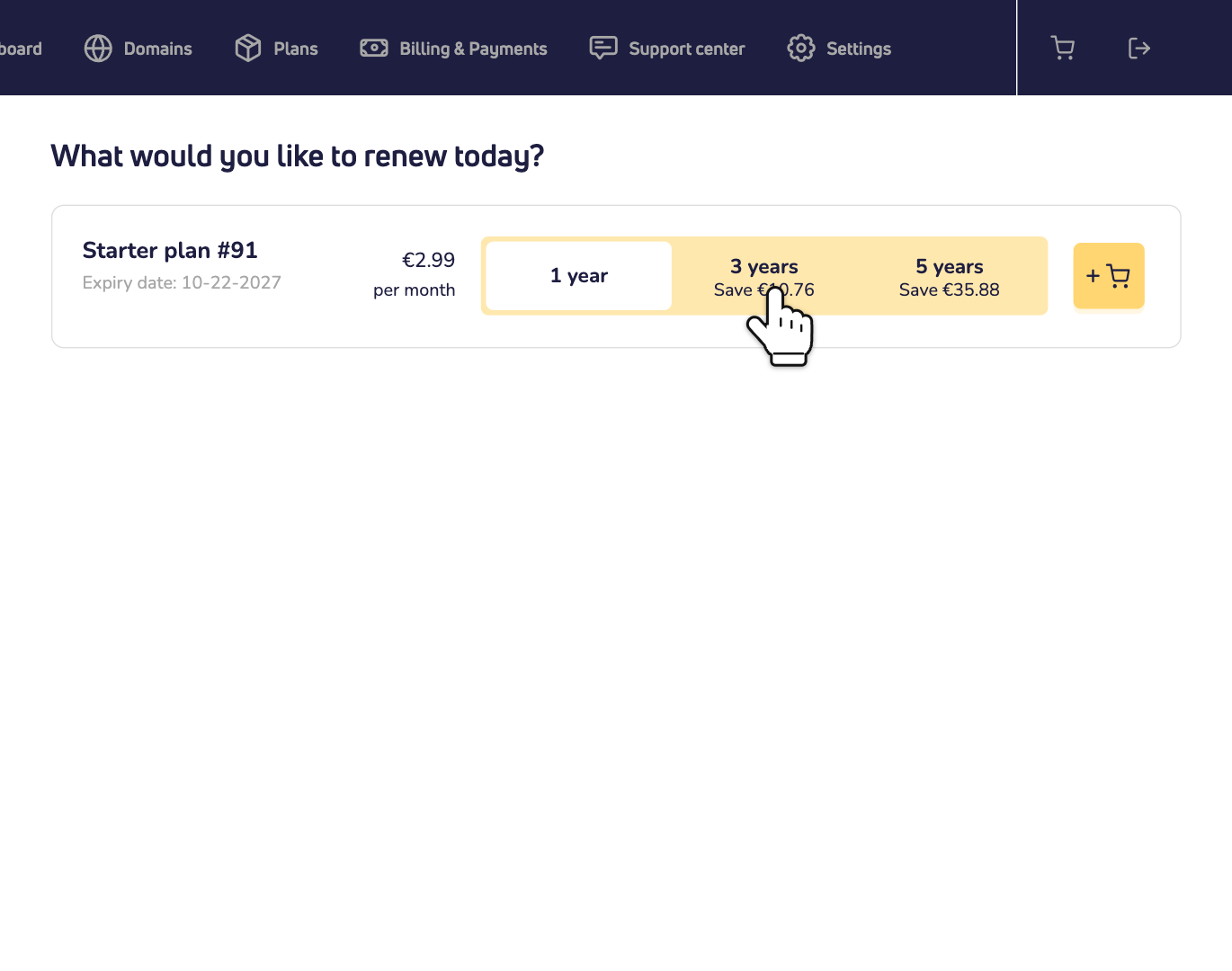
Step 3: Click the cart button next to your plan. Then pay in the checkout, with any payment method you like.
Paying by bank transfer? Then renew at least 7 days before the expiry date. Closer to that date, you can't choose bank transfer.
Tip: on your dashboard home, the card Renewals shows what expires in the next 90 days. Click Renew next to a product, or All renewals for the full list.
What does a renewal cost?
You pay the renewal price of your plan. That can be higher than what you paid in the first year. You see the price on the renewals page before you order. Renewing web hosting on or after 1 December 2026? Read about the new web hosting renewal prices.
What if your plan expires?
On the expiry date, your web hosting, website builder and email stop right away. There's no extra time.
- For 14 days, you can still reactivate the plan. Click Expired in the list of your products, open the plan and choose a period. You pay the normal renewal price. The new period starts on the old expiry date.
- After 7 days, we email you a warning with the date we'll delete your plan.
- After 14 days, we delete everything in it for good: your website files, databases and mailboxes.
Your domain names stay registered: they renew on their own schedule. But their website and email stop with the plan.