

Did you get an email saying we couldn't renew your domain names or one of your plans? Don't worry. Nothing has stopped yet. You just need to renew before the expiry date. Here's why it happened, and how to fix it in a few minutes.
Why couldn't we renew?
For an automatic renewal, we first use the balance of your online wallet. Not enough? Then we use the payment method you authorized: a direct debit or a credit card. The renewal fails when:
- your wallet balance is too low, and you haven't authorized a payment method, or
- the payment with your credit card failed, for example because the card has expired.
The email tells you which domain names or which plan it's about, and when they expire.
Renew before the expiry date
The quickest fix: renew yourself, and pay right away.
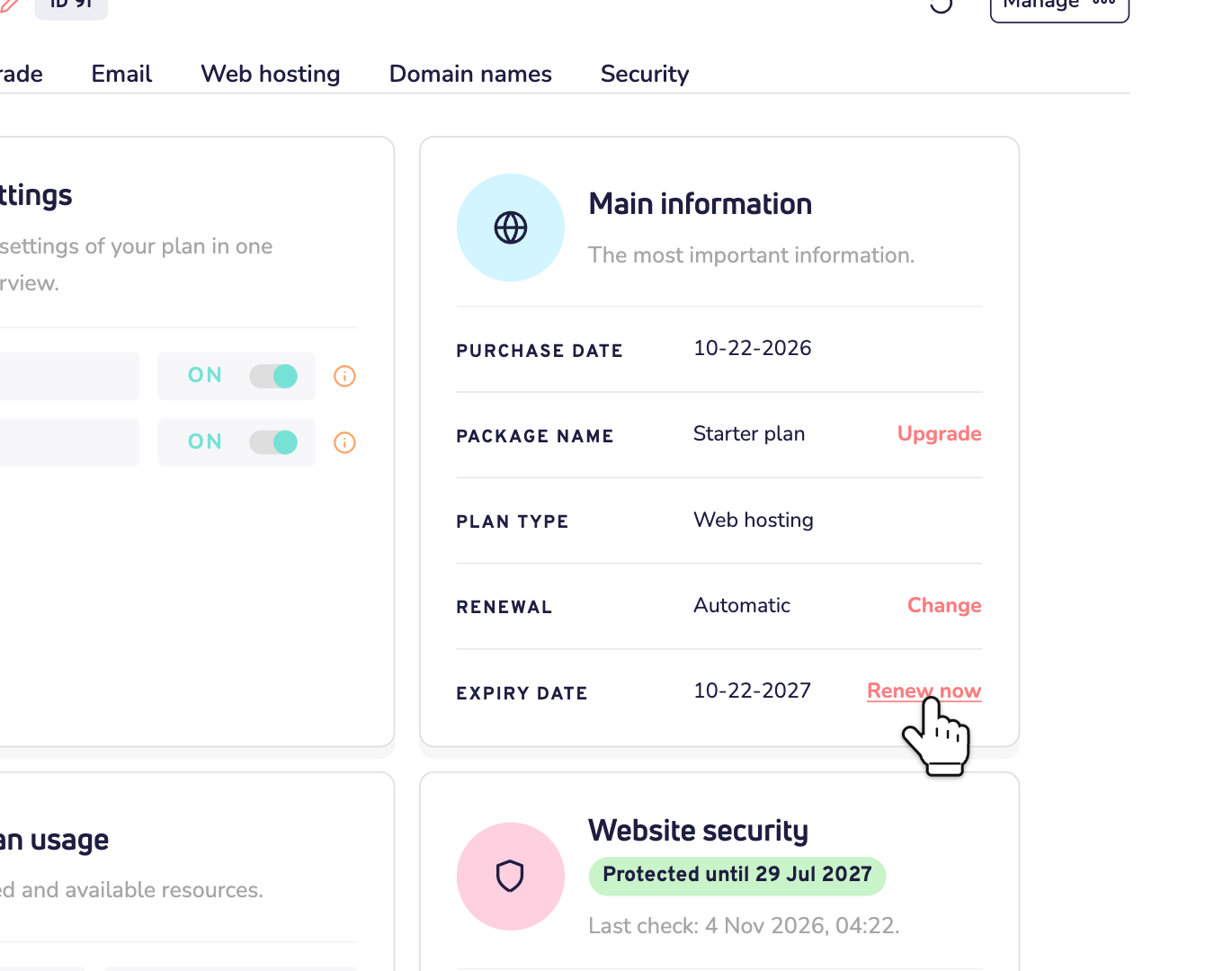
Step 1: Log in to your dashboard and open your plan or domain name. For a plan, click Renew now next to Expiry date. You can also use the link in the email.
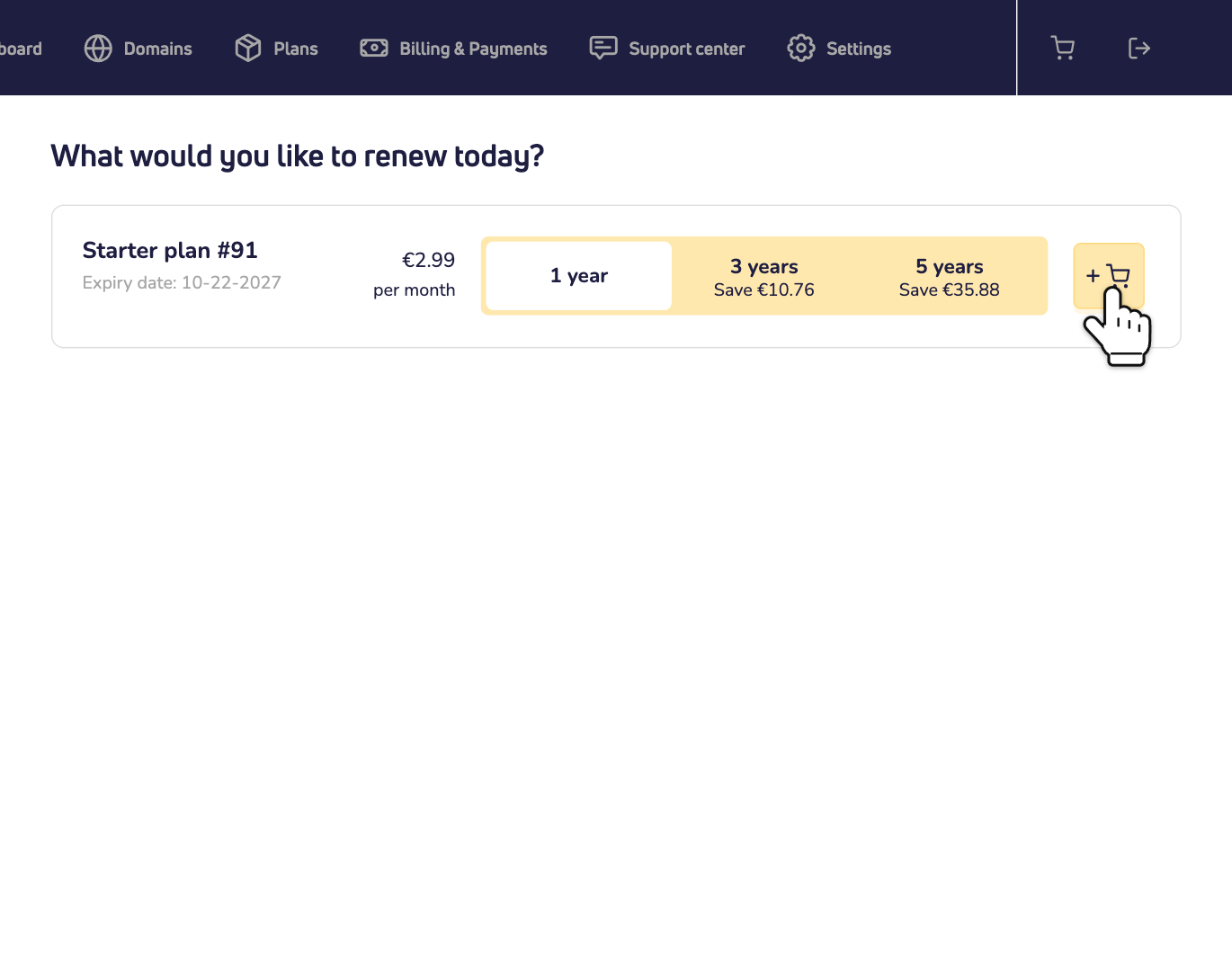
Step 2: You're now on the renewals page. Choose a period and click the cart button.
Step 3: Pay in the checkout, with the payment method you like. That's it: your product is renewed.
Good to know: bank transfer isn't possible in the last 7 days before the expiry date. Then choose another payment method.
Or let the next attempt succeed
As long as automatic renewal is on, we keep trying twice a day until the expiry date. So you might get the email more than once. You can also make sure the next attempt works:
- Top up your online wallet with enough balance. Read how the online wallet works.
- Authorize a payment method. Tick the box at checkout when you pay for an order. Read how to set up a direct debit or your credit card.
Has your credit card expired? Then renew yourself, as above, and pay with your new card. Tick the box at checkout, so your new card is used for the next renewals.
What if you don't renew?
- A domain name stops working after the expiry date. Read what happens if your domain name expires.
- A plan stops right away on the expiry date: your web hosting, website builder and email. You have 14 days to reactivate it. After that, we delete everything in it for good. Read how the renewal of a plan works.
Don't need it anymore? Then turn off automatic renewal, so you won't get these emails again. Or cancel the product.
Not sure the email is really from us? Never pay through a link you don't trust. Log in to your dashboard yourself and check the expiry date there.