

The domain holder is the owner of your domain name at the registry. Did your company name change? Or should your company own the domain name instead of you? Then change the holder. You pick one of your own contacts, and we do the rest. Read more about what a domain holder is.
Change the holder
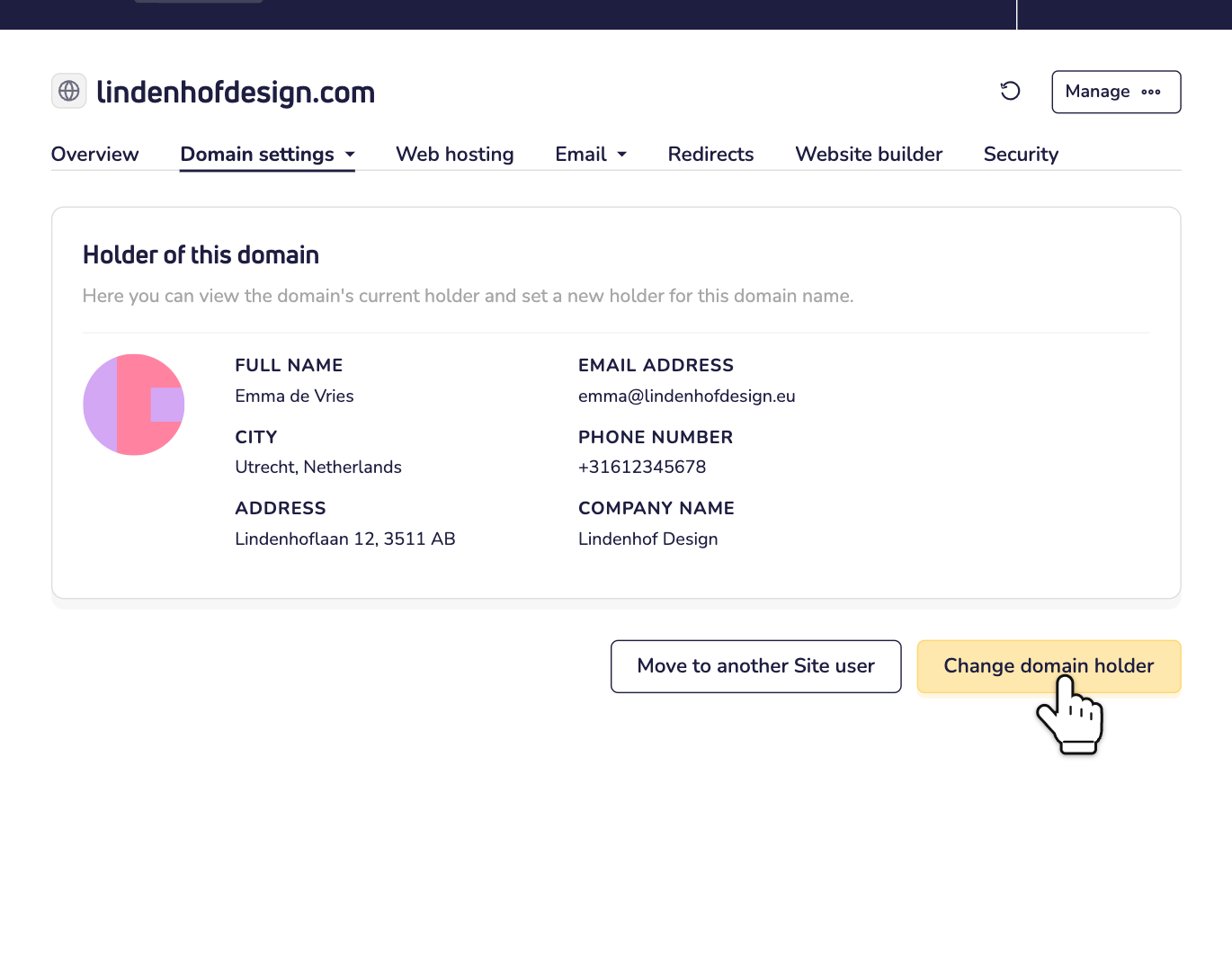
Step 1: Open your domain name in your dashboard. Go to Domain settings and choose Domain holder. Then click Change domain holder.
Step 2: Pick the new holder from your contacts. At the top, you see whether changing the holder is free. Each contact shows whether it's ready for the extension of your domain name, like .com or .es. Is the right contact not in the list? Then click + Add new contact. Then click Next.
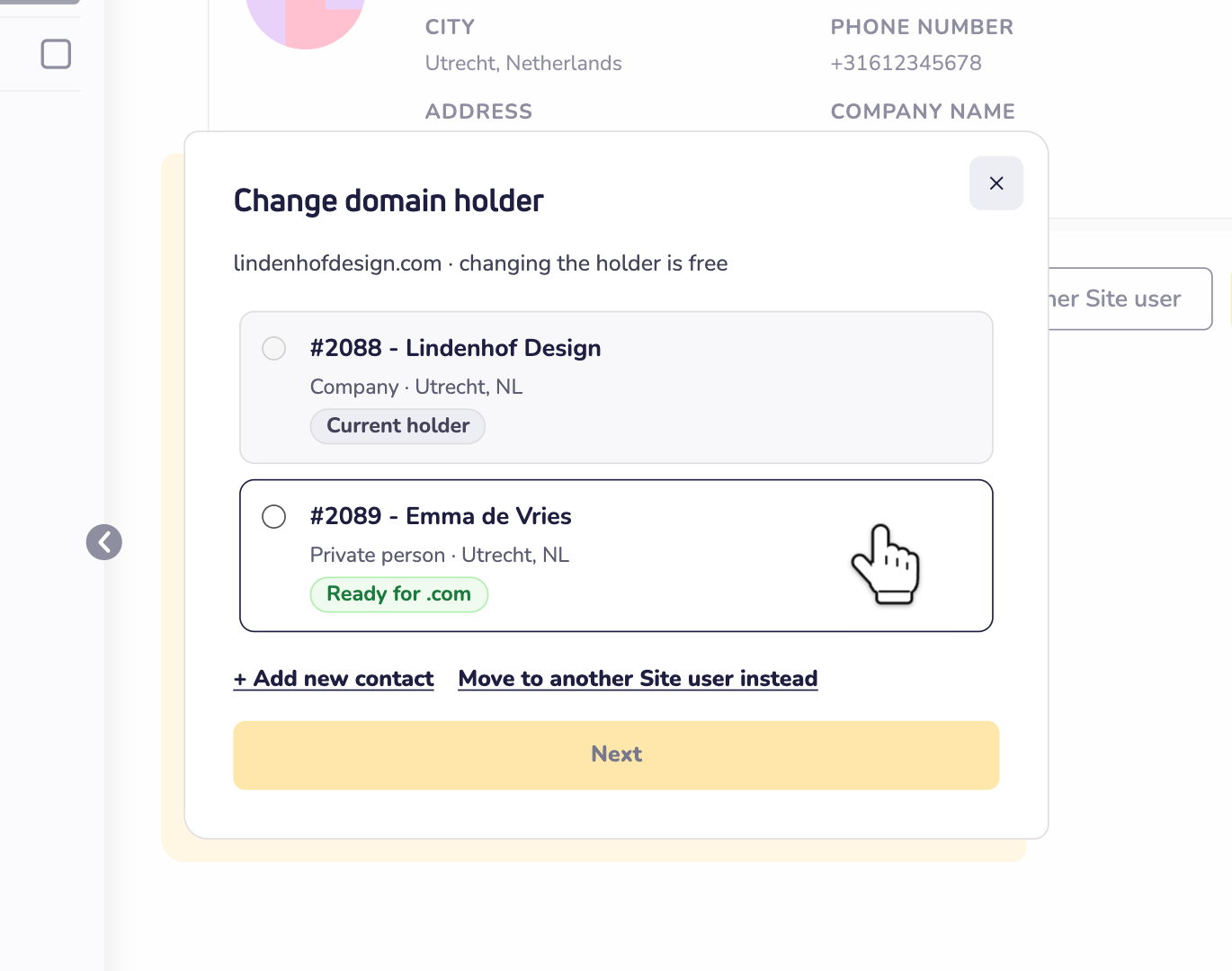
Want to change a detail of the contact you picked, like the address? You can do that right there. Your changes are saved as a new contact. The contact you picked stays as it is.
Step 3: Does the registry need more details about the new holder? Then the window asks for them first. That happens with some extensions, like .es. Fill them in and click Check with the registry. The details are saved on the contact and used for every domain name with that extension. Read how to make a contact ready for a domain extension.
Step 4: Check the old and the new holder, and click Change holder.
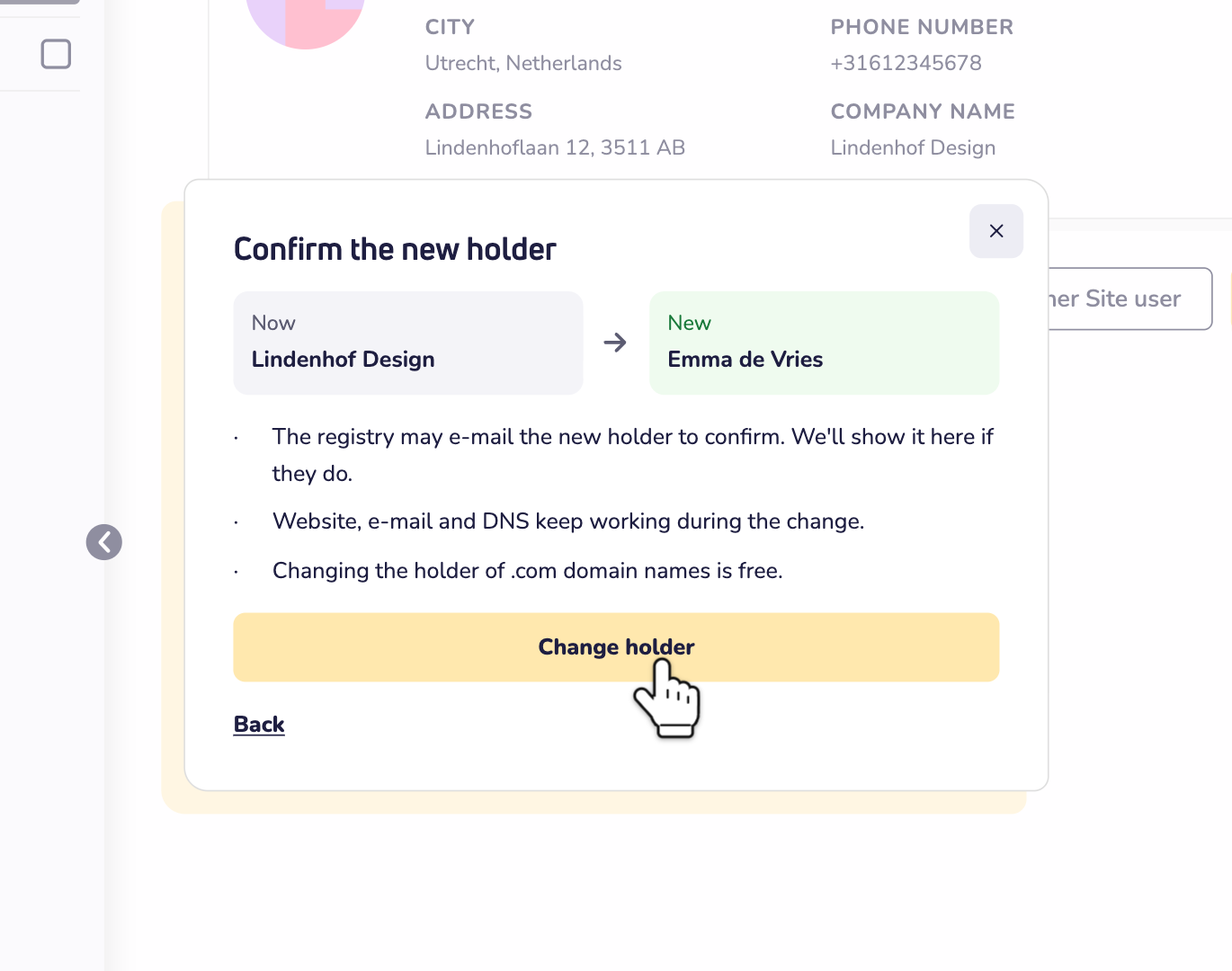
Does the extension charge for a change of holder? Then the button says Add to cart, with the price. Pay it in your cart, and the change starts. Read whether changing the holder of your domain name is free.
After the change
The page of your domain name shows that the change is in progress. The registry usually finishes within an hour. Your website, email and DNS keep working in the meantime.
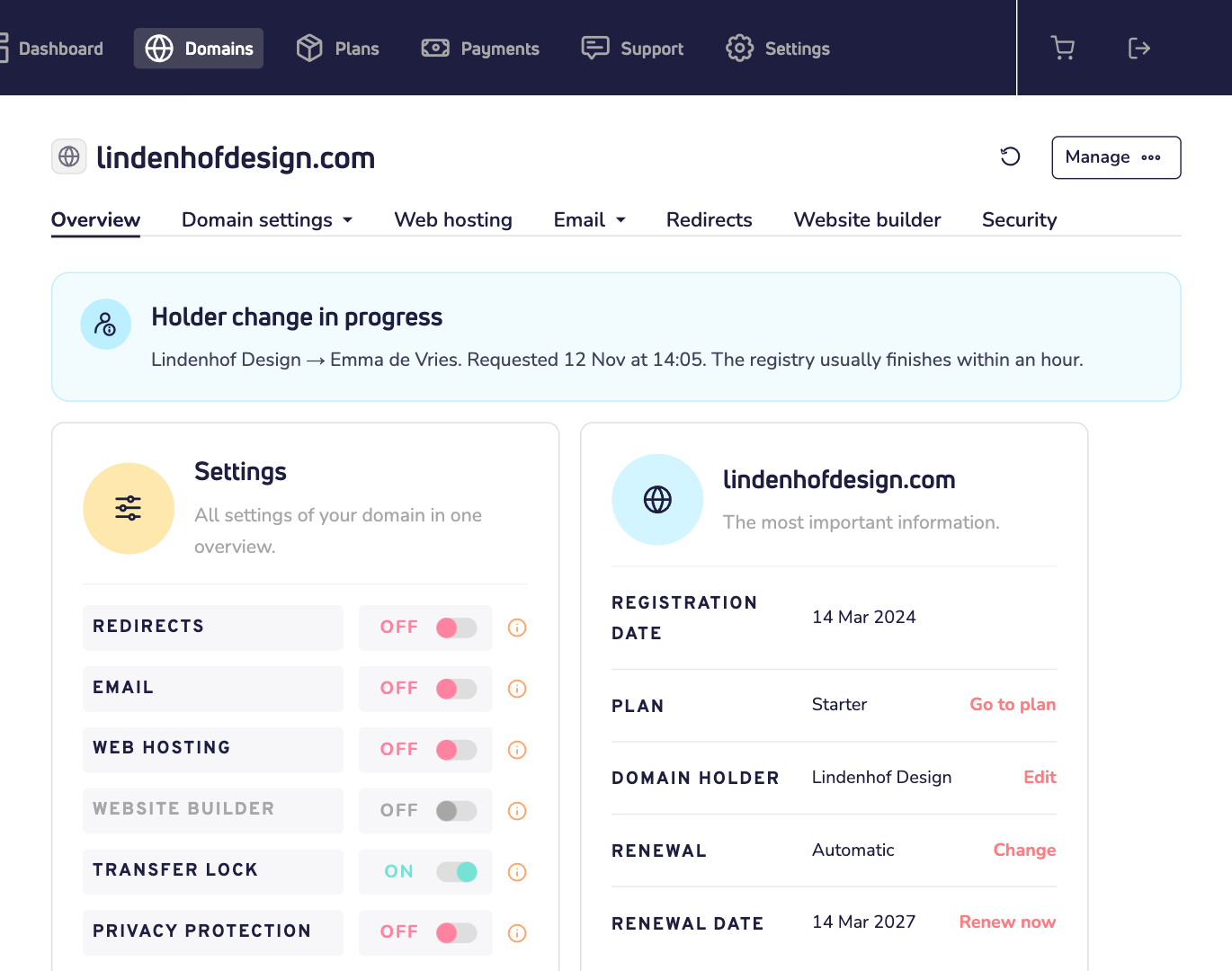
- The new holder may get an email. For some extensions, the registry asks the new holder to confirm their details. The page of your domain name then shows an orange box with the address we sent the link to.
- Did the registry refuse? Then the page of your domain name says why, and the old holder stays. Did you pay for the change? Then the money goes back to your wallet automatically.
- Giving the domain name to another Site.eu user? That's not a holder change, so you can't pick a contact from someone else's account. Read how to move a domain name to another account.