

Want to stop using a plan or a domain name? You have two options. Let it end on its expiry date, or cancel it right away. Here's how both work.
Option 1: let it end on its expiry date
This is the safest choice. You keep using your product until the end of the period you paid for. After that, it isn't renewed. Read more about how renewal works.
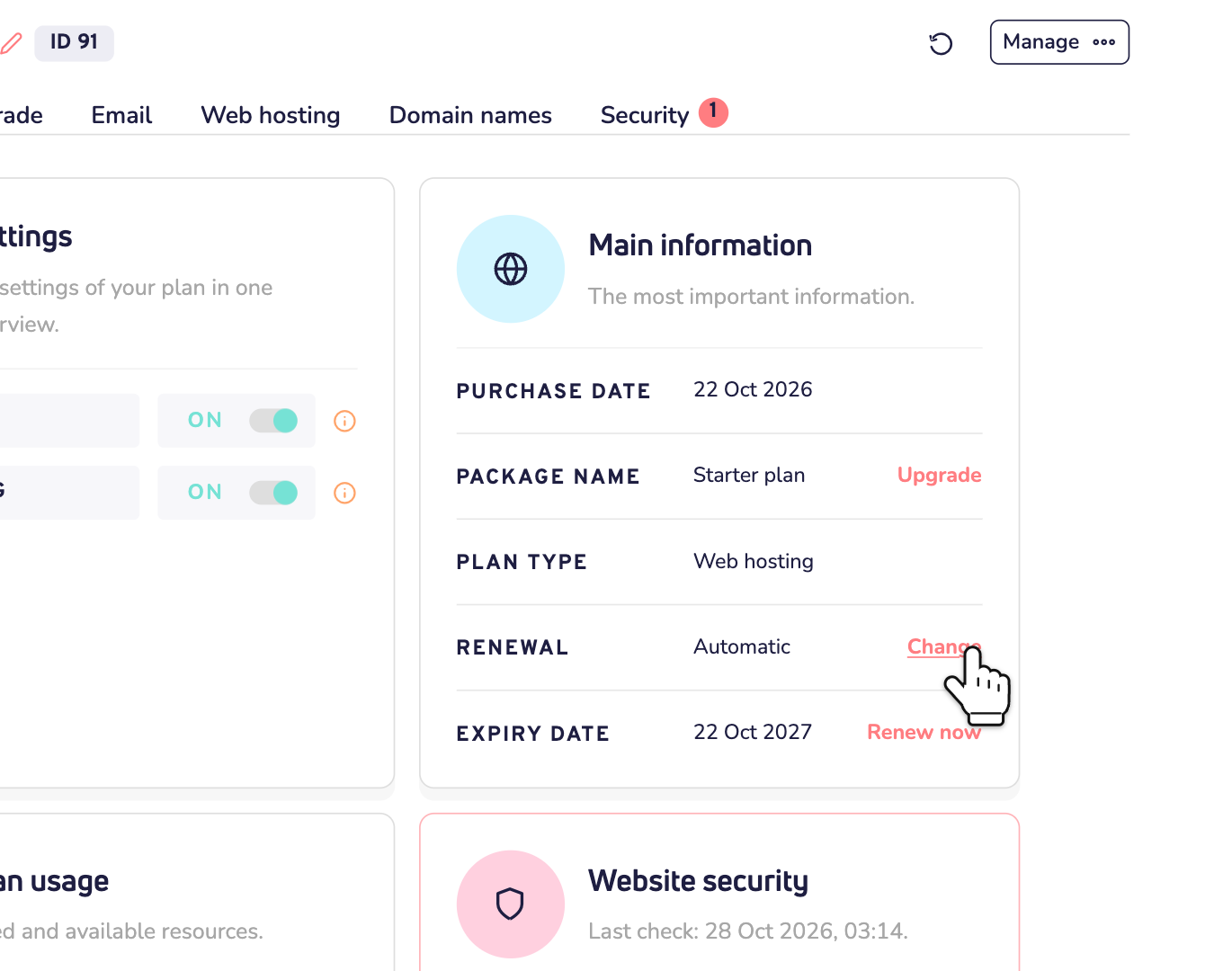
Step 1: Log in to your dashboard, click Plans and open your plan. Next to Renewal, click Change.
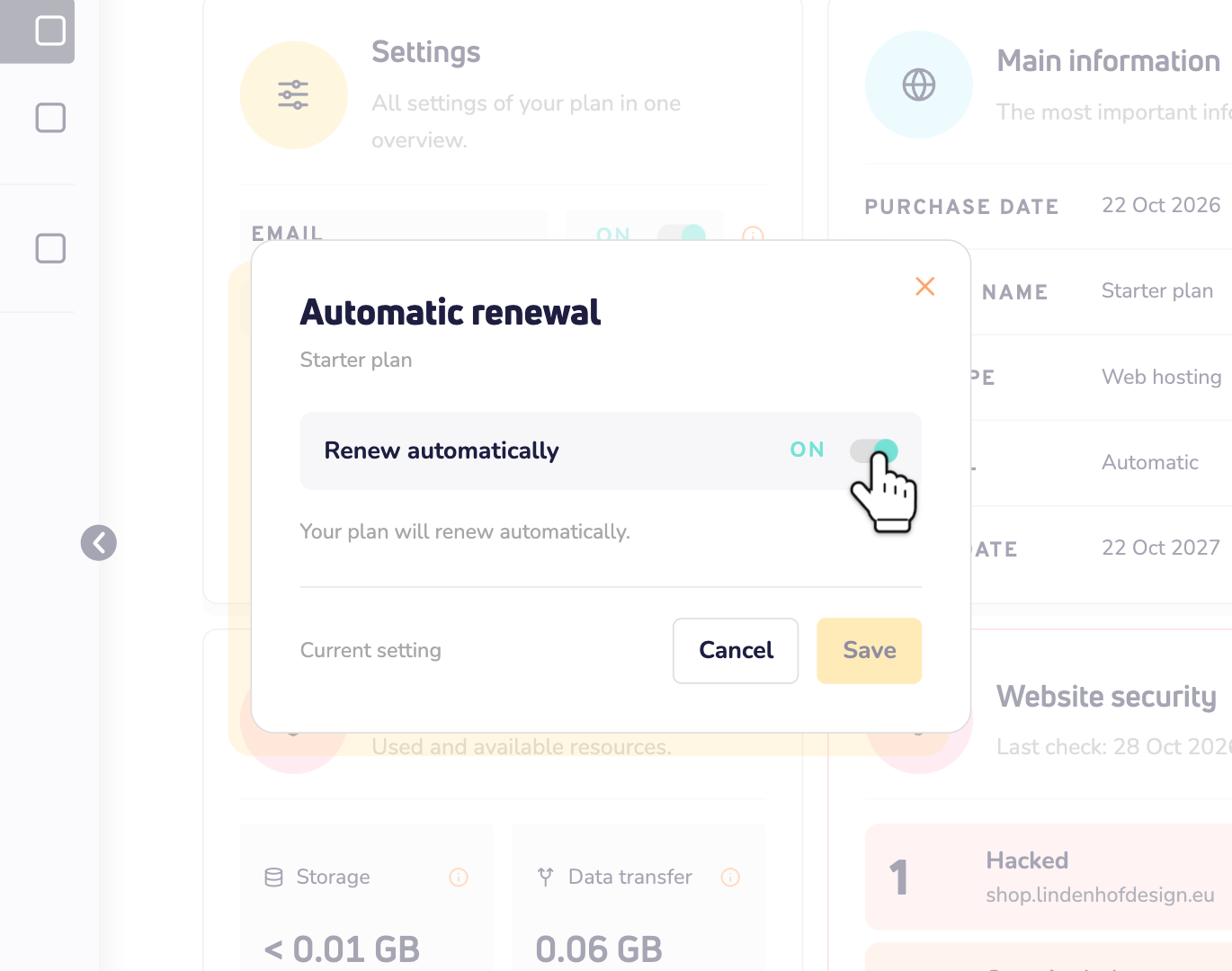
Step 2: Turn off the switch for automatic renewal and save your change.
A domain name works the same way. Open it and click Change next to Renewal.
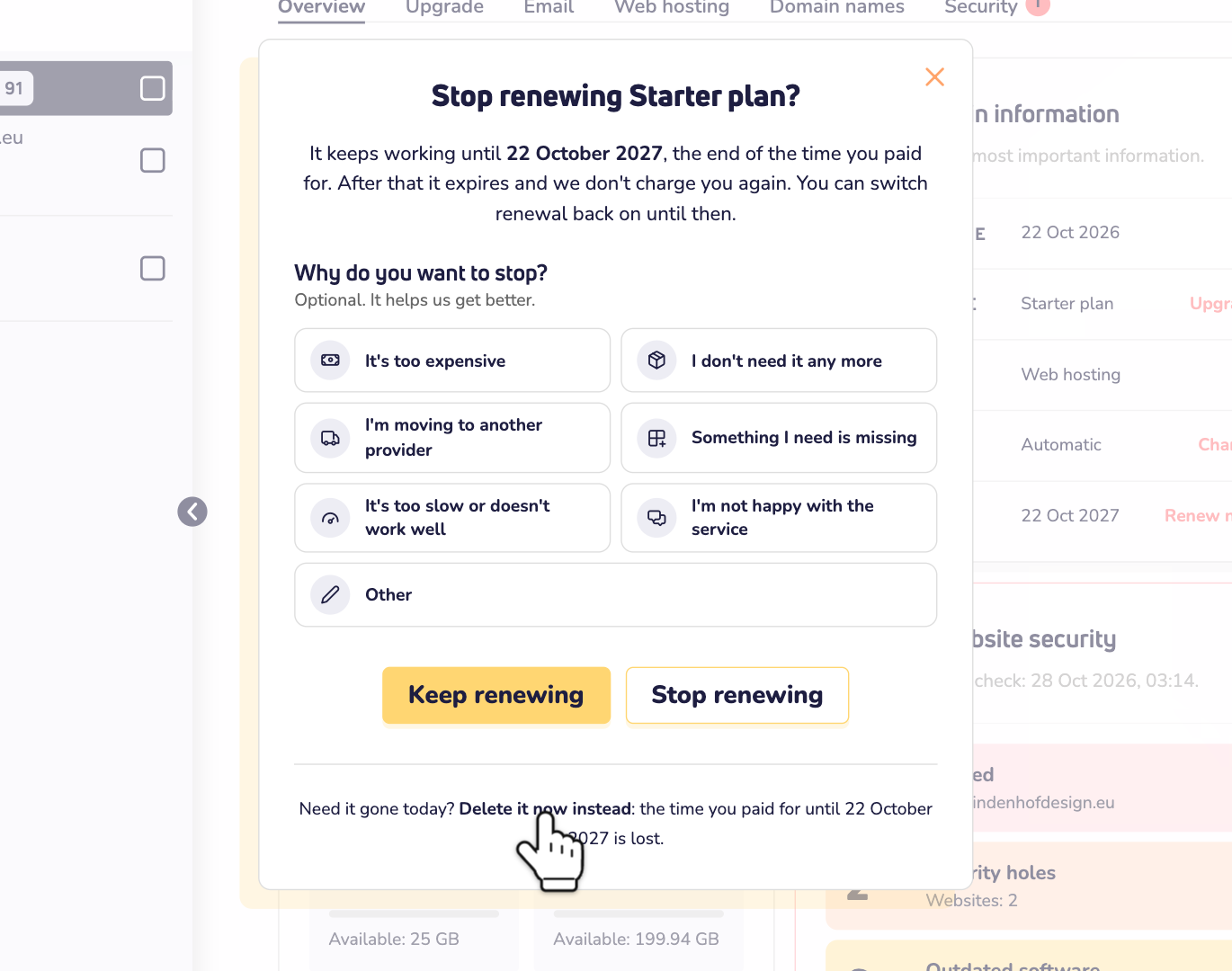
The cancel button of option 2 gets you there too. Its window first asks if you want to stop renewing. Click Stop renewing, and that's it.
Changed your mind? Turn automatic renewal back on any time before the expiry date.
Option 2: cancel right away
Only do this if you're sure. It stops everything at once, and you can't undo it. Want to keep your website or your emails? Make a copy first.
Cancel a plan
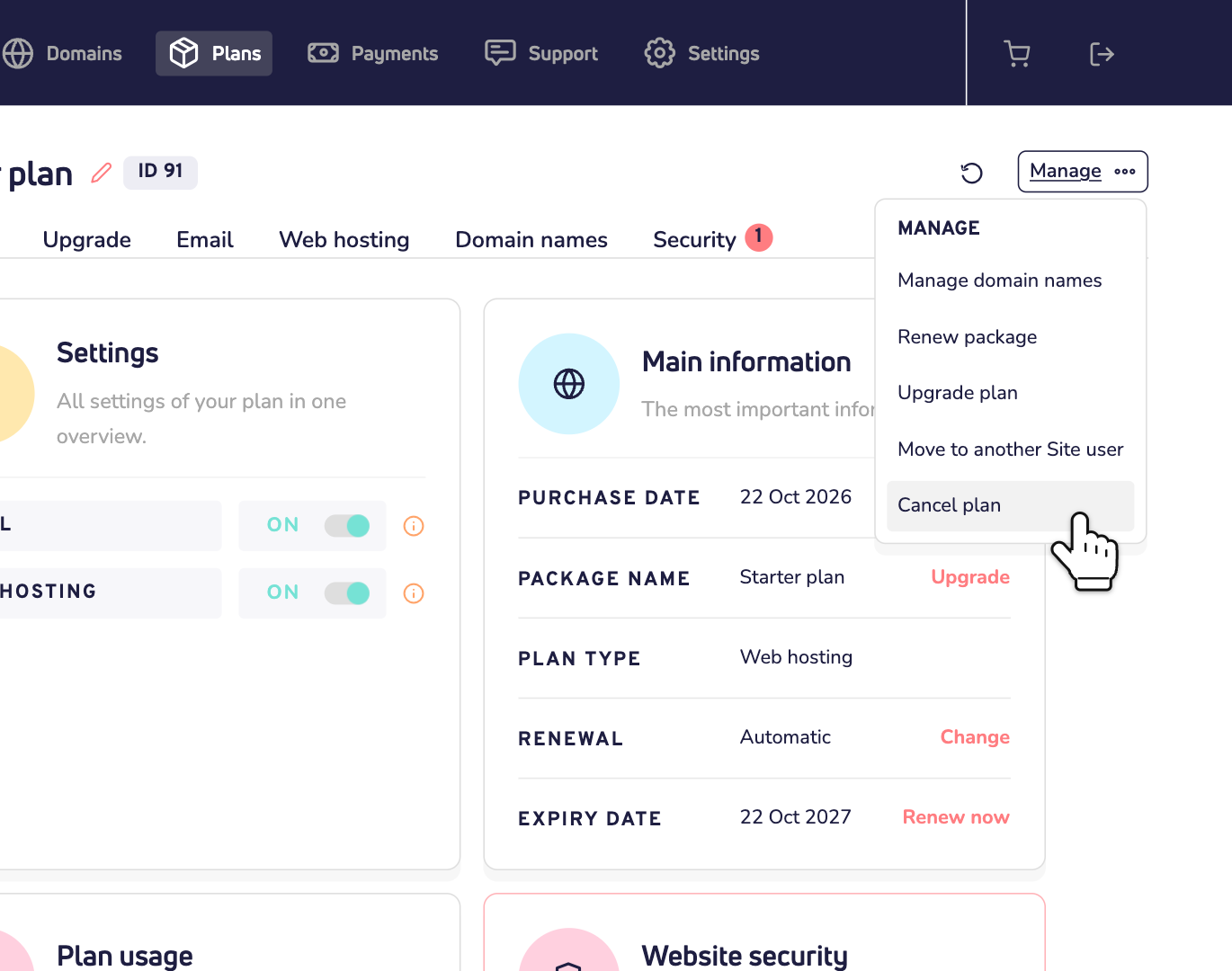
Step 1: Open your plan, click Manage and choose Cancel plan.
Step 2: The window first asks if you want to stop renewing instead. To cancel right away, click Delete it now instead. The time you already paid for is then lost. No paid time left? Then the window skips this question.
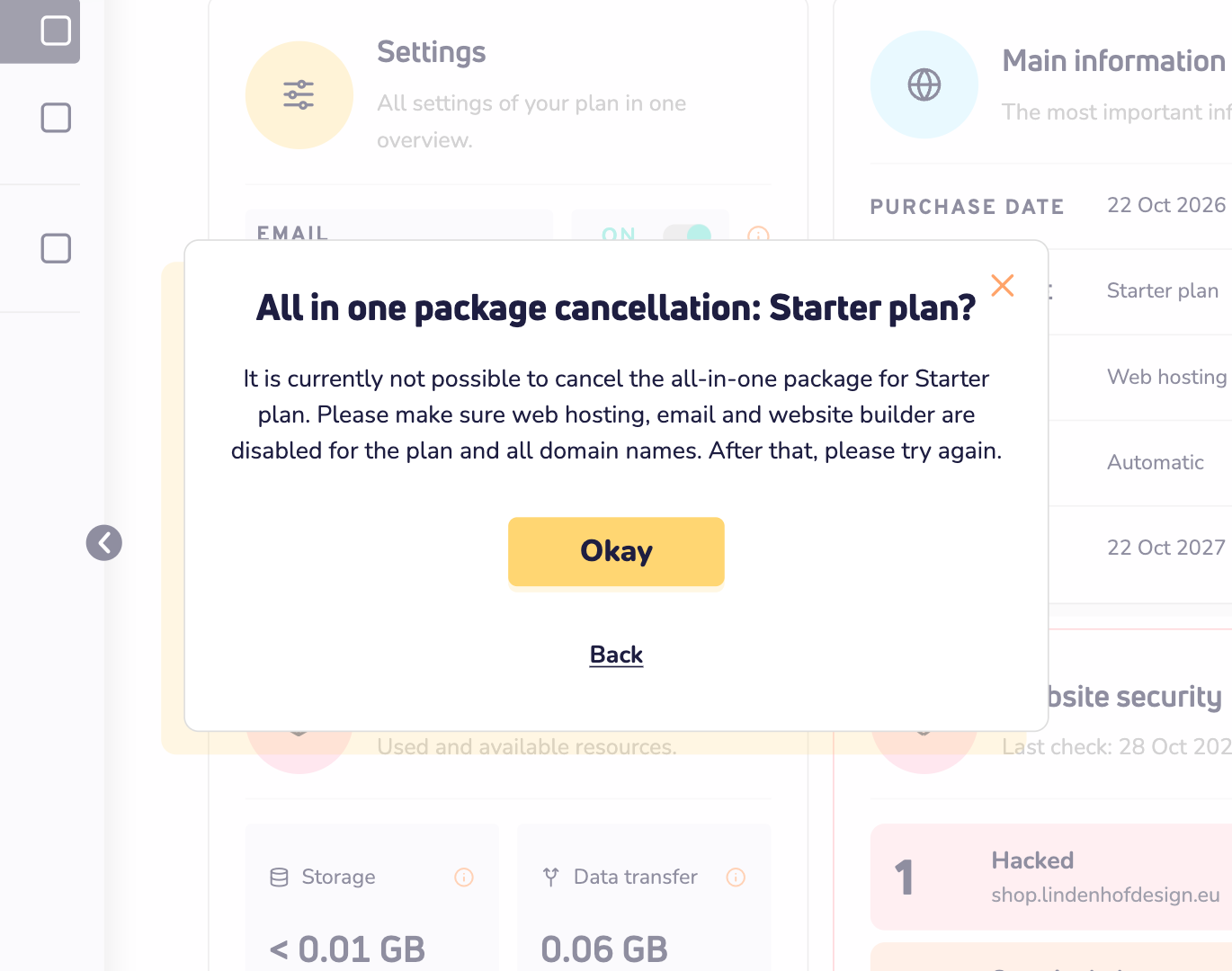
Step 3: Do you see this message? Then first turn off web hosting, email and the website builder. For the plan and for every domain name in it. Then try again.
Step 4: Enter the password of your account and click Terminate plan. Your plan stops right away, and all its data is deleted for good.
Cancel a domain name
Open your domain name, click Manage and choose Cancel domain. Click Delete it now instead and enter your password. The domain name stops working at once and is cancelled at the registry.
Moving your domain name to another provider? Then don't cancel it. First read our tips for cancelling domain names.
Good to know: when you stop renewing or cancel, the window also asks Why do you want to stop? Answering is optional. It helps us get better, and it doesn't change anything about your cancellation.
What happens when you cancel?
- Your domain name no longer works.
- Your email stops working.
- Your website goes offline.
A word of warning about renewals
Want your product back after it expired or was cancelled? That costs more than a regular renewal. See our domain prices. So before you cancel, make sure you're really done with it. Nobody likes paying extra to get a service back.
Quick recap
- Want to use it until it expires? Click Stop renewing, or turn off automatic renewal.
- Need to stop everything now? Click Delete it now instead and cancel it right away, as in option 2.
- Changed your mind later? Be ready to pay more to get it back.