

Aiming at Croatia? A .hr domain name tells visitors right away that you're local. You can register one at Site.eu. But .hr has its own rules. Who can register one? What do we ask for? And how do you avoid delays? Here's what you need to know.
Who can register a .hr domain name?
CARNET, the registry of .hr, only gives .hr domain names to holders in the EU:
- Companies and organizations based in an EU country.
- Private persons who are EU citizens and have an OIB. That's the Croatian personal identification number.
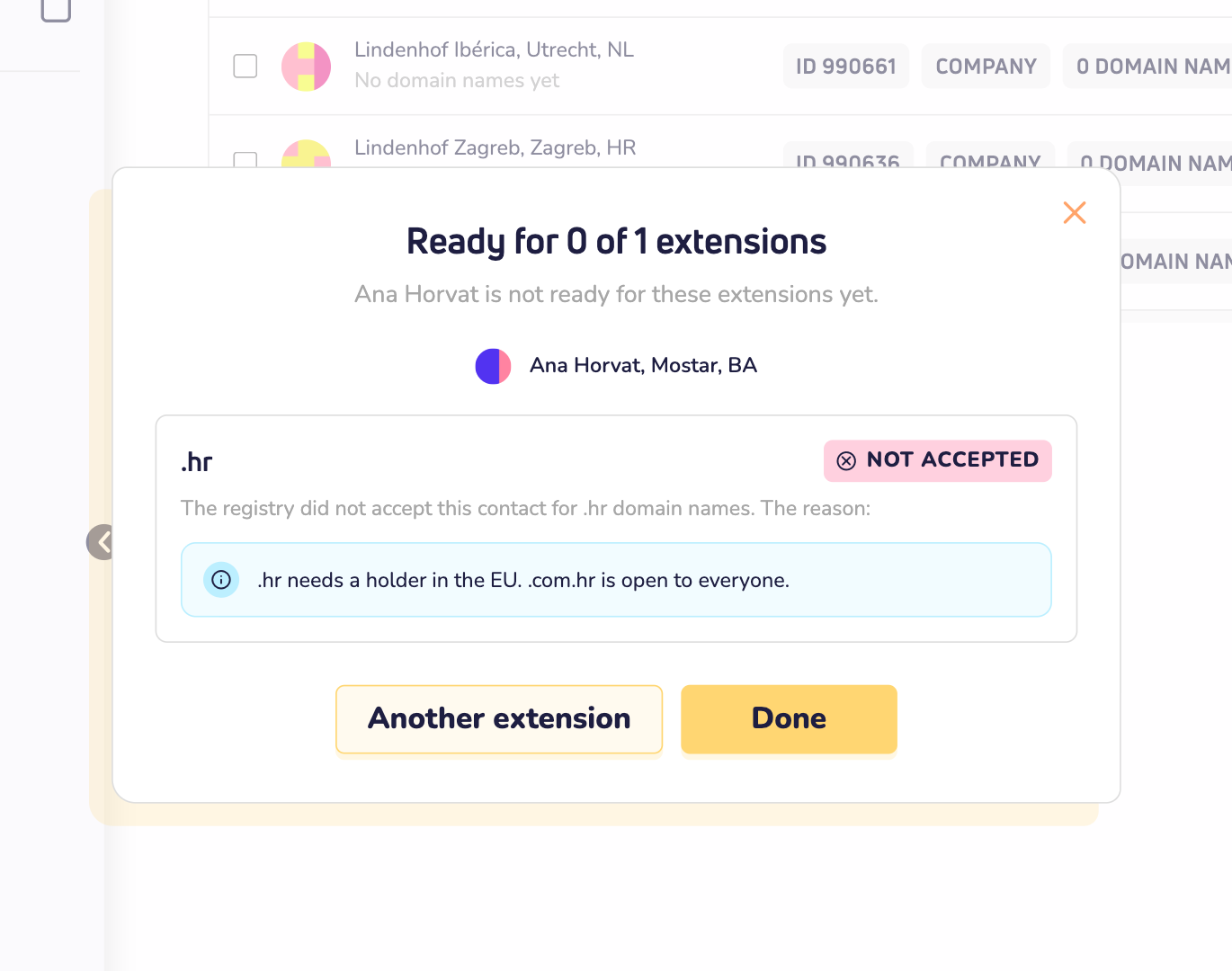
Is the domain holder based outside the EU? Then the registry won't accept that contact for .hr. At checkout, a window tells you so: .hr needs a holder in the EU. .com.hr is open to everyone. Choose another contact as domain holder. Or go for .com.hr.
No OIB, or based outside the EU? Choose .com.hr
Every person and every company can register a .com.hr domain name. From any country, and without an OIB. That's the registry's own rule. So .com.hr is the simple way to a Croatian domain name.
What we ask for
For .hr, we need some details of the domain holder. Which ones? That depends on who the holder is:
- A private person: their OIB. It has 11 digits. We check the number when you save it, so a typo shows up right away. No OIB? Then choose .com.hr, or register the domain name in the name of a company with a VAT number.
- A company: its VAT number. Is it saved on the contact? Then we fill it in for you. If not, we ask for it.
- A company in Croatia: its OIB too. Is its VAT number saved on the contact? Then we take the OIB from it. It's the Croatian VAT number without "HR".
Make the contact ready before you order
Want to be sure before you pay? Make the contact ready for .hr first. We check the contact and save its details. So you don't have to fill them in at checkout. Here's how:
Step 1: Log in to your dashboard. Click Settings and open the Domain holders tab.
Step 2: Click Make ready for an extension. Choose the contact, type .hr and press Enter. Then click Make ready.
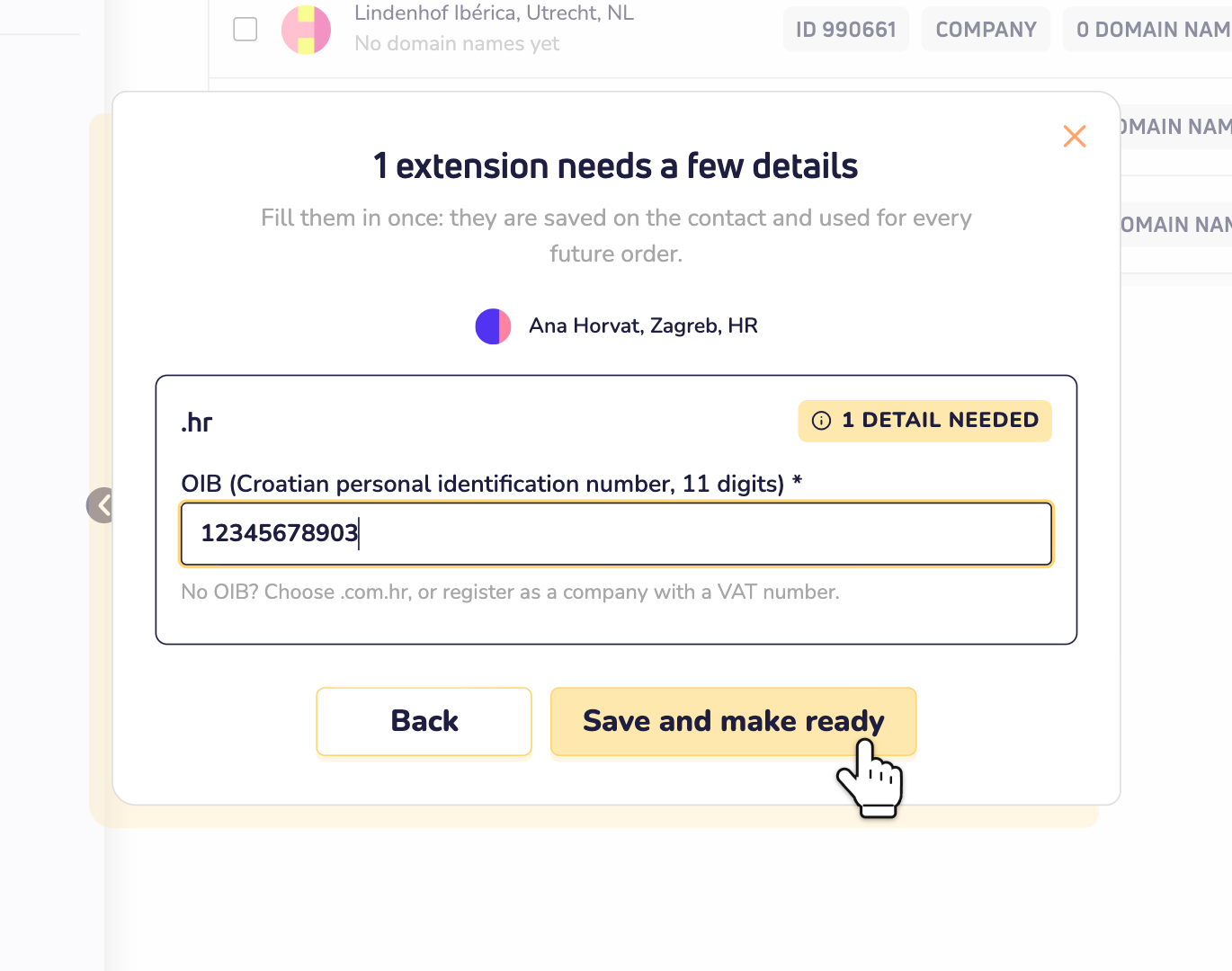
Step 3: Is a detail missing? Then you see a field for it. Fill it in and click Save and make ready.
Is the contact based outside the EU? Then you see that right away. The registry doesn't accept this contact for .hr.
Skipped this step? No problem. At checkout, we check the domain holder too. Is a detail missing? Then a window asks for it, before you pay. Read how to order a domain registration or transfer.
Did the registry refuse your registration?
Sometimes the registry still refuses a .hr registration, because a detail of the domain holder is missing. The OIB or the VAT number, for example. Then you get one email from us, with the subject "yourname.hr: the registry needs more details". It names the details the registry needs.
Click Fill in the details in that email. Your dashboard opens the window for that order. Fill in what's asked and save. We then register the domain name again. This costs nothing extra.
You get this email once. Does a new try fail for the same reason? Then we don't email you again. Until you fill in the details, the domain name waits in your dashboard under Domains > Awaiting extra information.